

TL;DR
Razer's Aether Standing Light Bars offer sleek, discreet lighting with impressive customization, similar to smart home systems. While beautifully designed for versatile placement, the setup can be tricky, requiring 2.4 GHz Wi-Fi and some troubleshooting. The control software, Razer Synapse 4, is incredibly powerful but can feel overly complex and disjointed, making advanced features hard to master. Despite these hurdles, the lights provide stunning ambient effects, especially when synced with other Razer gear, making them a stylish addition to any space. Ready to see if the sophisticated lighting is worth the software complexity? Read the full review!
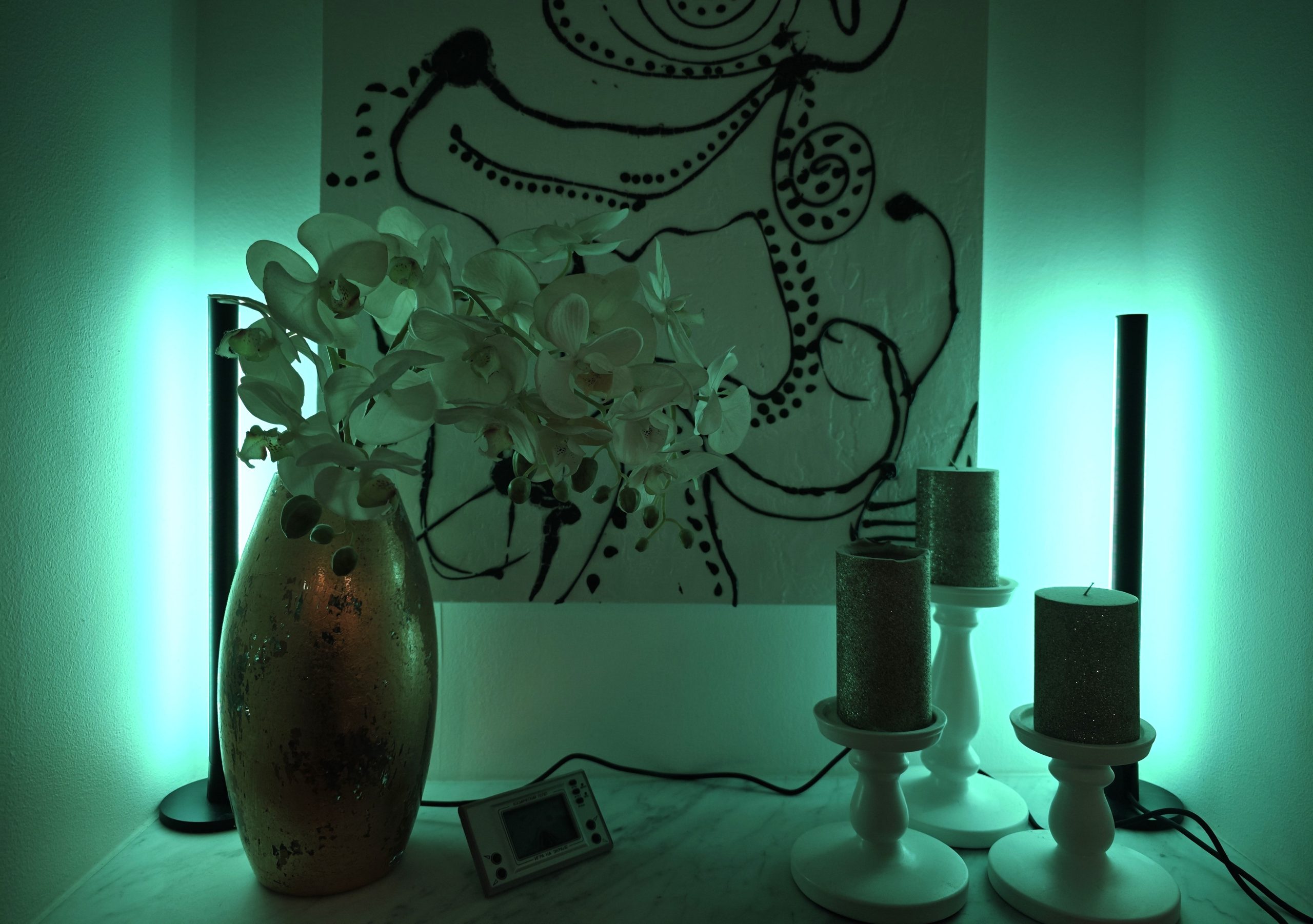
Razer offers a wide selection of lighting that can deck out a gaming room to perfection. But what’s neat about Razer’s lighting is that it’s not entirely unlike wireless smart lighting in general. That is to say, you get great freedom of choice, you can link it to your smart home devices, and even to Philips Hue. In today’s test, we are going to look at the Razer Aether Standing Light Bars. We will examine the to say the least advanced—possibly overly complicated—app available to control Razer’s system, and also go through the clever, well-thought-out solutions that make the Aether Standing Light Bars more a part of your interior design than just a pair of stylish lamps by your computer.
(Photo: senses.se)
First Impressions – Aether Standing Light Bars
When we tested the Razer USB 4 Dock and Razer Monitor Stand Chroma, we were somewhat pleasantly surprised by the sleek and stylish design. It felt confident and not quite as attention-seeking as several of Razer’s other products can be with their large, glowing logos. We got exactly the same feeling when we opened the Aether Light Bars. They are discrete and professional. The two lamps are linked to each other via a cable, and lamp 1 (they have a small number on them, where lamp 1 is closest to the split) has, in turn, an additional cable ending in a USB-C connector. It’s no more complicated than that.
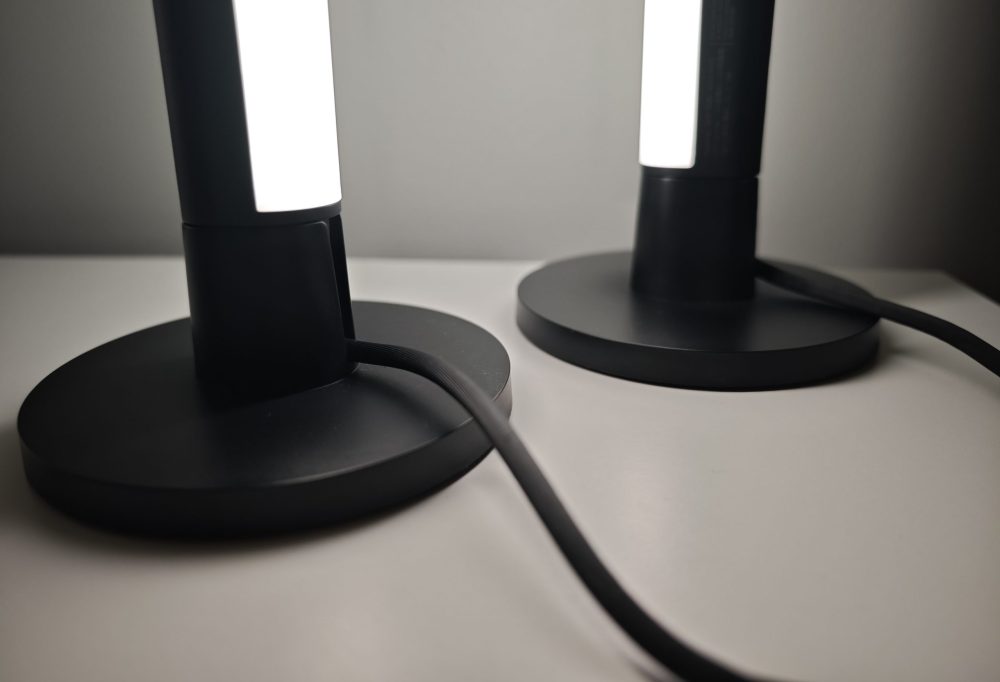
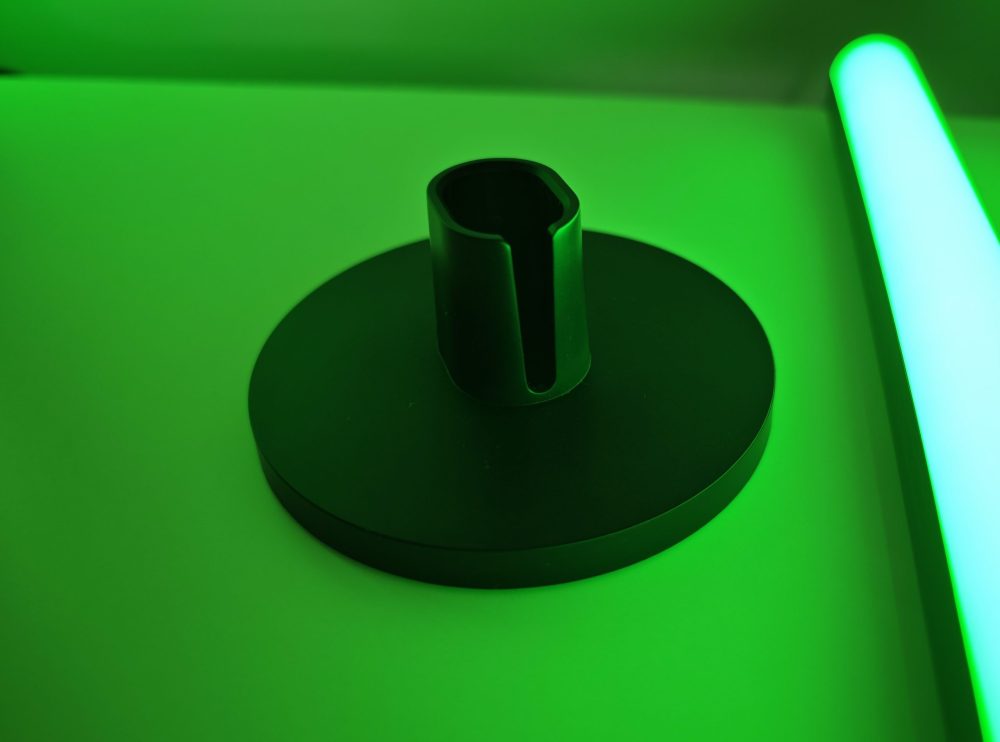
Each lamp has a base in which you can mount the lights in either direction and route the cable the right way. The point of this is that you can use them either as background lighting behind your screen, for example, or flip them around to illuminate yourself if you are streaming—while simultaneously routing the cables neatly away from you. Because even though they are controlled wirelessly, cables and a decent amount of power are required to achieve full brightness.
However, setting them up requires you to be aware of your network settings, as the lamps always connect to the 2.4 GHz band (which on newer routers is often used as a separate IoT frequency, Internet of Things). And it wasn’t exactly easy. It took quite a bit of tinkering and adjusting before they suddenly appeared. Given that they are Matter-compatible, it is somewhat surprising that Razer did not include a Matter QR code, which would have made the connection extremely simple. This is especially true regarding Philips Hue, which admittedly appears as part of the app system and shows as linked, but cannot be found in the Philips Hue panel. Linking to Google Home was no problem and worked immediately (somewhat surprising considering what a labyrinth the Google Home app can be).
But once they are up and running, the next adventure begins: diving into all the variants of apps included in Razer Synapse 4, or Chroma, or Razer Gamer Room. It’s a bit messy here too, we must point out.
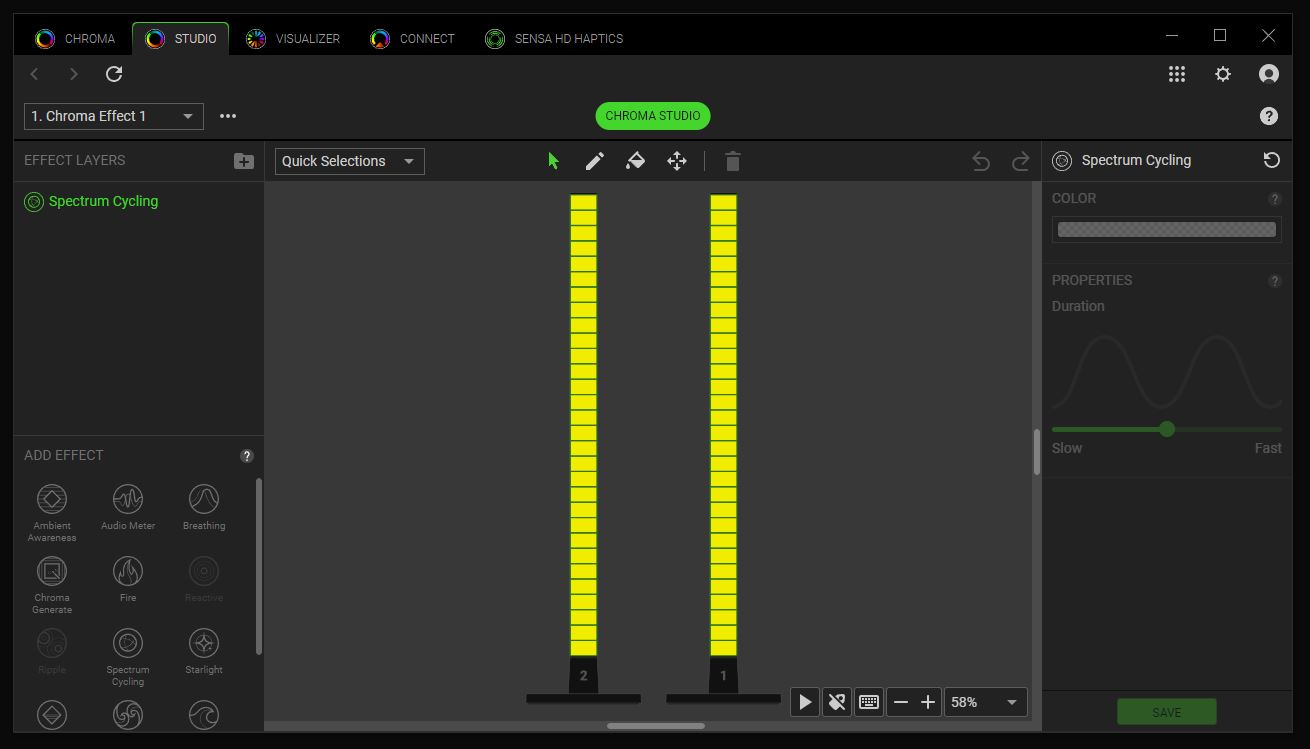
The Command Center – Razer Synapse 4
(Photo: Razer)
To run Synapse 4, you don’t need to create an account; you can adjust settings as a guest, with the downside being that you cannot save your settings. This, of course, makes it largely impossible not to eventually create an account.
But then what? Razer Synapse 4 includes endless possibilities to combine lighting across lamps, keyboards, gaming mice, mouse pads, and well, whatever you want. You can have light waves flow with precision at specific angles from your keys over to the mouse and up onto the wall. You can choose which keys on your keyboard are affected by the effects, use your lamps as pillars of light that move to your music, and a bunch of other variations.
The problem is that it is so intricate and advanced that it is extremely easy to get lost and, after a while, not really understand what you are doing. And despite the correct audio output being set and the correct music program selected in Synapse 4, nothing happens. The light from the lamps doesn’t move. Furthermore, when one app is running, it often blocks another. If you then involve your phone, it blocks your ability to make settings on the computer. This is… difficult. And we at senses.se are fairly used to diving into new programs and features and getting them running after a while. But not this time.
Using simpler functions, such as setting schedules for different static colors or linking a specific color to different games, is no problem. It’s simple, clear, and you can do it through your phone. So in that aspect, the Razer Aether Standing Light Bars are exactly what we thought they were: really stylish, easy to hide (without the need to), and atmospheric lights that create a really nice feel in the room.
The Light
(Photo: senses.se)
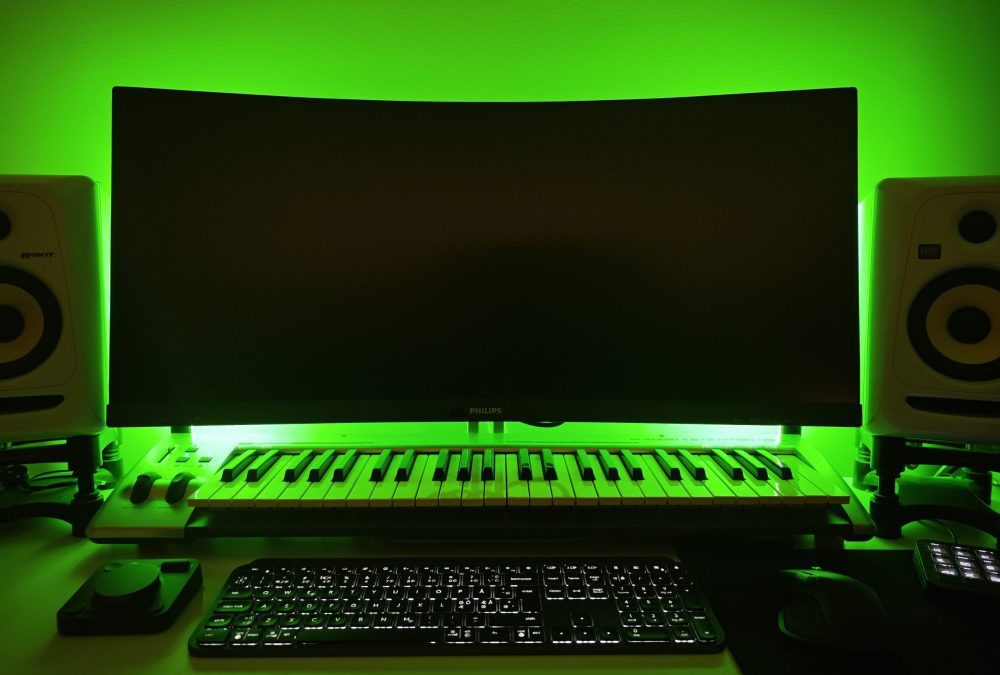
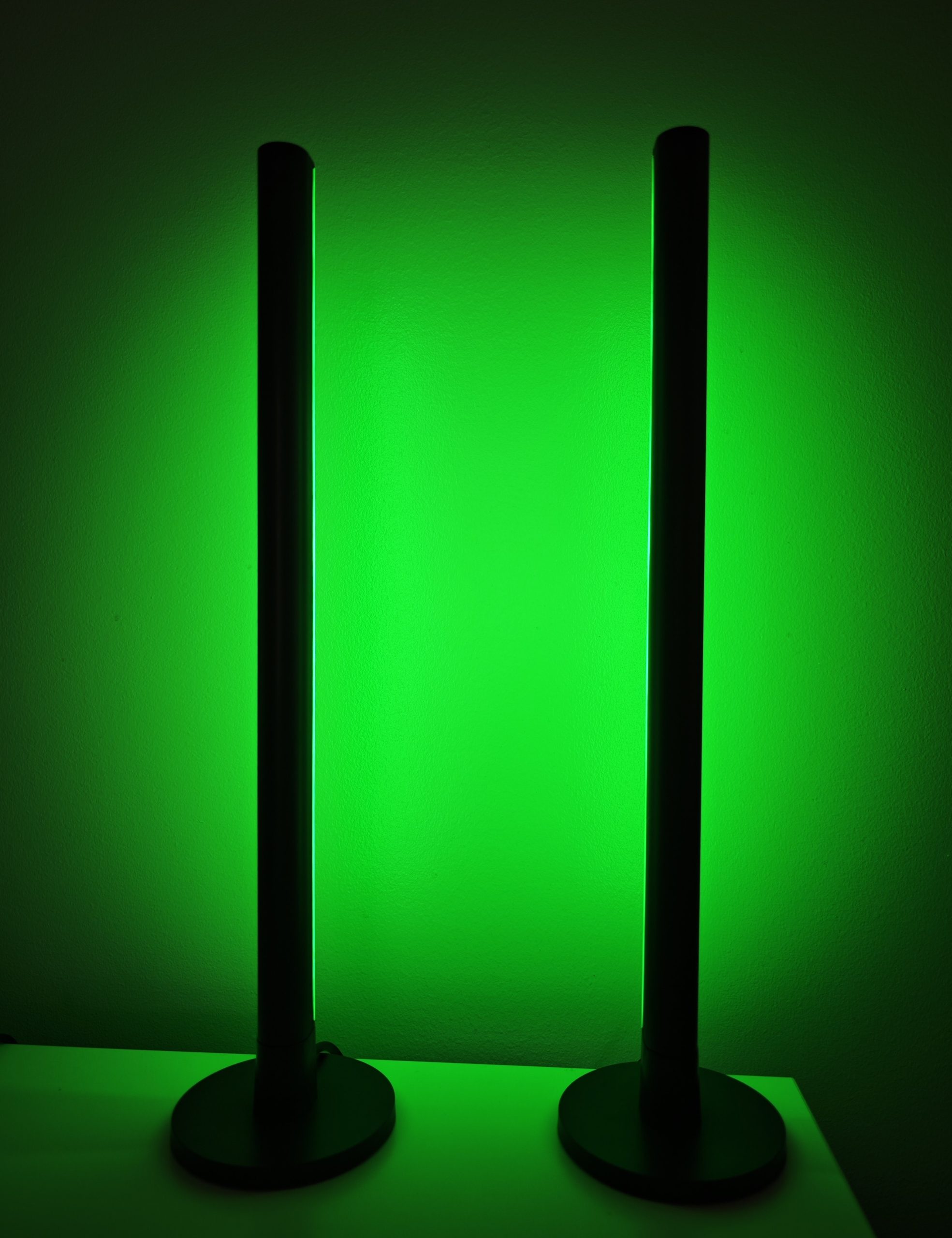
The light itself is truly wonderful, and it becomes incredibly effective when you illuminate your screen from the back (though you’ll have to do some extra cable management!). Small effects, such as the somewhat slow fading color shift when switching between different preset colors, are very satisfying; the fire variant is surprisingly cozy, and as we mentioned at the beginning, you can place the Razer Aether Standing Light Bars anywhere within reach of your Wi-Fi. This makes the lamps much more than just computer lighting. Potentially, these can be used as atmospheric lighting in your bookshelf, night lights, or whatever else you can think of.
(Photo: senses.se)
The Bottom Line – Razer Aether Standing Light Bars
The lamps themselves are stylish, discrete, and emit a pleasant light, although it could have been slightly brighter. The fact that they are wirelessly controlled is a major advantage, as you can use them almost anywhere—in other words, not just by the computer, but perhaps in a nearby bookshelf or in a completely different room.
The included software is at times so advanced that it becomes difficult to use. Basic functions are no problem, and we managed to get several different features working, but far from all of them. From a connectivity standpoint, it wasn’t entirely easy either, so Razer gets some pointers about making the whole thing easier to understand and use. Because the possibilities really are endless, and in combination with other Razer products like Razer Cobra Hyperspeed, Razer Kraken V4 PRO and Razer Monitor Stand Chroma, you can create a spectacular display of cool effects that can be adapted to specific programs or games.
(Photo: Razer)
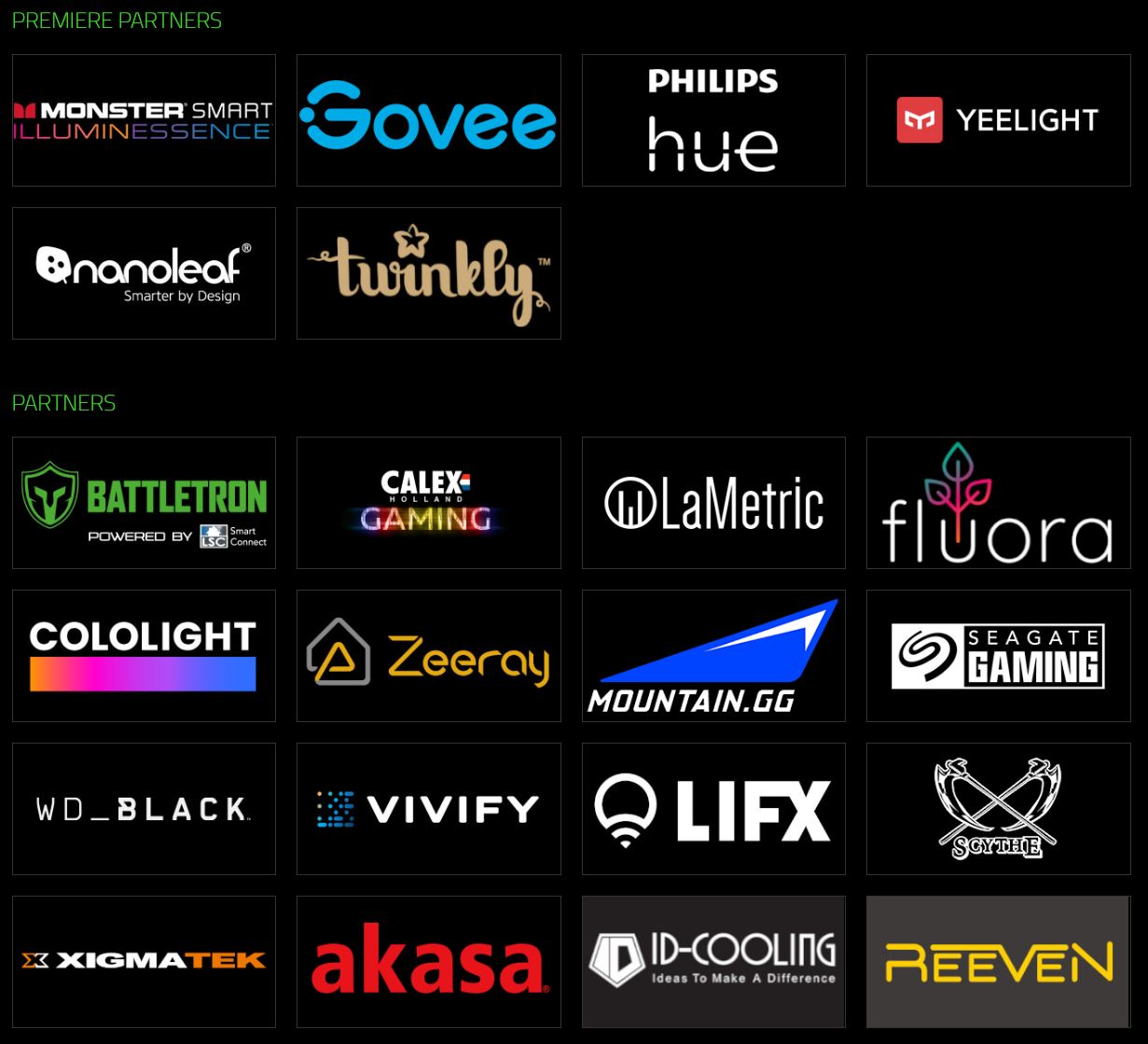
Price-wise, they cost around 1,000 kronor, which makes the lamps good value for money. Alternatives exist for a bit less, and while you certainly have the option to include third-party alternatives in Razer Synapse, it’s always slightly easier when the products belong to the same ecosystem.
So the final word is that we like the Aether Standing Light Bars for their fine light, great flexibility, and competitive price.
Razer sent review units for this test. Senders of material have no editorial influence on our tests; we always write independently with our readers and consumers in focus.
Review Highlights: Q&A
How much do the Razer Aether Standing Light Bars cost?
They cost approximately 1,000 kronor and offer good value.
Can I use these lights with Google Home?
Yes, linking to Google Home is simple and works immediately.
What kind of Wi-Fi connection is required for setup?
The lamps connect to the 2.4 GHz band on your wireless network.
Are these light bars completely wireless?
No, they require cables and a USB-C connector for power.
Is the Razer Synapse 4 software easy to navigate?
It is advanced and sometimes messy, making it easy to get lost.
Do these light bars support the Matter smart home standard?
Yes, they are Matter-compatible, though no QR code is included.
Can I use the lights for streaming purposes?
They work as background lighting or can be flipped to face you.
Can the software be used without creating an account?
You can use a guest mode, but you cannot save any of your settings.
