TL;DR
Logitech’s Signature Comfort Plus combo, featuring the K880 keyboard and M850 L mouse, prioritizes ergonomics with a soft, cushioned twist. This stylish duo swaps USB-C cables for long-lasting classic batteries and introduces integrated palm supports designed for all-day comfort. While the keyboard stands out as the star of the show with its ultra-quiet keys and natural U-shaped layout, the mouse’s unique top-mounted cushion receives mixed reviews. Is this setup a genuine ergonomic breakthrough or just a clever gimmick? From the seamless Easy Switch technology to its comparison against the legendary MX series, there is plenty to unpack regarding build quality and real-world performance. If you are looking to save your wrists without sacrificing style, you won't want to miss our detailed breakdown. Read the full article to find out if this combo earns a permanent spot on your workspace.
Logitech recently launched new products in the Signature series. We recently tested the Logitech Signature Slim Solar+, a truly sleek and smart keyboard that charges via light—both sunlight and artificial light (and we might add that the keyboard still has 100 percent battery). But Logitech Signature Slim (Combo MK950) is also in our records within the Signature series.
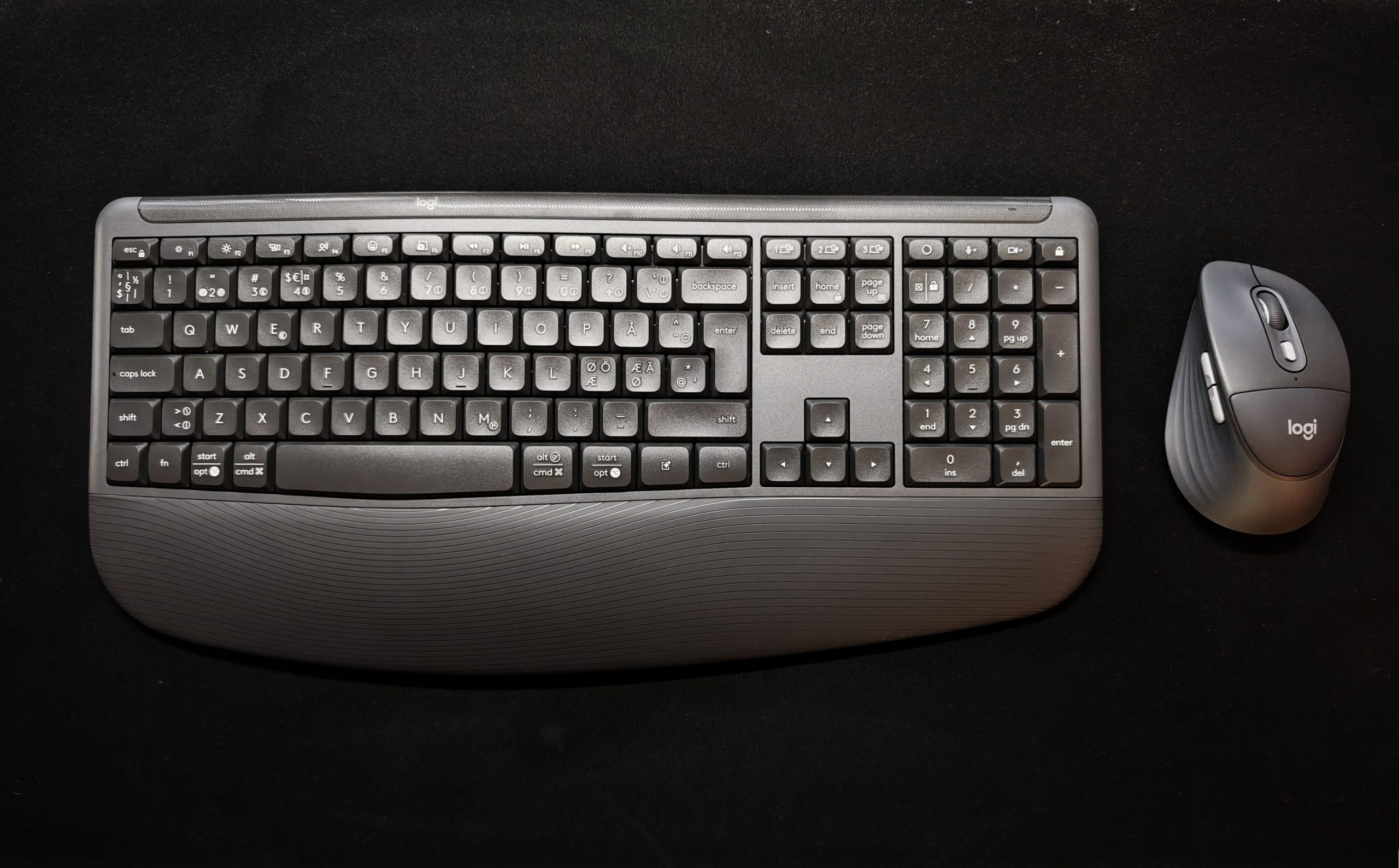
With its new products, Logitech is turning its focus toward ergonomics, and we have had the opportunity to test the Logitech Signature Comfort Plus, which consists of the K880 keyboard and the M850 L computer mouse.
(Photo: senses.se)
A first impression of Logitech Signature Comfort Plus
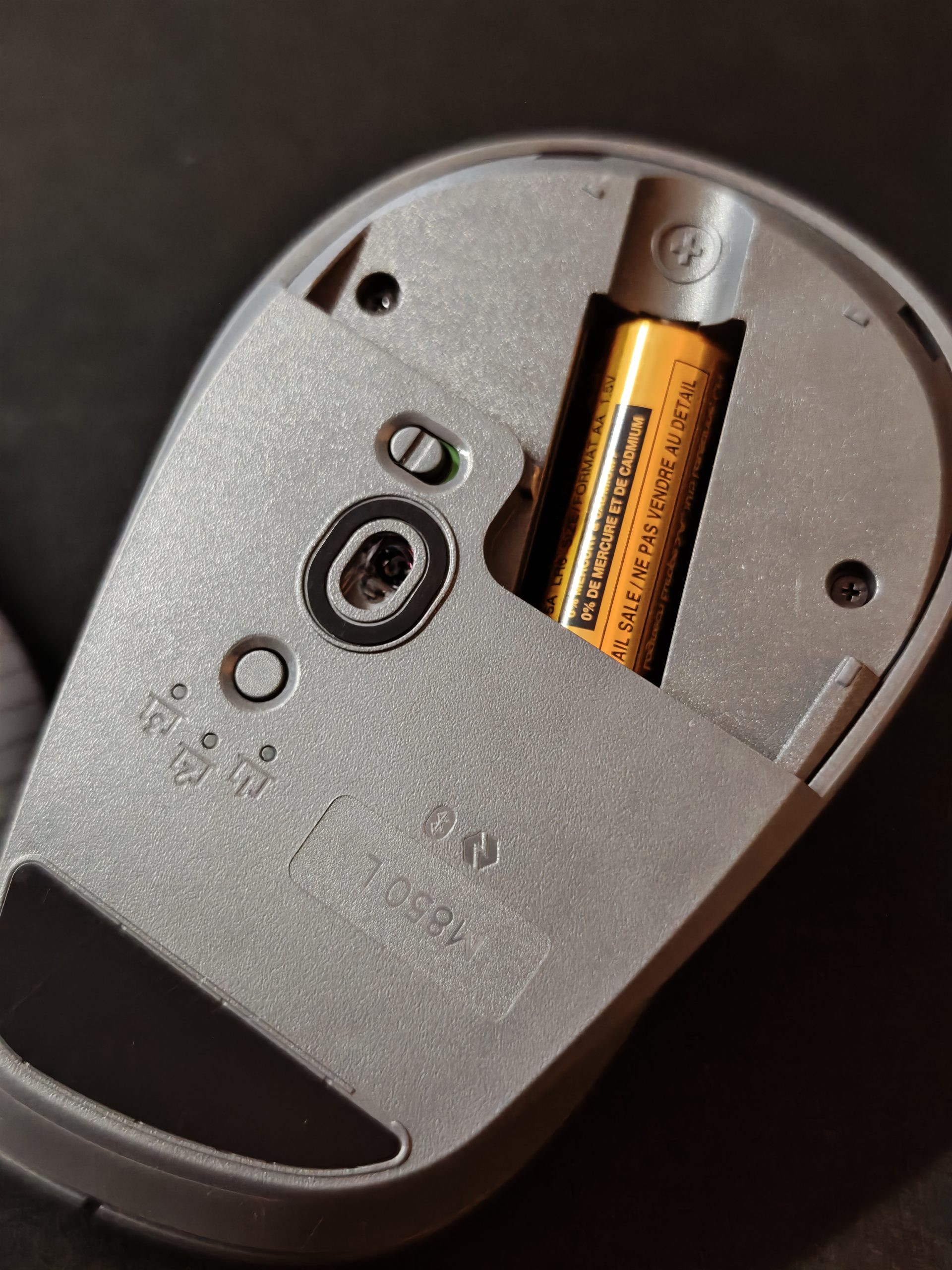
Logitech Signature Comfort Plus is a stylish combo but feels plasticky. All the essential features, such as the ability to make adjustments in Logi Options+ and other special keys, are in place. The choice of a standard, classic removable battery is back. The keyboard houses two AAA batteries expected to last up to three years, and the mouse contains one AA battery expected to last up to two years. The upside is that you avoid having another USB-C cable in the drawer and can switch to rechargeable batteries after the first replacement, which in the long run means you can use the keyboard until the keys fall off. At the same time, we must admit that keyboard replacements often occur for other reasons.
(Photo: senses.se)
Curves and cushions
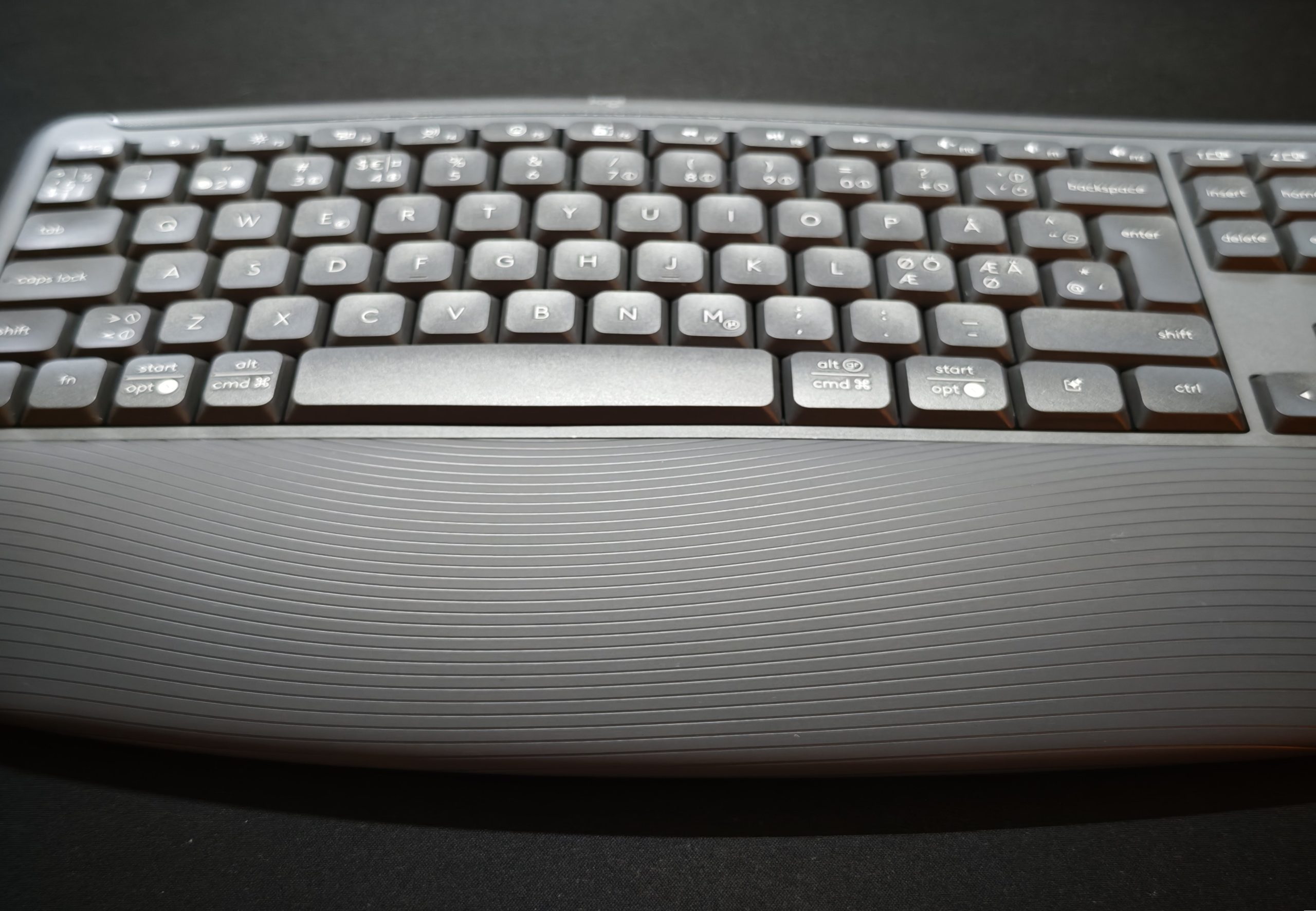
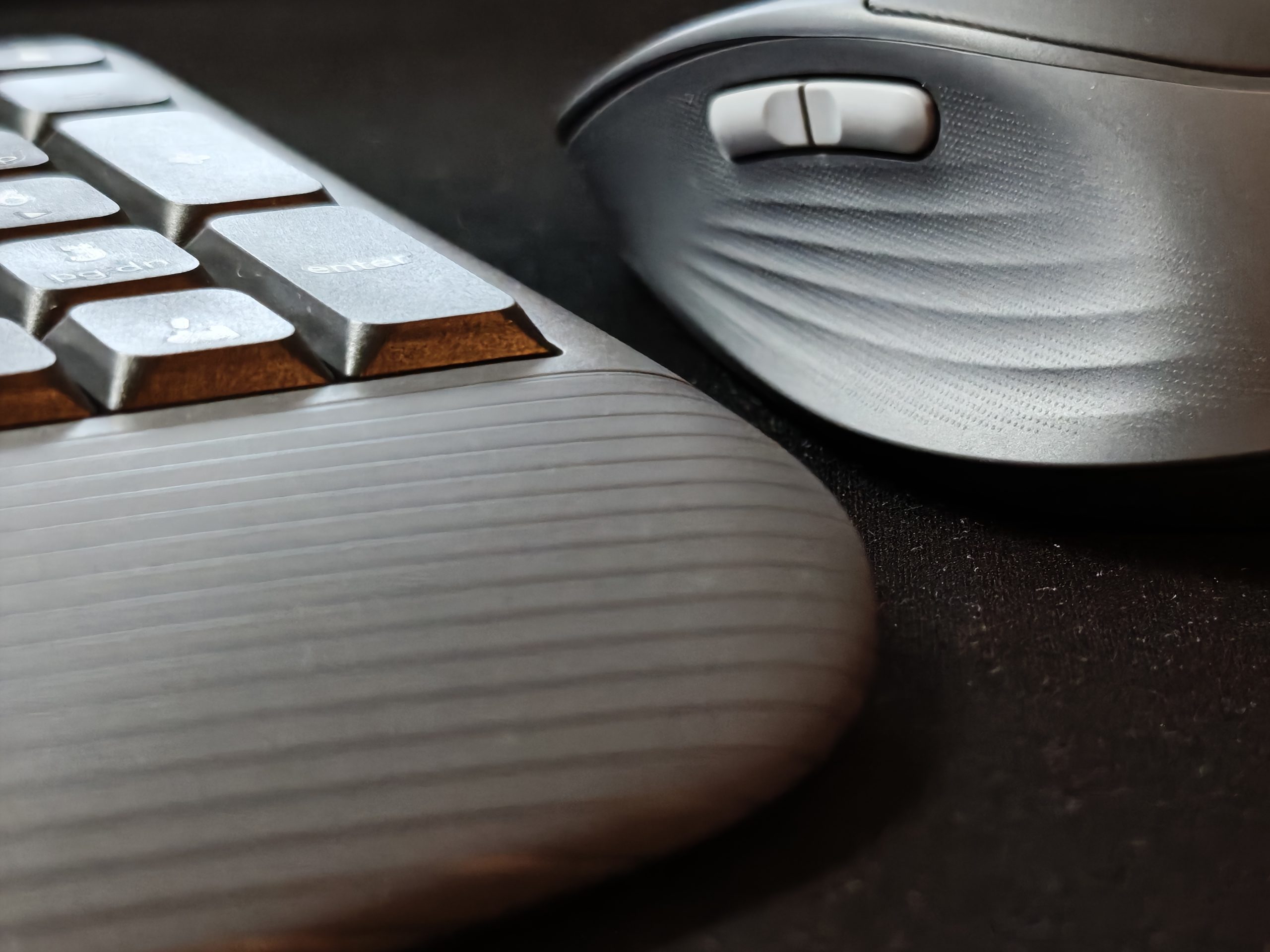
The major innovative part of the Logitech Signature Comfort Plus is that both the mouse and keyboard are ergonomically designed and feature cushions for enhanced soft support. Even the computer mouse has a small cushion on the top.
The K880 keyboard can also be tilted upwards in two positions (4 and 8 degrees), which is an advantage as the design makes typing somewhat difficult. It is undoubtedly a matter of habit, but if you are used to, for example, the Logitech MX Keys S, it isn’t quite easy at first. The wrist support combined with the slight U-shape makes a difference. It becomes comfortable, and the keys are very quiet, even compared to the MX Keys S. The now-obligatory Easy Switch, which lets you switch between three devices, is present. A feature that, once you get used to it, is hard to live without.
(Photo: senses.se)
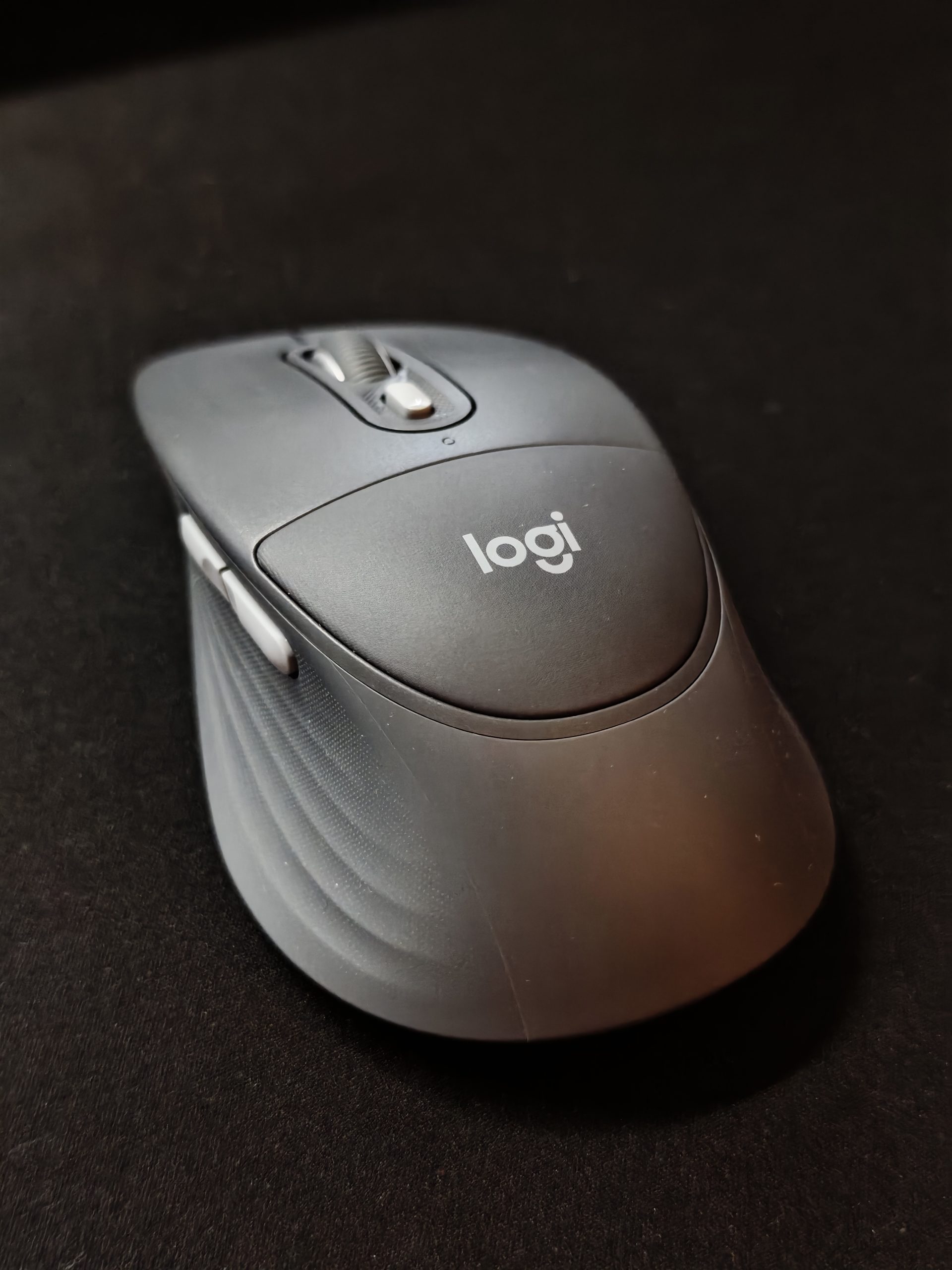
The M850 L computer mouse is smooth, also features silent clicks, and has all the standard buttons in place. The scroll wheel does not have the same wonderful long-scroll function as the Logitech MX Master 4, where the scroll wheel keeps spinning until you stop it with your finger. The M850 L fits well even for a large hand, but that leads us to the innovative part that, in this case, unfortunately loses its function: the cushion on top of the mouse. If you have a larger hand, your palm rests—depending on your arm position, of course—just above the cushion since the mouse is relatively small. But even if you consciously press your hand down to feel the cushion, the effect is… minimal.
(Photo: senses.se)
Unlike with hands on a keyboard, the only pressure on the mouse comes from your own hand. Therefore, you don’t really feel much of a cushion underneath. As a result, the cushion on the mouse becomes more of a gimmick than something that actually provides ergonomic relief. In that case, one should rather look toward the Logitech MX Vertical or Razer Pro Click V2 Vertical Edition.
Variants and price
The Signature Comfort Plus MK880 combo we tested costs 1,299 kronor. The mouse separately costs 649 kronor, and a variant without the wrist cushion costs 599 kronor. The M850 L for Business and the MK880 combo for business cost 749 kronor and 1,399 kronor, respectively. Mice and keyboards are available in graphite, off-white, and black. To clarify, you cannot buy the keyboard separately, which is a shame.
(Photo: senses.se)
The Bottom Line: Logitech Signature Comfort Plus
Logitech caught our interest with the innovative cushion on the M850 L computer mouse but failed to sustain it. The M850 L is an excellent mouse, but its main attraction made little impression. It is quiet, lightweight, all essential buttons are easily accessible, and it feels comfortable in the hand. However, it is nothing extraordinary compared to, for instance, the MX Master 4.
The keyboard’s cushion and ergonomic design made a greater impression, however. Even though it takes some getting used to, your hands are angled into a more natural position. Not to the same extent as the Logitech Wave Keys, but in the same direction, and together with the cushion and tilt angle, it becomes very comfortable. In this combo, the keyboard is the star.
Compared to other combo packages in the Logitech stable, the Logitech Signature Comfort Plus sits just above the Wave Keys Lift Combo. And if ergonomics are what you’re after, we believe the Wave Keys Lift Combo is a better alternative. You get an angled keyboard with wrist support, but most importantly, you also get the Logitech Lift, which provides genuine relief and puts your arm in the correct position.
Logitech sent review samples for this test. Senders of materials have no editorial influence on our reviews; we always write independently with our readers and consumers in focus.
Review Highlights: Q&A
What kind of batteries does the combo require?
Two AAA for keyboard and one AA for the mouse.
How long is the expected battery life?
Three years for keyboard and two years for mouse.
Can the K880 keyboard be purchased on its own?
No, the keyboard is not available for separate purchase.
Is the cushion on the mouse effective?
It feels like a gimmick with minimal relief provided.
How many devices can the keyboard connect to?
You can switch between three devices using Easy Switch.
What is the retail price for the MK880 combo?
The Signature Comfort Plus combo costs 1,299 kronor.
Are the keyboard keys loud or quiet?
No, the keys are very quiet, even compared to MX Keys S.
