
TL;DR
Thinking about a high-end gaming laptop? The Alienware M15 R6 packs serious power with an Intel i9, RTX 3070, and a stunning QHD 240Hz display, delivering smooth gameplay even in demanding titles like Cyberpunk 2077. It boasts Alienware's signature stylish design and excellent Wi-Fi 6, but comes with a hefty price tag. While performance is strong, battery life is average, and some internal choices like memory modules might leave enthusiasts wanting more for the cost. Discover if this powerhouse machine truly justifies its premium price – read on for the full breakdown.
We love the simplicity and communal feel of game consoles; the fact that everyone gets exactly the same gaming experience, technically speaking. But when it comes to pushing technical boundaries and gaming performance, the PC is always far ahead. Here, the spectrum runs from 3,000 SEK, web-based Chromebook stories that can barely run Windows Solitaire, to 60,000 SEK beast machines for esports players, professional users, or gamers with deep pockets. You get the most performance from a desktop computer, but the gaming-laptops segment is growing rapidly, thanks to the freedom they offer to take your computer with you. And it is in this category that we find today’s subject: Alienware M15 R6, which on paper seems packed with all the performance one could wish for. But is it worth the hefty price tag?
Alienware was acquired by the computer giant Dell in 2006, but they have kept the name to mark their “high-end gaming brand.” The portable gaming models range from “serious” entry-level models with Intel i5 or equivalent AMD from around 17,000 SEK, to 17-inchers with the latest Intel i9 processor, 32 GB of memory, 2TB SSD, and Nvidia’s GeForce RTX 3080 graphics card for double that.
The specific model we were given access to for this test has the following specifications:
Intel i9 11900H processor
15.6″ QHD (2560 x 1440) screen
32GB DDR4 memory (X16)
1TB M.2 PCIe 3.0 NVMe SSD
NVIDIA GeForce RTX 3070
Windows 11
Alienware mSeries 4-Zone AlienFX RGB keyboard
Attentive readers will notice that the specific model we received for testing is not currently available in Dell’s Swedish range. However, since you can customize the hardware according to your wishes and budget, we estimate that the above setup would cost around 30,000 SEK today. Not a computer you buy on impulse, then.
The Look
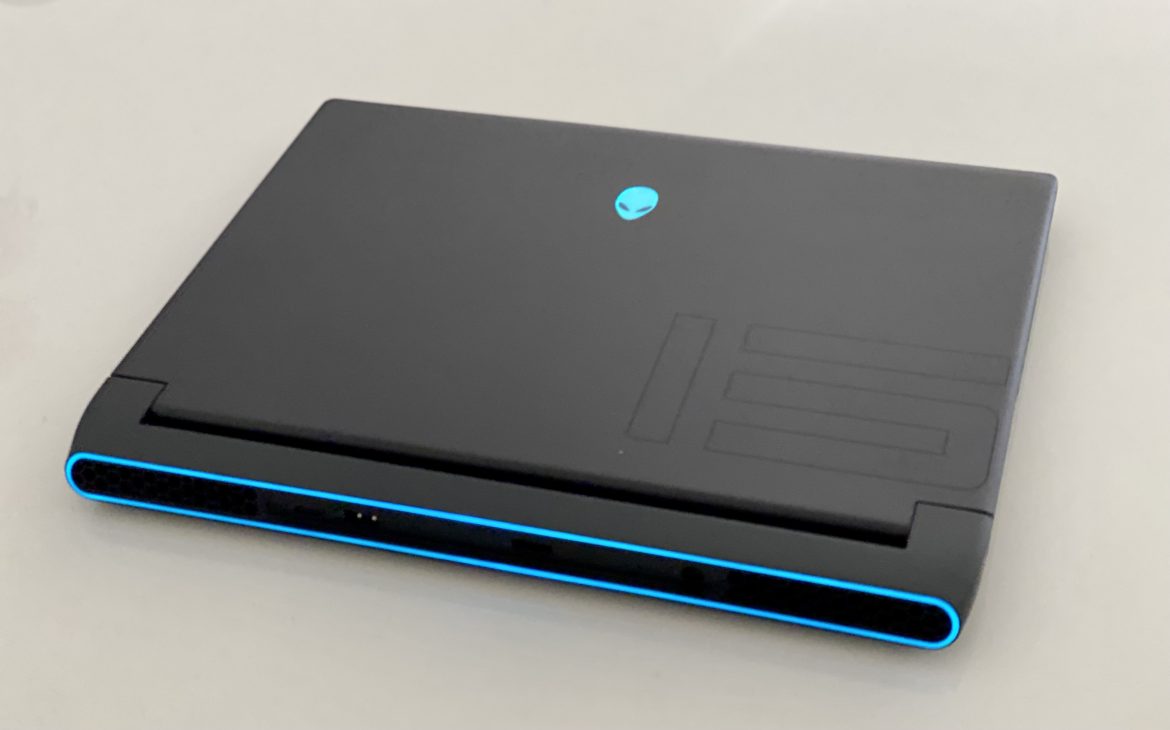
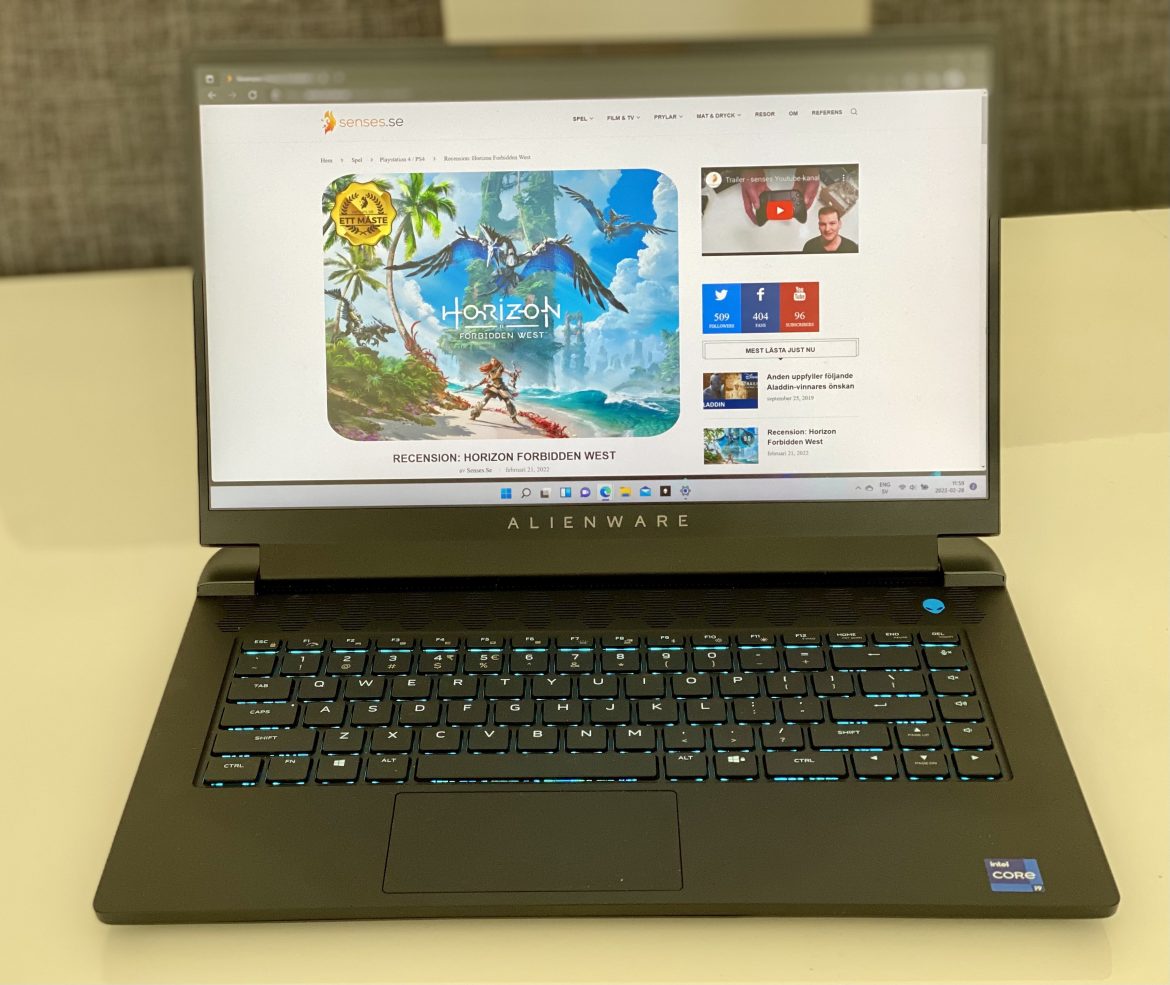
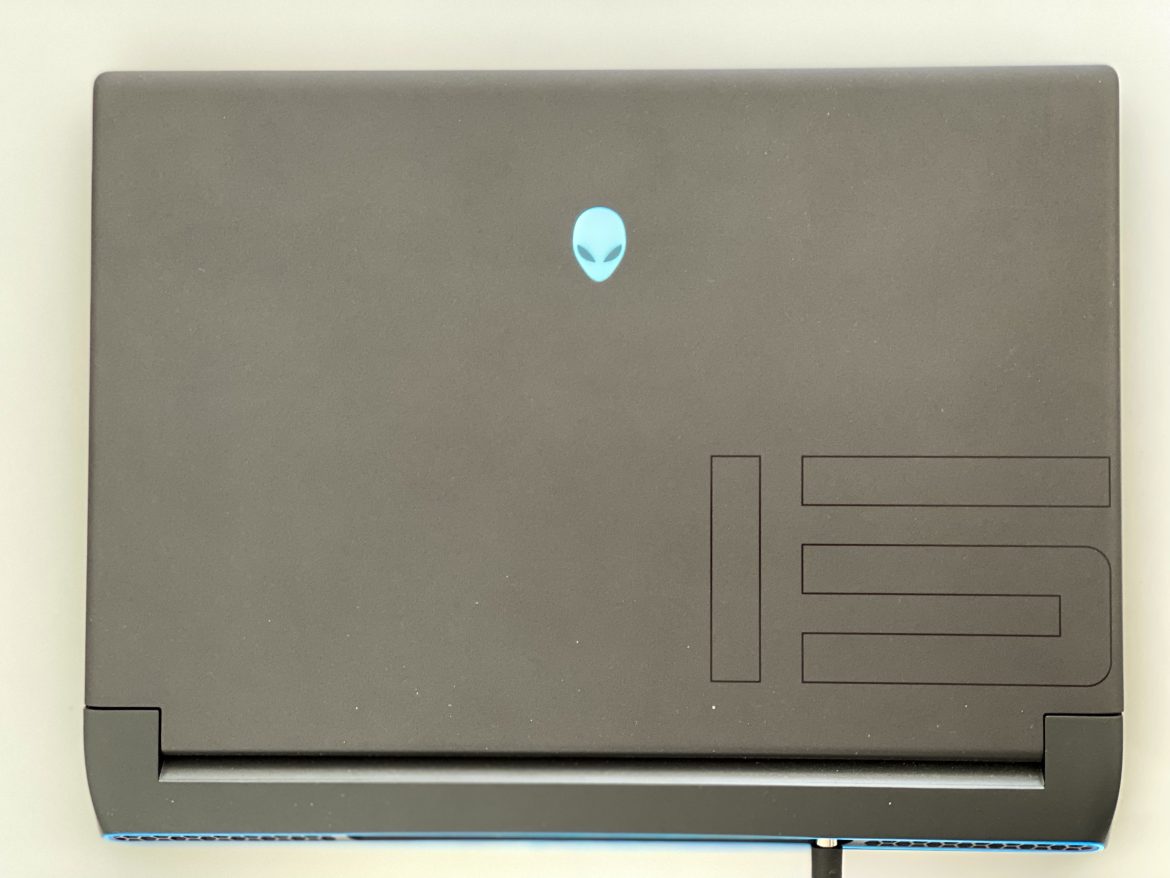
The first thing you notice is Alienware’s design. We’ll say right away that we dig it! The soft lines, without sharp edges, the stylish, UFO-inspired RGB lighting, and of course the alien logo that has become the brand’s trademark. The computer breathes “modern,” “gaming,” and “fun.” The power brick is quite large, however, and adds significant weight to your bag (a smaller model is available for purchase, but shouldn’t it be included at this price?). The computer itself weighs around 2.5 kg, and with the adapter, the total is pushed up to 3.1 kg. Not extreme, but not exactly a lightweight either (which is admittedly not expected for a computer focused on extreme gaming performance).
The Screen
For a gaming laptop, the screen feels both vibrant and color-accurate. The contrast isn’t world-class, but the color tones and brightness (350 nits) compensate for this somewhat. The response time is stated at 1 ms, and that’s probably true in some lab test of the LCD panel itself, but in reality, it’s closer to 3-4 ms, which is still very good and is also helped by the refresh rate of 240 Hz (which can double the already silky smooth 120 Hz). Our model had IR facial recognition, which was a very smooth way to unlock the computer.
Connections and internal hardware
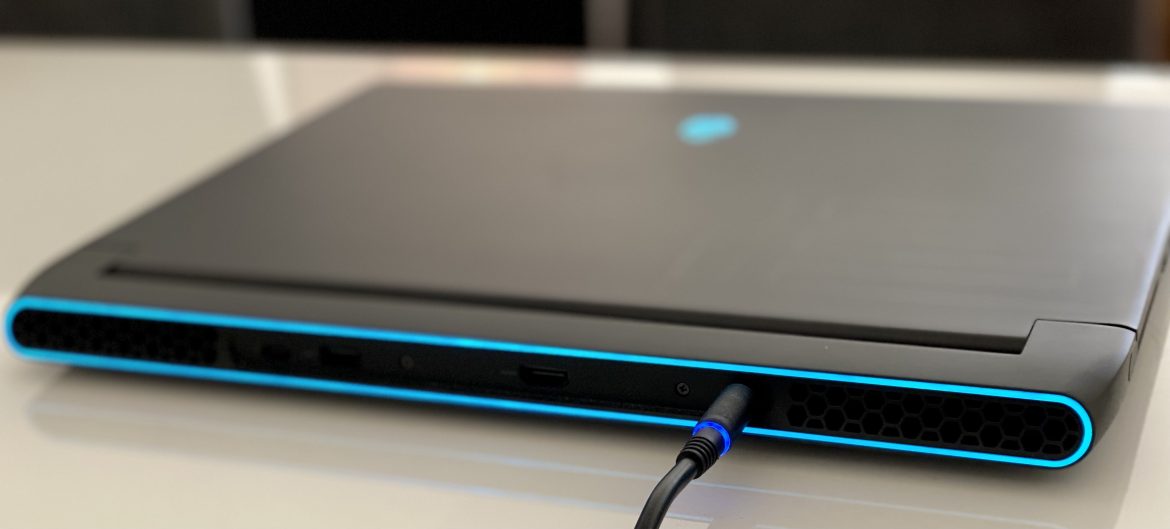
Otherwise, we have a number of USB-C and USB-A connections, an Ethernet port, HDMI (2.1), and a 3.5mm headphone jack. The design and the dark gray color (“Dark of the moon”…!) are stylish, but it gets dim and murky—despite the RGB strip—to see exactly where to plug in cables, so some form of temporary lighting or marking would have been nice. The USB-C at the back is the fastest and supports Thunderbolt 4 transfers, thanks to the Intel chipset, but unfortunately, it seems to lack USB-C charging, which would have been very practical for an external monitor (if you want to run one).
The Wi-Fi 6 chip that provides us with wireless internet deserves praise; this is probably the fastest wireless connection we have ever tested, and everything just flies with a good Wi-Fi 6 router such as the Netgear Nighthawk AX12 RAX200.
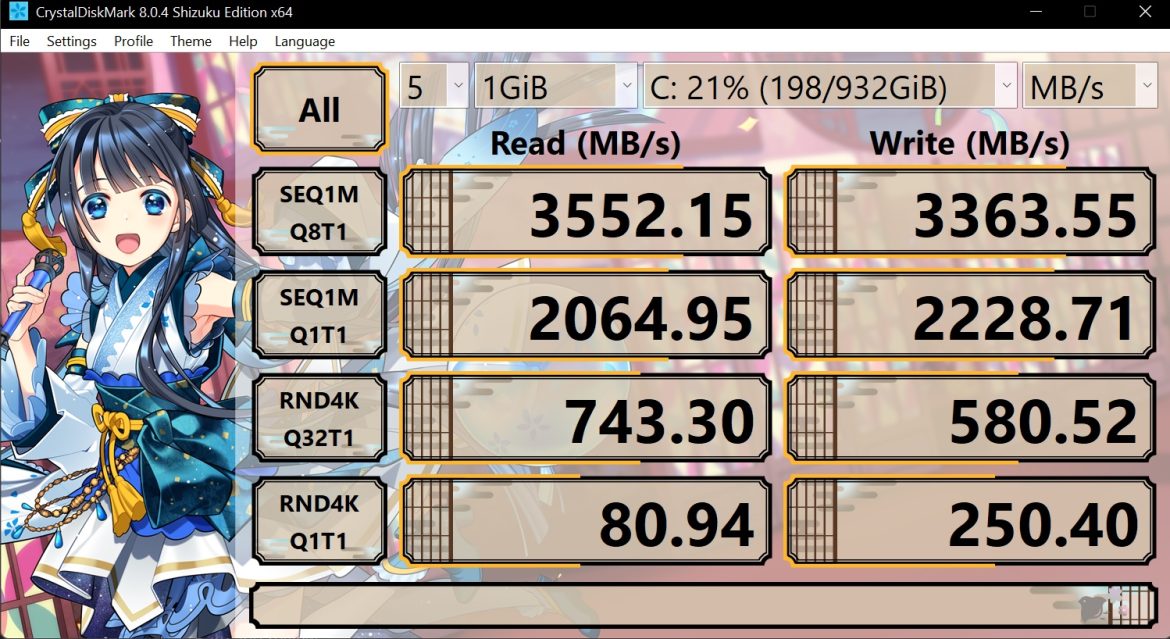
The hard drive, which is of the NVMe type, is PCIe 3.0 and gave us 3.5 GB/s read and 3.3 GB/s write in CrystalDisk, and it felt like it could move and copy files in a flash under the newly released Windows 11 (which, we must say, was an unexpectedly good operating system… or maybe MacOS has just become so much worse over the years).
The 32 GB of memory is fast and generously sized, but not the fastest—which might be a bit disappointing for a laptop at this level of ambition and price. X16 memory is a few percentage points slower than X8, and we don’t know exactly why some manufacturers insist on choosing these memories, but it’s not impossible that it has to do with the component shortages that have existed in the industry in recent years due to COVID-19. It’s not a dealbreaker, but it’s a bit of a bummer to have to upgrade memory on a newly purchased monster computer to get that little extra (which you obviously want when shopping in this price range).
The built-in speakers are OK, but not much more. Given the competition out there, Dell should probably look into a partnership with an audio manufacturer, a bit like Asus has done with Harman Kardon. Now, MSI with Dynaudio didn’t have much better sound after all, but again, the level of ambition at this price point needs to feel like it truly permeates the thinking in everything.
Software and fan noise
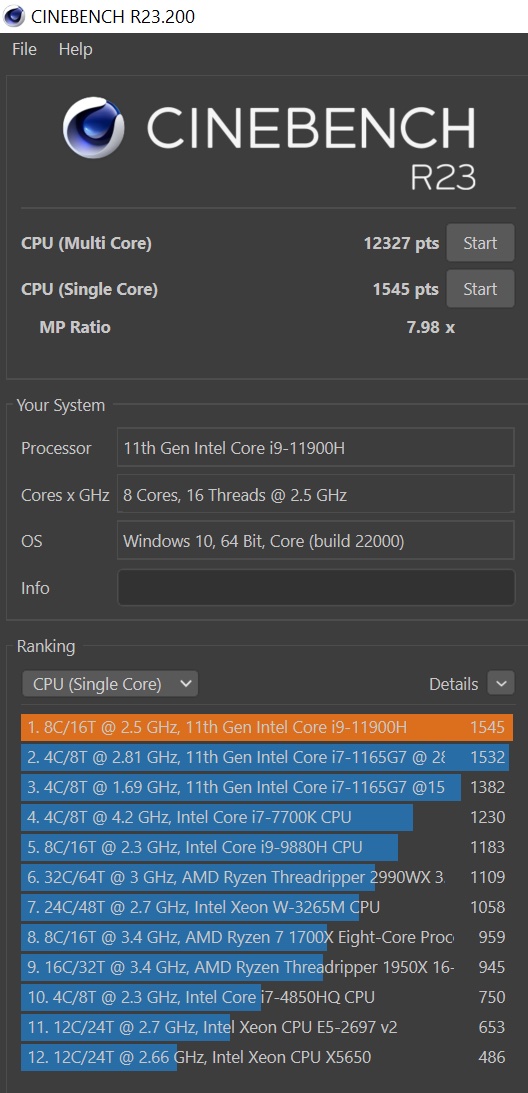
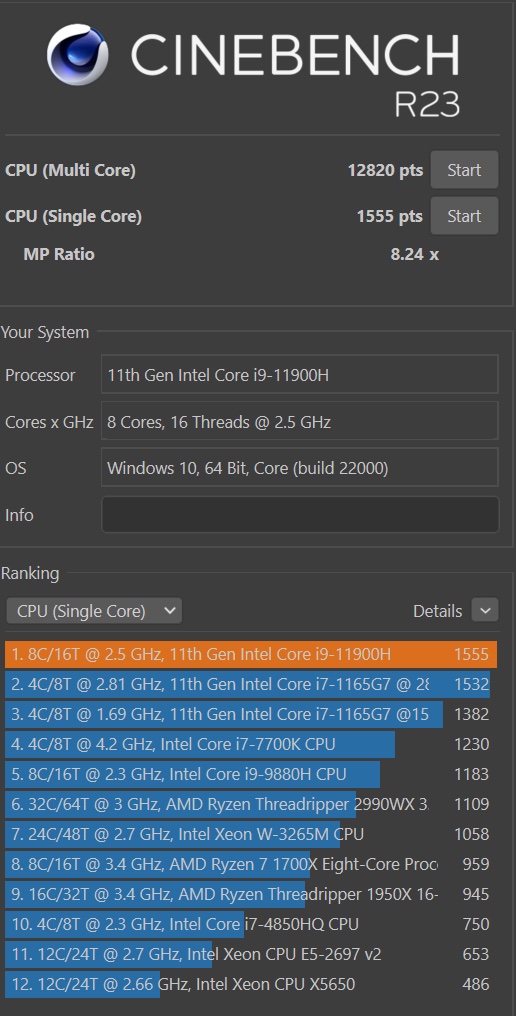
Alienware’s own programs, especially the BIOS section, are quite good control utilities, but a bit messy at times and even incorrect. Not all choices are relevant or clear on how to change them. On the other hand, it is convenient to make BIOS changes via Windows. “Over Clock” (OC) sounds logical, like you should be able to overclock the computer with it, but no—you can’t—this app only shows statistics. Que? You can, however, let off the brakes that keep the noise down and trim the computer to maximum speed, at the cost of more fan noise, higher power consumption, and shorter battery life. This made a marginal difference in performance for games and Cinebench, but instead added deafening fan noise of up to 65 dB, so our warmest recommendation is that you leave the setting on “balanced” (even though the computer could ramp up for incomprehensible reasons sometimes, even in sleep mode). Another strange bug was that the computer occasionally didn’t start when you pressed the power button for the first time—the alien lit up, but we had to press it once more for the computer to actually start.
A gaming computer worthy of the name
The fact that a gaming computer plays well with Windows 11 is nice and all that, but it’s the games that are the main point—and that’s what we’re going to dive into now!
Since the screen maxes out at 1440p, we ran most games in Full HD (1080p), which gives much more performance with minimal visible quality difference on a 15” screen. The computer has HDMI 2.1, so you should technically also be able to connect it to a modern TV that can give you up to 120 Hz/FPS, although here we focused on using the built-in screen to avoid bottlenecks in the chain (and for the simplicity that we believe 99% of laptop gamers are likely to choose, otherwise they could have bought a desktop PC instead).
The wonderful and time-consuming Red Dead Redemption 2 (via its own benchmark program) gives us around 100 fps, which is sure to please many fans who are still playing. Especially since on PC you can adjust the level of graphics, which makes even Xbox Series X blush.

The benchmark favorite Shadow of the Tomb Raider stays rock solid at 120 fps (with an occasional dropped frame) in all its various graphics modes.
Cyberpunk 2077 with the latest patch and High Settings (ray tracing, no DLSS, etc.) reaches around 90 fps on the i9 with the built-in 3070 card from Nvidia. This is highly commendable given the level of detail we get and on a laptop to boot (but of course also somewhat expected for a gaming laptop of this caliber).

Funily enough, basically all the games we tested cleared the magic 60 fps limit at the highest settings, which is very satisfying. Yes, even Ubisoft titles like Watch Dogs: Legion and Assassin’s Creed: Valhalla, which usually have challenges performing at the top on PC. Older games like CS:GO and simpler titles like Fortnite can breeze along at 500 fps on this hardware setup, figures a console could only dream of.
There is thus no doubt that the Alienware M15 R6 with i9, 32GB RAM, and GeForce 3070 is a brutally good hardware combination for a gaming computer. But for 30,000 SEK, you should also expect something extraordinary. And this Intel model is not without its flaws. Battery life is mediocre; AMD’s Ryzen processors in equivalent models provide better battery life and are generally 5-6 percent faster. In addition, there are gaming laptops with newer and even faster graphics cards—Radeon RX 6800M or GeForce RTX 3080 are almost twice as fast on the GPU side alone. Competition in the high-end segment is cutthroat, and new hardware arrives incredibly fast on the PC side. For the price, we feel that the Alienware M15 R6 in its current configuration must be seen as a solid gaming PC that will likely satisfy most, but it’s not exactly a “bargain”—and the question is whether you can’t get more performance for the same money in another model today (since maximum performance is what you’re chasing when moving in this price bracket).
There are always trade-offs when buying high-end hardware, and however you choose to prioritize, this is actually both a very good gaming computer and a fine work computer. Windows 11 feels really smooth on it as well—we’ve probably never been so close to converting from Mac (save for File Explorer… please Microsoft, fix the chaos). The hardware is stable and Alienware’s software is acceptable. Not perfect or entirely logical, but not nearly as much “bloatware” as you get from some other manufacturers, which makes the computer slow as molasses from the start and is difficult (or impossible) to remove.
A clear recommendation therefore goes to the Alienware M15 R6, and of course, it is also the new reference at the editorial office. Check what price you can get for this model or hardware setup, as it will soon be replaced by another generation, and then there is an opportunity for either a value-for-money purchase or the choice to wait for the next set of hardware for roughly the same money. Then you can hopefully be at the absolute cutting edge, performance-wise.
At least for a little while.
Test unit from Dell. Providers of material have no editorial influence on our tests; we always write independently, with you readers and consumers in focus.
Review Highlights: Q&A
What is the estimated price of this specific model?
The tested configuration costs approximately 30,000 SEK.
How much does the laptop and power adapter weigh?
The unit is 2.5 kg, totaling 3.1 kg with the adapter.
What is the refresh rate of the built-in screen?
The 15.6-inch QHD display has a 240 Hz refresh rate.
How loud does the cooling system get at max speed?
The fans can reach a deafening noise level of 65 dB.
Does the laptop support charging via USB-C?
No, the device unfortunately lacks USB-C charging.
What frame rate does it achieve in Cyberpunk 2077?
It reaches around 90 fps on High settings at 1080p.