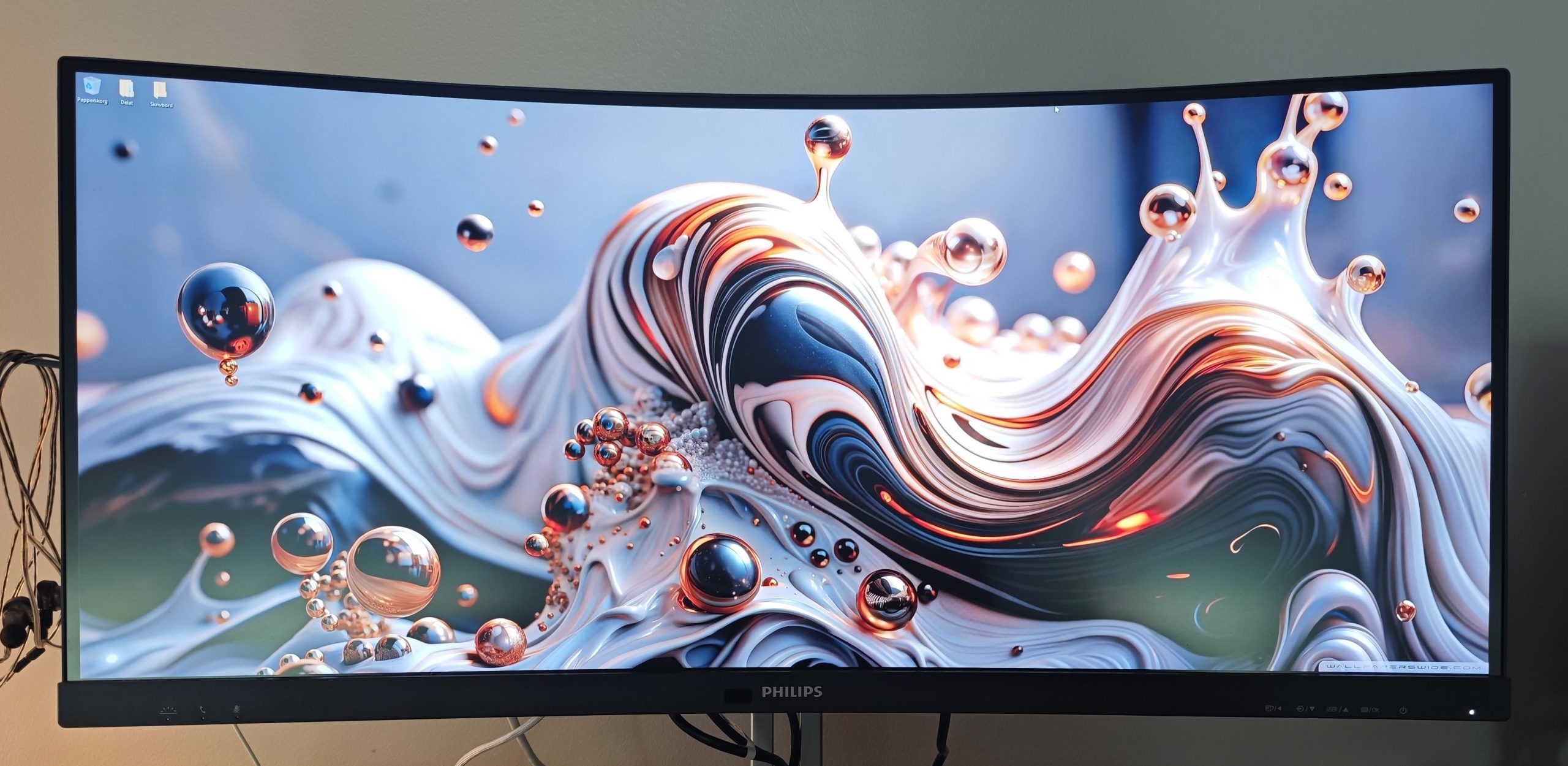

TL;DR
This Philips Curved Business Monitor redefines office displays, integrating a pop-up camera, robust connectivity including Thunderbolt 4 with 96W power delivery, and convenient features like KVM and PiP/PbP for seamless multi-device management. While its sound is merely adequate and the navigation system could be improved, its ultrawide curved display offers immersive visuals perfect for multitasking and gaming. It excels as a central hub, decluttering your workspace and streamlining workflows. Ready to see if this feature-packed display is right for your desk? Dive into the full review to find out!
A high-quality office monitor today is much more than just something reliable, budget-friendly (though it still shouldn’t get out of hand), mid-tier, and “good enough” but nothing more. Today, a monitor should preferably be able to replace other solutions such as cameras for digital meetings, offer simple connectivity and charging for a laptop, and ideally the ability to connect several different devices. With the Philips Curved Business Monitor, it becomes clear that there are many more parameters to include in the wishlist of what your office monitor should be capable of. Not least, being able to communicate visually with your surroundings.
In this test, we will go through the features of the Philips Curved Business Monitor one by one. There are many good ideas and solutions that we would have liked to see more frequently. For those of you wondering whether a curved screen is worth investing in, we will also provide our reflections on that—the advantages, disadvantages, and the contexts in which a curved screen is brilliant. But also the scenarios where you should consider a flat screen. In any case, it is clear that the primary goal of the Philips Curved Business Monitor is functionality, as it is both discreet and powerful!
Packed with features and finesse
From the start, it becomes clear that the Philips Curved Business Monitor won’t set any limitations. Rather, it will help you achieve a clean desk by solving most of your needs. A common use case is, of course, replacing or supplementing your laptop to facilitate your work. Just like when you connect a dock such as the Razer USB 4 Dock, but with the difference that here, everything comes directly from the monitor.
Built-in pop-up camera
(Photo: senses.se)
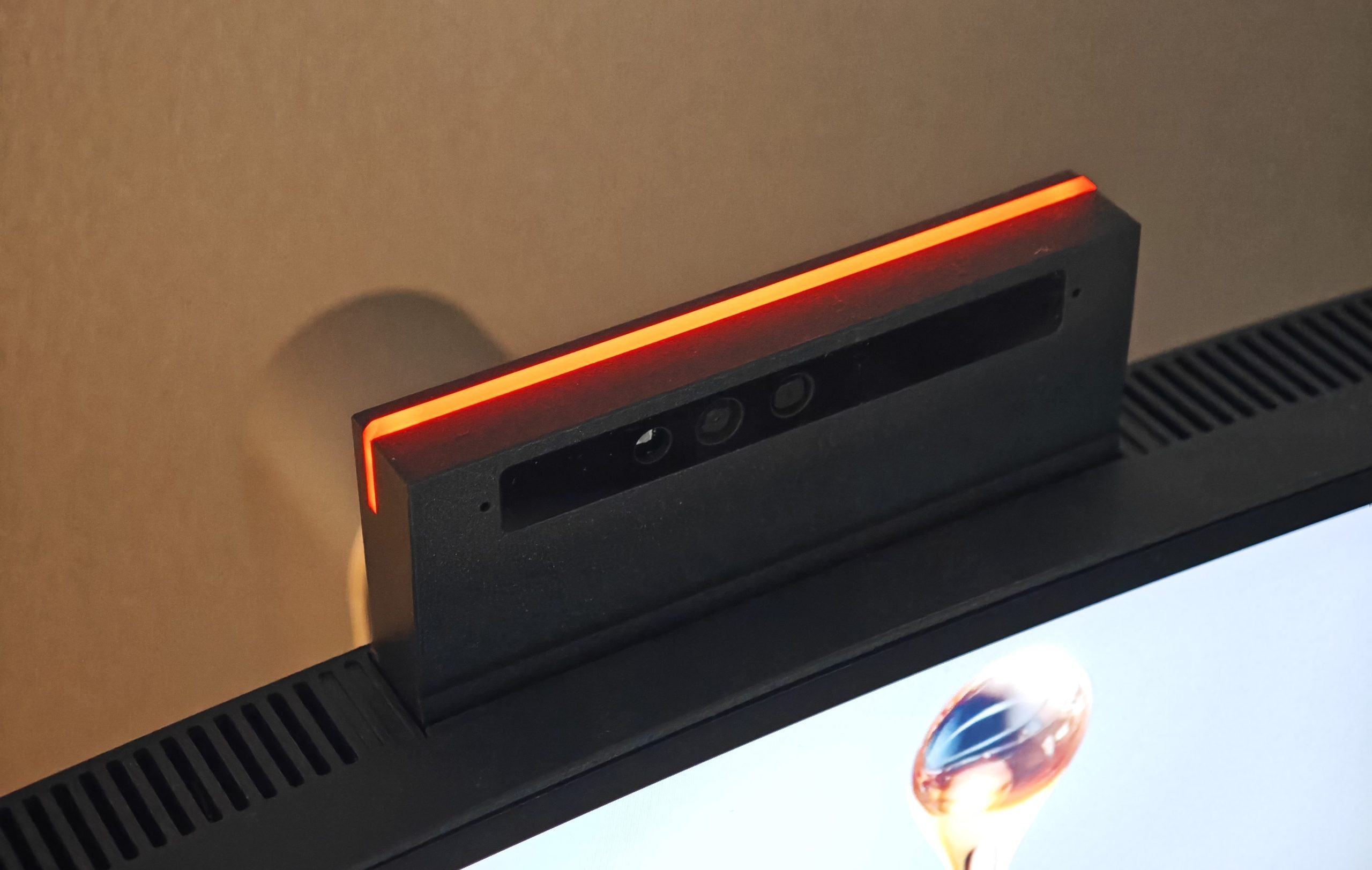
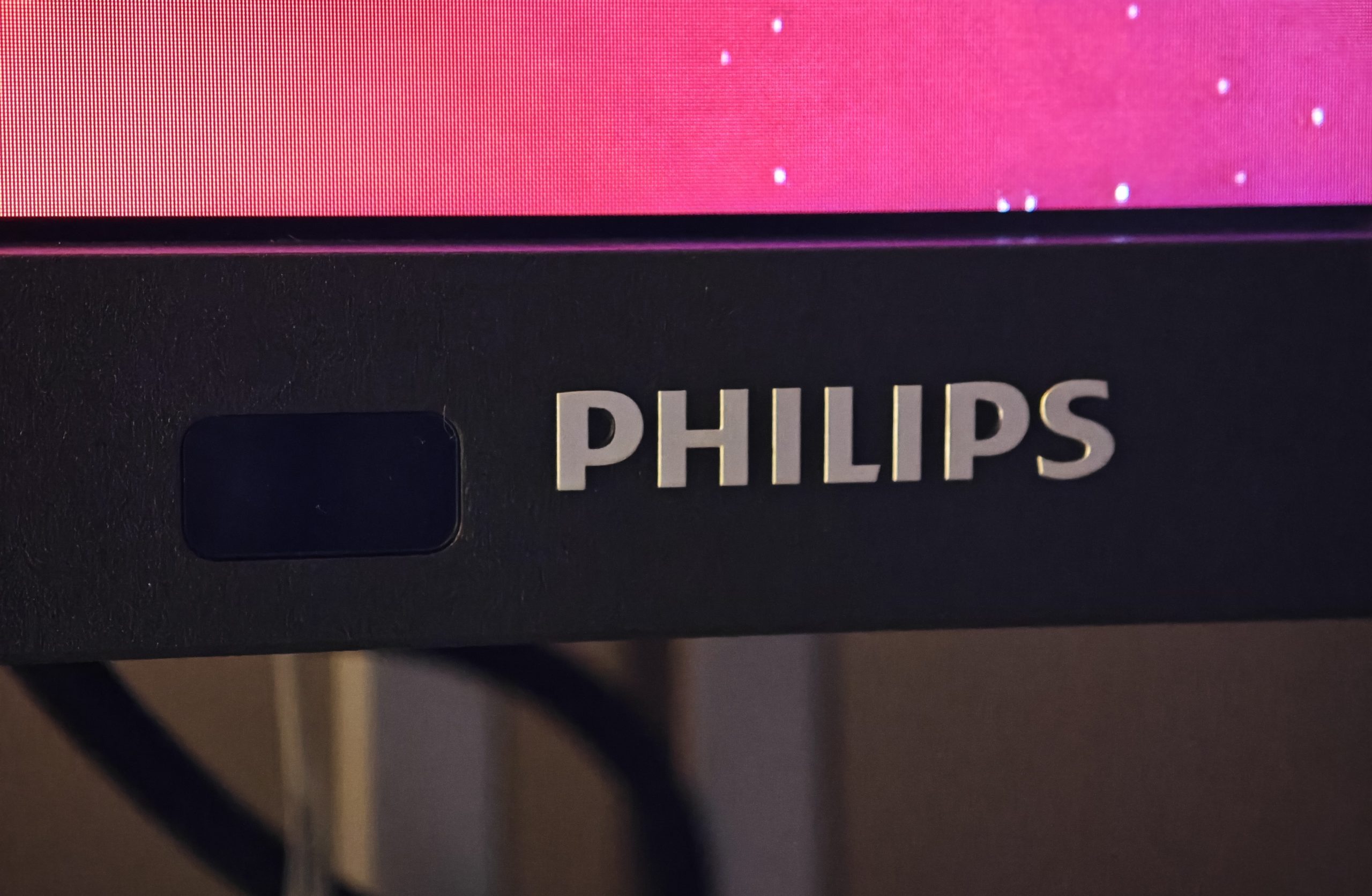
We’ll start at the top of the monitor, where a light press reveals the built-in 5.0-megapixel pop-up camera with a microphone. It’s not a high-end camera, but it is certainly sufficient for digital meetings. When in use, you have three dedicated buttons on the monitor’s lower-left corner: one to mute/unmute the microphone, one to end calls, and a button with a small lamp symbol. And now we come to a feature that should exist on nearly all monitors in office environments: a red LED lamp on top of the camera housing.
The idea is that when you are in a call, or in deep concentration, you can easily communicate to those around you that now is not the time to disturb. The camera housing doesn’t even need to be popped up for the lamp to work, making the feature ingenious—we’ve probably all been “in the zone” or in the famous “flow state.” It’s a fragile state, and simply having to tell someone you don’t want to be disturbed can easily break it, forcing you to start over.
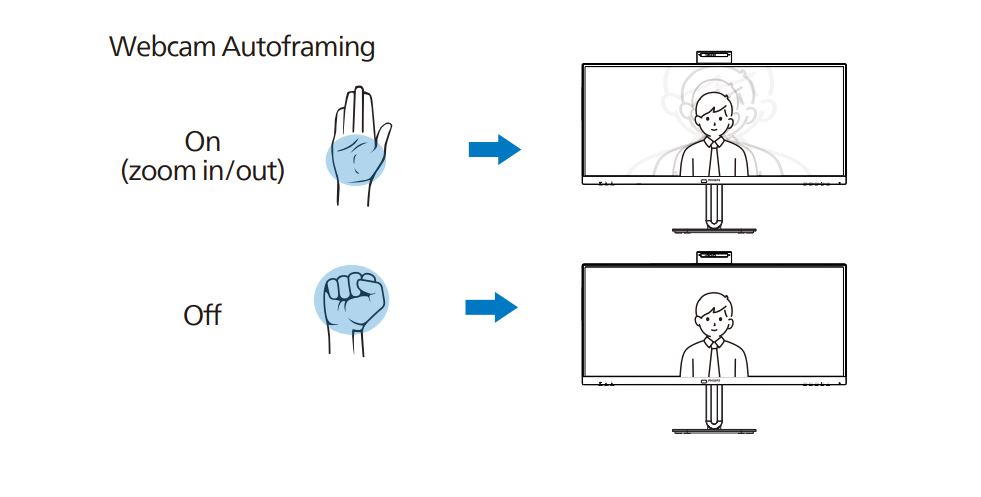
The camera is also equipped with zoom functions, which you can control using hand gestures.
A feast of inputs and outputs
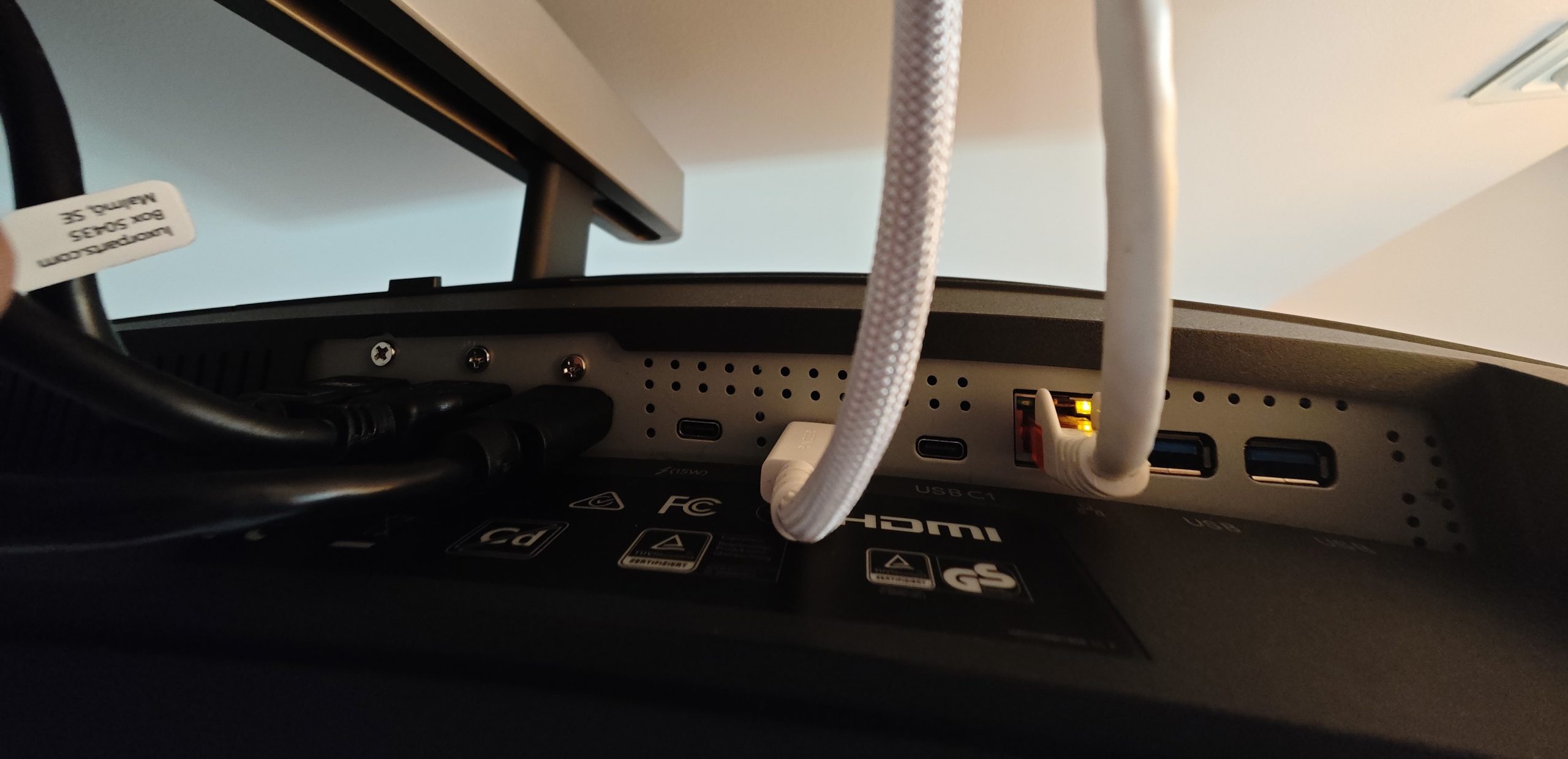
Moving to the back, let’s look at the inputs. Available are two HDMI 2.0 ports, one DisplayPort 1.4, and one Thunderbolt 4 capable of data and video transfer as well as power delivery up to 96W. Those are just the inputs, but already there, you can connect your laptop and three other computers, which you can easily switch between via a dedicated button in the bottom right corner.
(Photo: senses.se)
(Photo: senses.se)
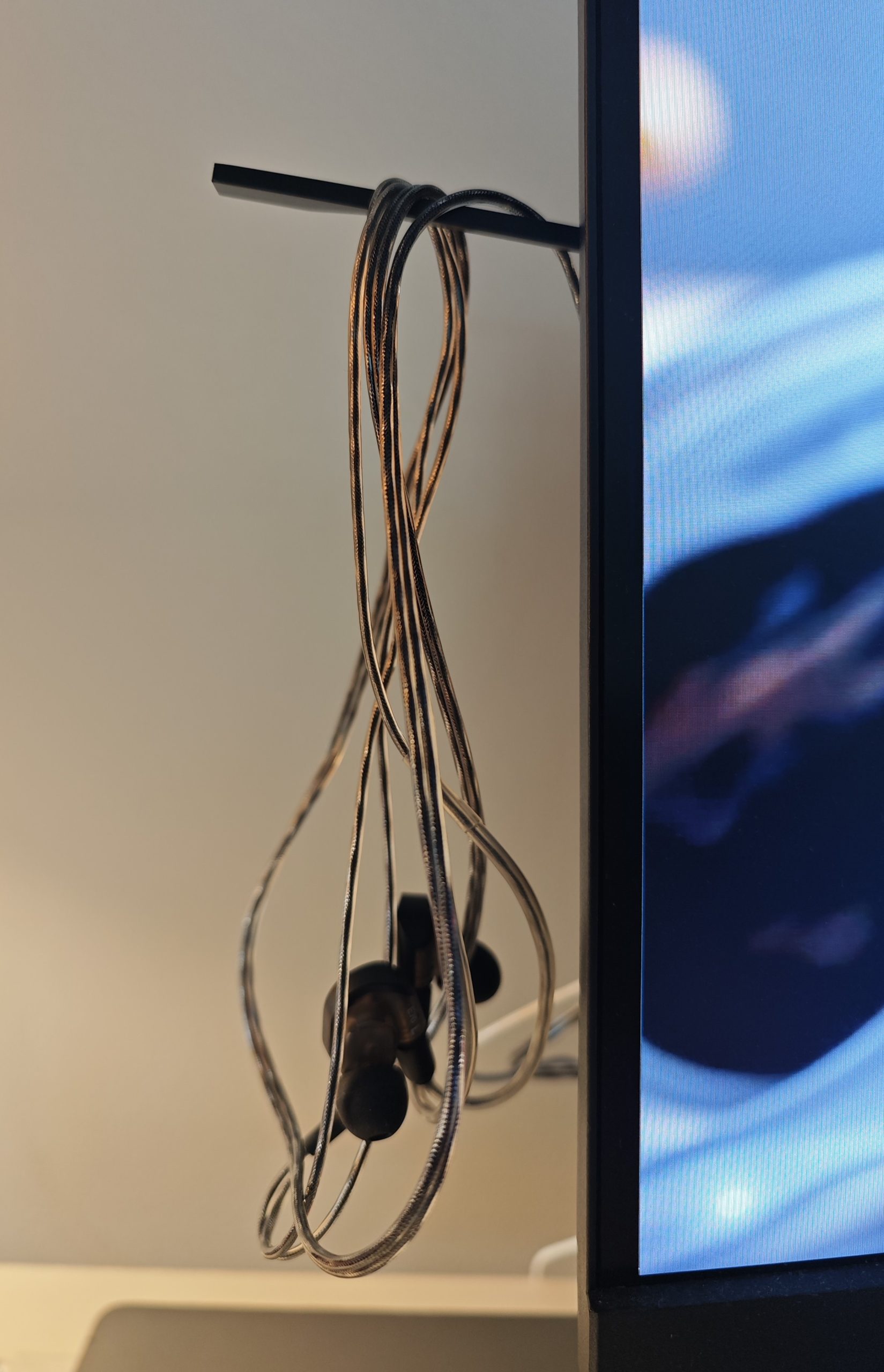
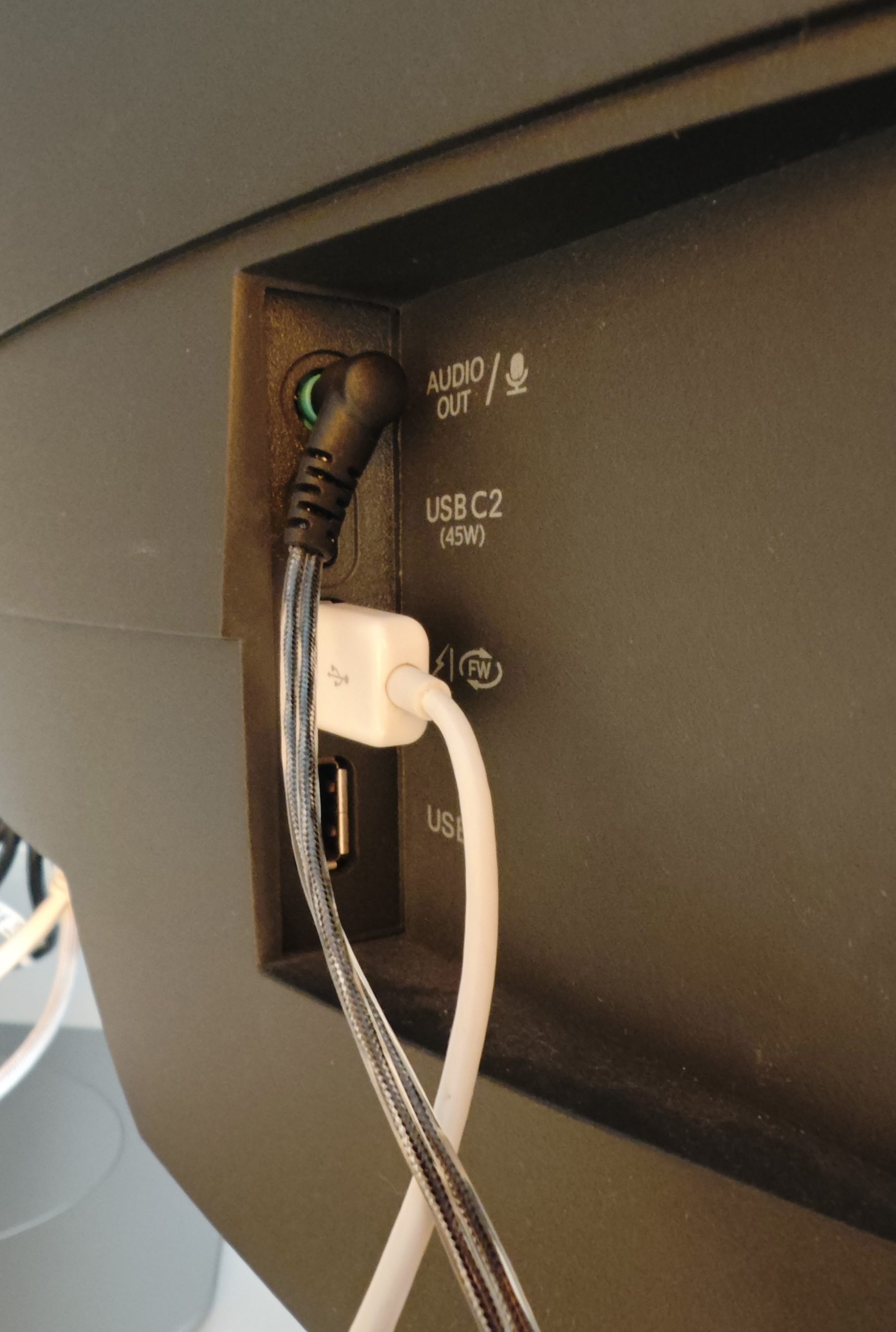
Looking at the outputs, there is quite a bit on that front as well. On the left side, there is a slightly hidden pop-out arm where you can hang your headphones or headset. Just inside, you have a combined audio output and microphone input, two USB-A ports (one of which is fast-charging), and a USB-C port, also capable of fast-charging up to 45W. On the underside, besides a Thunderbolt 4 input (96W) and a Thunderbolt 4 output (15W), are two additional USB-C downstream ports. All are USB 3.2 Gen 2 standard and handle transfers up to 10Gbps.
(Photo: senses.se)
With this array of ports, it’s hard not to feel a sense of satisfying abundance.
Sound is present, but leaves something to be desired
The monitor features two 5W speakers that deliver enough sound to be audible. The quality isn’t great, but for radio or a digital conference, it suffices. When we tested whether the monitor’s DAC was good enough for music playback, we weren’t particularly impressed. To really hear the difference, we used the wired and sonically impressive Audio Technica ATH-E70, and the soundstage was muddy and lacked treble. In other words, the need for external speakers or a direct connection to the computer’s sound card remains, and this is not one of the components that the Philips Curved Business Monitor helps you remove from your desk.
Interesting and useful variants
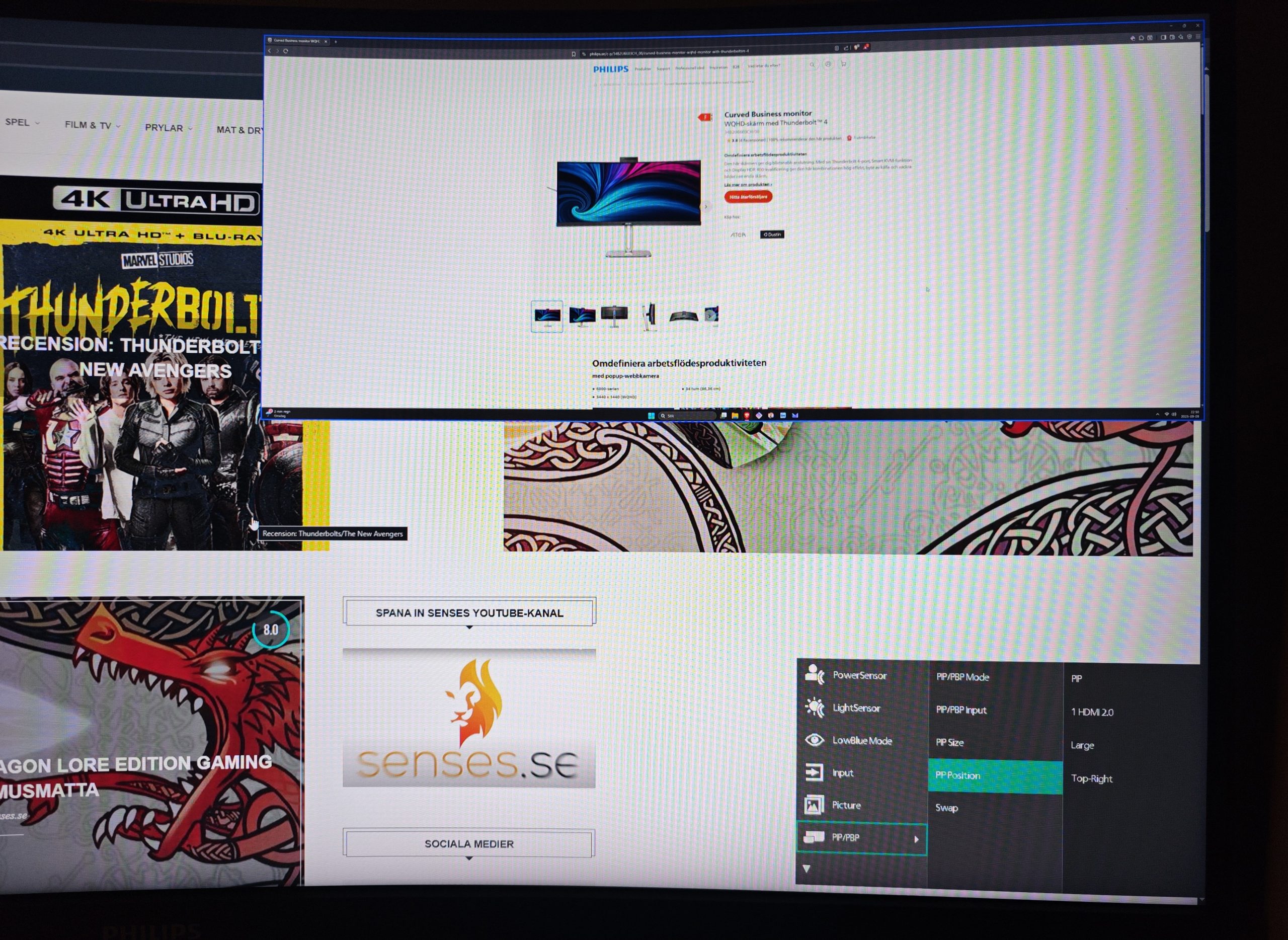
The Philips Curved Business Monitor offers both KVM (Keyboard, Video & Mouse) and PiP/PbP. KVM, simply put, means you can set your mouse and keyboard to follow you from one device to another via the monitor. This works via USB-C and two devices can be connected.
(Photo: senses.se)
PiP/PbP allows you to simultaneously show two desktops from two different devices. PiP stands for Picture in Picture, while PbP stands for Picture by Picture. In PiP, one desktop is overlayed on the other as a window (as shown in the image above). In the second option, the desktops are placed side by side. Combine this feature with KVM and you get multi-tasking across several machines at once—and this naturally works across different platforms like PC and Apple. Elegant!
The main attraction – the image
The panel itself is 34 inches (86.36 cm) and has a maximum resolution of 3440×1440 (HDMI: 100Hz and DP1.4/Thunderbolt 4: 120Hz). With a native aspect ratio of 21:9, you get a wide and nice workspace. Brightness is 450 nits (SDR) and 550 nits (HDR) cd/m², and the response time is 4 ms (gray to gray). In other words, you have every opportunity to use the Philips Curved Business Monitor for gaming, where the curved screen is effective. This remains an office monitor, but a highly competent one. And the image itself is razor-sharp. No doubt. With the wide format and high-resolution UW images, it is captivating. With its 16.7M (8-bit) color depth, it is vibrantly beautiful with no hint of flaws.
Things we don’t like
Given all the features, the different modes you can choose from, and how advanced the Philips Curved Business Monitor actually is, the controls are far too limited. While you might not want a monitor covered in buttons, two or three programmable buttons for shortcuts in a central location wouldn’t have been a bad idea. For example, the Philips Curved Business Monitor has a light sensor that, like a smartphone, adjusts screen brightness based on ambient light levels, which is brilliant (and also turns off the screen if it detects no movement in front of it).
(Photo: senses.se)
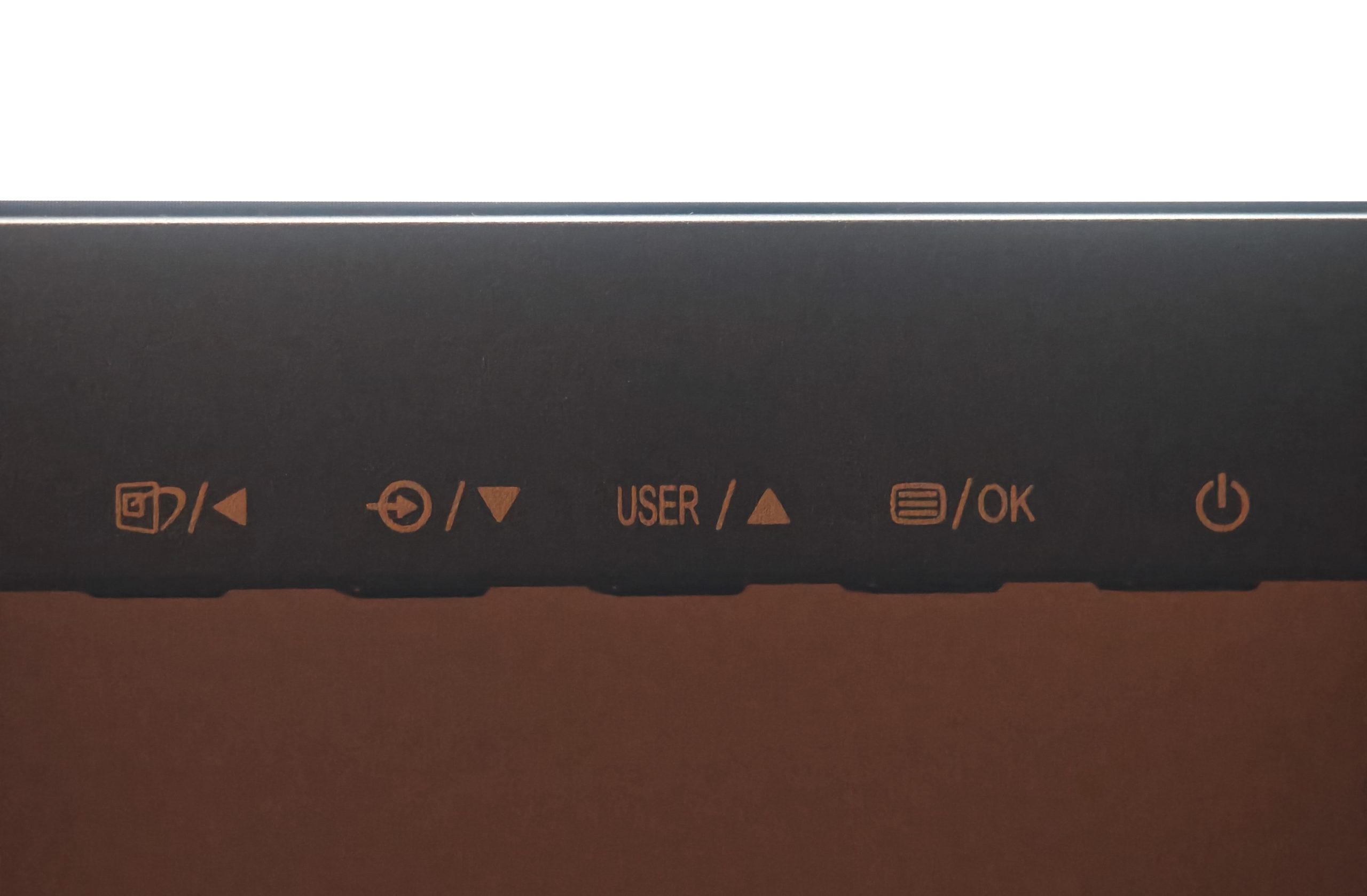
It’s a feature that should have been standard long ago. However, it isn’t flexible enough—it doesn’t get dark enough, and you can’t adjust the levels. But above all, the function is deactivated as soon as you select any of the SmartImage categories, which isn’t surprising. But to reactivate it, you have to dive into the menus and fairly regularly struggle with the four buttons and their up, down, back, and forward options. This type of navigation has long been a nuisance, yet it continues to appear on most monitors. Worst of all, the power button is part of the same cluster. The same goes for setting up KVM, PiP/PbP, or any of the other functions, which means you eventually hesitate to use the monitor’s full capacity because it’s simply too cumbersome.
(Photo: senses.se)
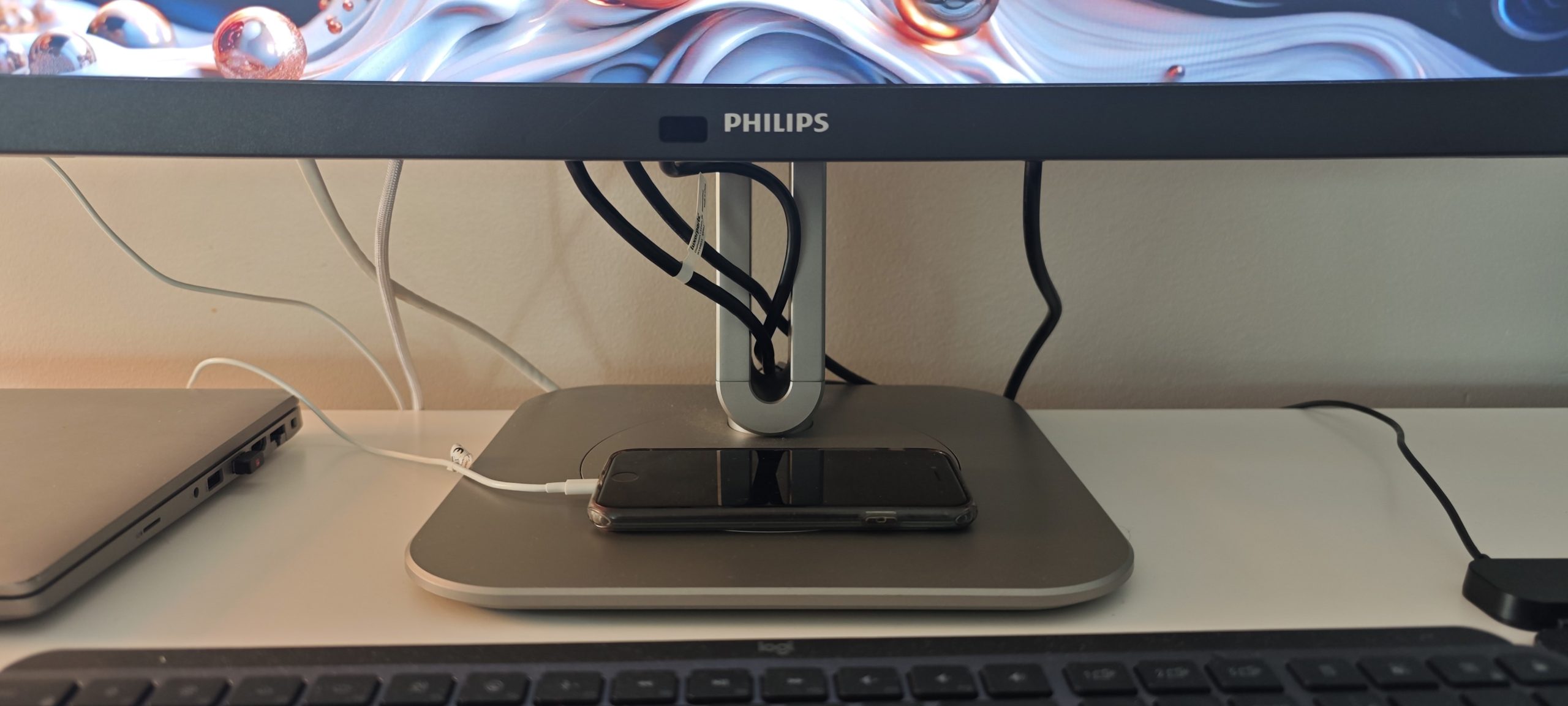
Next, the connectors on the back are positioned a bit too low to easily hide the cables for a “clean setup.” Since almost everything runs through the monitor, this detracts from the elegance of having an empty desk.
(Photo: senses.se)
The Experience – Philips Curved Business Monitor
Although curved monitors have been around for a while now, far from everyone has tried one. So, what was our experience of that specific aspect? A bit mixed, depending on what you use it for.
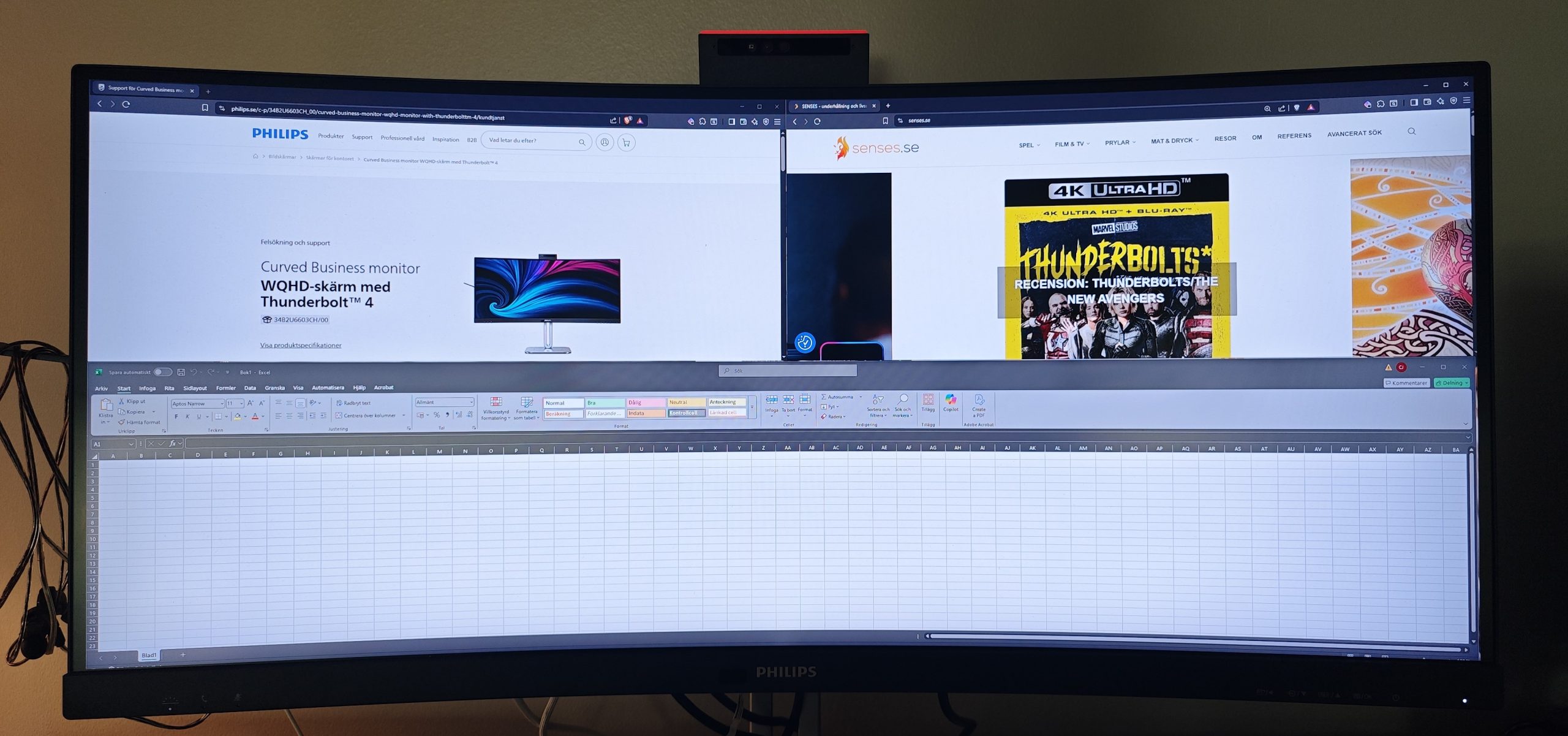
For most tasks, the curved model is brilliant and effective, especially in Ultra Wide. Images are wonderfully immersive; if you use a DAW (Digital Audio Workstation), you get plenty of space and can have several windows open; if you work in Excel, it’s a joy to have access to so many columns; and if you multi-task, you can truly have many windows open simultaneously.
(Photo: senses.se)
However, if you work with graphic products like wireframes or various tables where you need to see exactly how things look, it gets a bit tricky. You almost need to move to a flat screen to be absolutely certain about proportions. We had the same experience when playing Cities Skyline, where square areas with right angles looked slightly distorted. So, if you know that is your main activity, you should look toward a flat screen instead.
But if you’re playing an FPS game, the experience is fantastic.
Final Word – Philips Curved Business Monitor
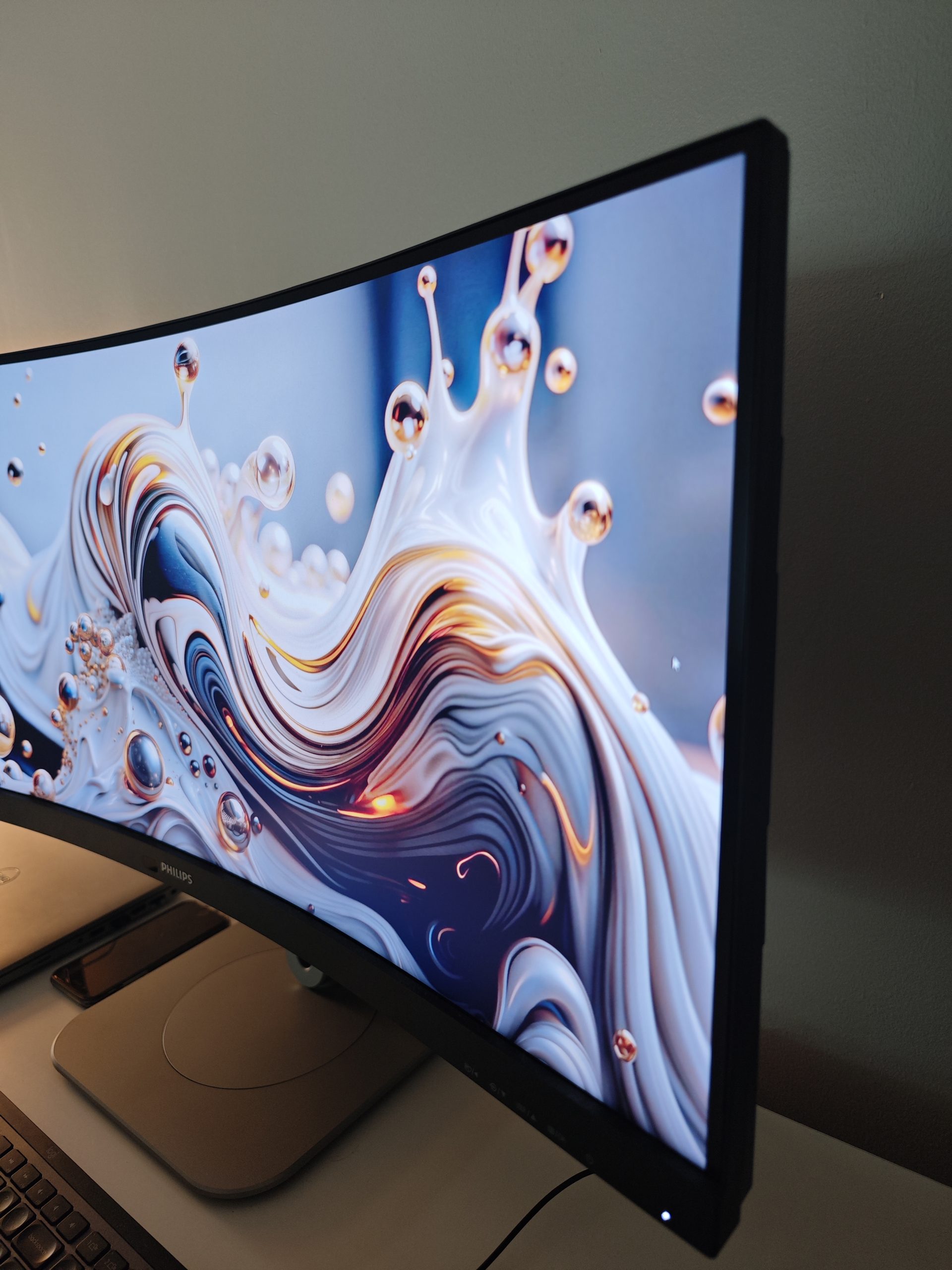
The Philips Curved Business Monitor is a comprehensive and professional monitor with very few limitations. We found a few things we didn’t like and hope that Philips task their designers with rethinking the navigation of the monitor’s internal system, as clicking through it is a chore.
(Photo: senses.se)
But that is largely our only complaint (aside from a minor aesthetic gripe regarding cable management). You truly get a comprehensive range of inputs and outputs. Capable charging performance, KVM, and PiP/PbP. Practical features like a built-in (and privacy-protected) webcam, headphone hook, good tilt/swivel range, and a sturdy stand.
A curved monitor isn’t for every purpose, but if it’s your preference and you need to connect several computers, the Philips Curved Business Monitor is a perfect option. Price-wise, you’ll pay about 7,400 SEK for the Philips Curved Business Monitor, which is certainly a lot of money. But you should also remember that you get a lot for your money, considering the monitor essentially serves as a laptop dock and much more. Given that today’s products are far more capable than before, it’s not surprising that they cost a bit more. Quality comes at a price.
And in this case, it’s very much worth it.
Philips sent a review unit for this test. The provider of the material has no editorial influence on our tests; we always write independently with our readers and consumers in focus.
Review Highlights: Q&A
What is the screen size and resolution of the monitor?
It is a 34-inch curved panel with a resolution of 3440x1440.
Does the monitor include a built-in webcam?
Yes, it has a 5.0-megapixel pop-up camera and a microphone.
How much power can the monitor deliver to a laptop?
The Thunderbolt 4 port provides power delivery up to 96W.
Can I use one keyboard and mouse for two computers?
Yes, the built-in KVM switch allows you to share peripherals.
What unique feature helps prevent interruptions at work?
A red LED lamp signals to others that you are in a call or busy.
Are the built-in speakers high quality?
No, the 5W speakers sound muddy and lack treble for music.
Is the curved screen suitable for graphic design?
No, it may cause slight distortion in proportions and angles.
What is the approximate price of this monitor?
The Philips Curved Business Monitor costs about 7,400 SEK.
