
TL;DR
Looking for a feature-packed curved business monitor that won't break the bank? The AOC CU34E4CW delivers impressive performance, a built-in webcam, speakers, and excellent connectivity, all for significantly less than comparable Philips models. It boasts a sleek design, user-friendly menu, and a 5-year warranty, making it a strong contender for your workspace. While it misses a few niche features, the core experience is superb, offering vibrant visuals and everything you need for productive work and even some casual gaming. Discover if this AOC monitor is the perfect fit for your needs – read the full review to find out!
In our test of Philips Curved Business Monitor (34B2U6603CH) our biggest criticism was its price of 7,400 kronor. A fairly steep price, but at the same time for a monitor that delivers quite a lot. A natural follow-up is to test a screen that is largely the same, but from a different supplier and at a significantly lower price. AOC CU34E4CW, which unfortunately does not have a more charming name than that, is a well-equipped office monitor with plenty of inputs and outputs, speakers, a built-in webcam, excellent performance, and a 5-year warranty. It costs about 4,600 kronor, which makes it nearly 3,000 kronor cheaper than the Philips, so we were definitely curious about what we might be missing. But after a few weeks with the AOC CU34E4CW, it was actually nothing.
We also took the opportunity to test the AOC AM400, a high-quality monitor arm that allows for a greater degree of flexibility in positioning your screen.
A first impression – AOC CU34E4CW
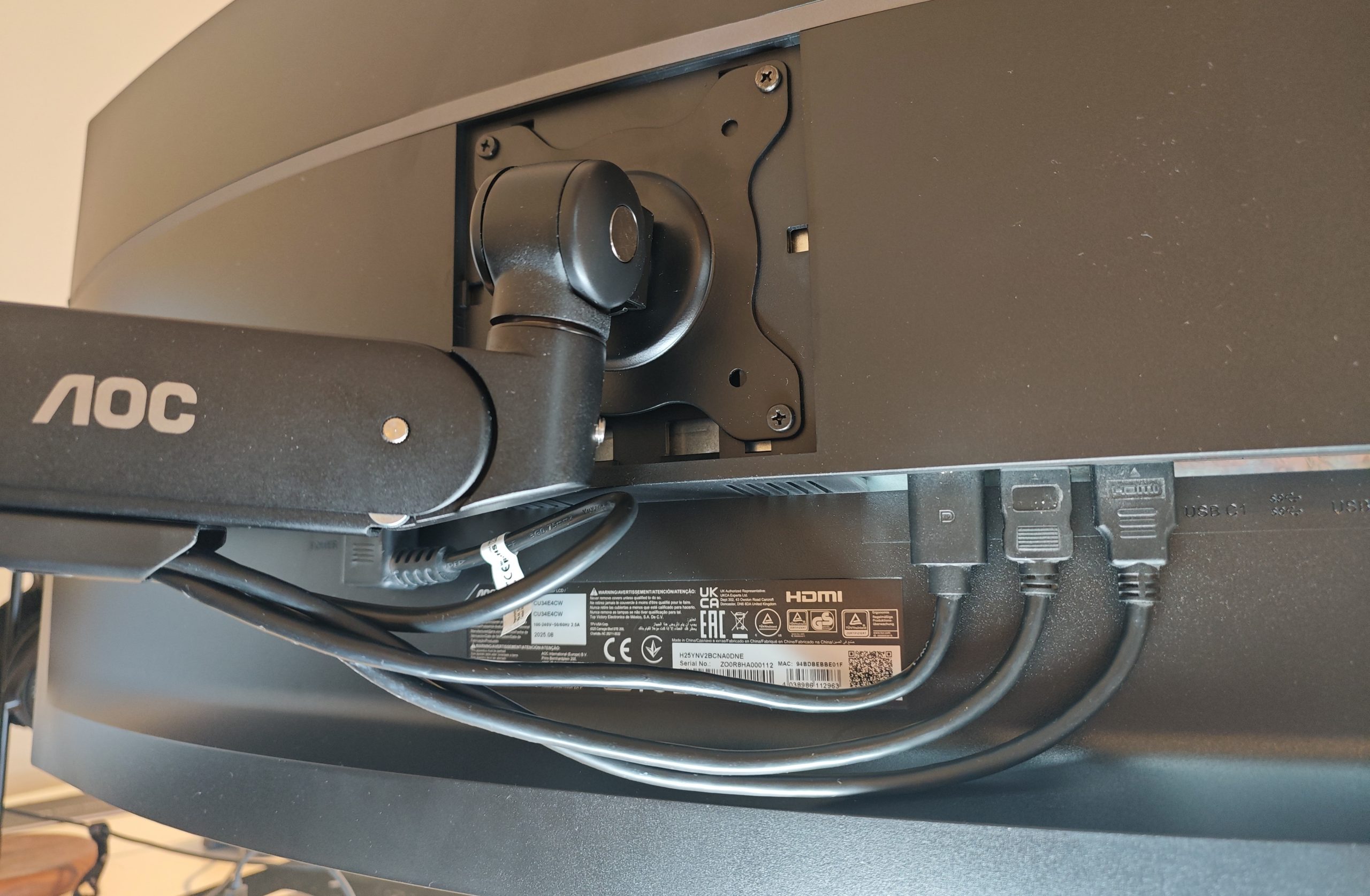
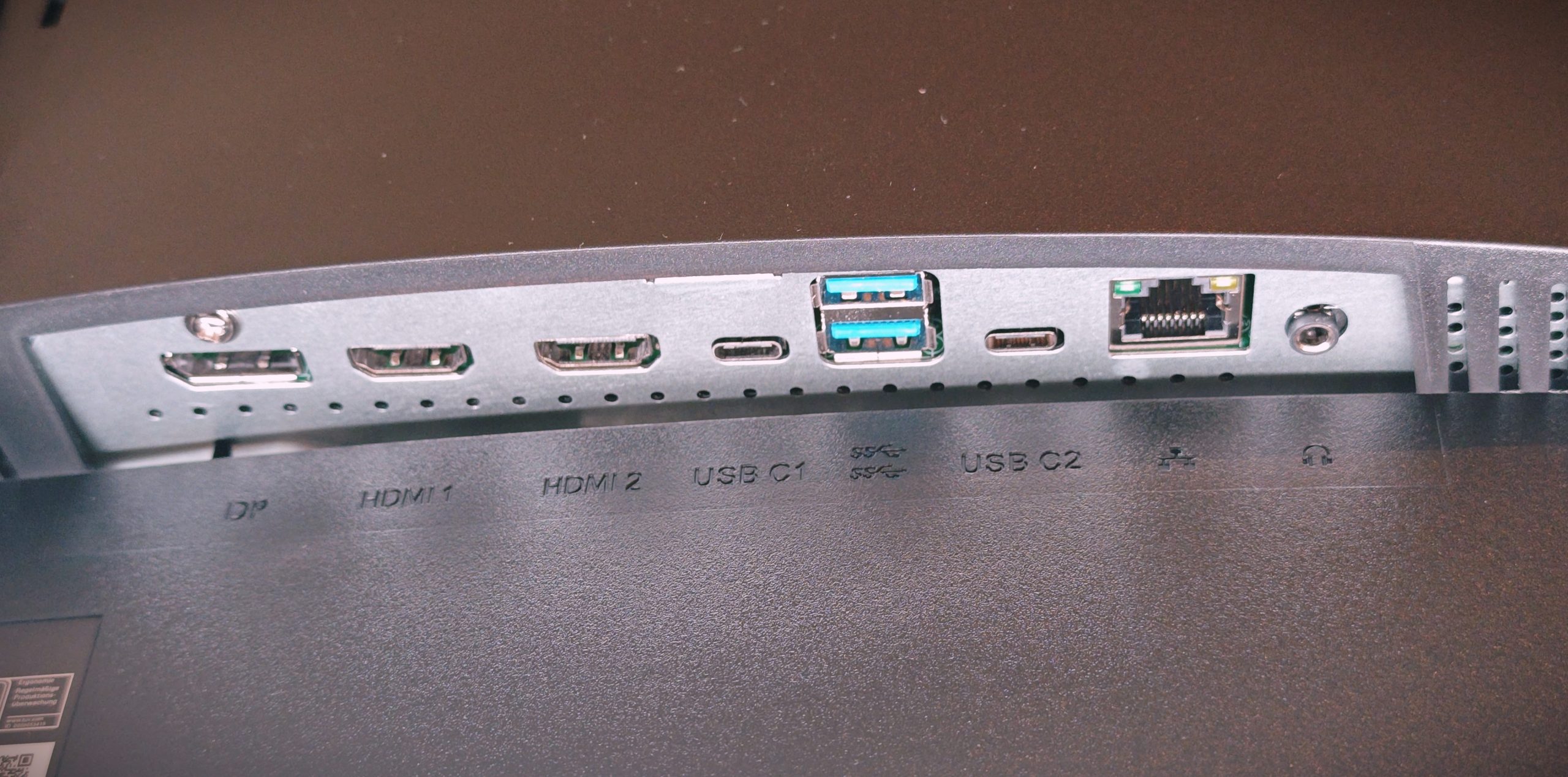
Purely in terms of appearance, there isn’t much to comment on. It is discreet with thin bezels around the display itself and includes an equally discreet and functional monitor stand. What is worth noting, however, is that AOC has placed all inputs and outputs high enough to allow for elegant cable management. A small ledge helps the cables stay up before being routed down through the stand, and from the front, nothing is visible. It’s a detail, but an important one for those of us striving for a visually cable-free desk as much as possible. If you choose to mount the screen on the AOC AM400, there are integrated cable channels that just as effectively hide the messy truth. But otherwise, it’s a discreet and elegant office monitor without unnecessary frills.
(Photo: senses.se)
A technical overview
Since this test is not per se a comparison against the Philips Curved Business Monitor (34B2U6603CH), we won’t point out the differences and their impact on the experience too much. Briefly here at the start, there are primarily three features we don’t find on the AOC CU34E4CW, and they are as follows: A red light on the pop-up built-in camera, a small arm for hanging your headphones, and a sensor that detects when you sit down and wakes the screen.
(Photo: senses.se)
Otherwise, they are very similar. The same refresh rate (120 Hz), the same response time (4 ms), the same resolution, static contrast ratio, number of colors, pixel pitch, backlighting, the same speaker output, and so on. Both offer PiP+PbP and have a KVM USB-C output, where AOC falls slightly short by only offering 90W charging instead of 100W. A negligible difference for most devices.
(Photo: senses.se)
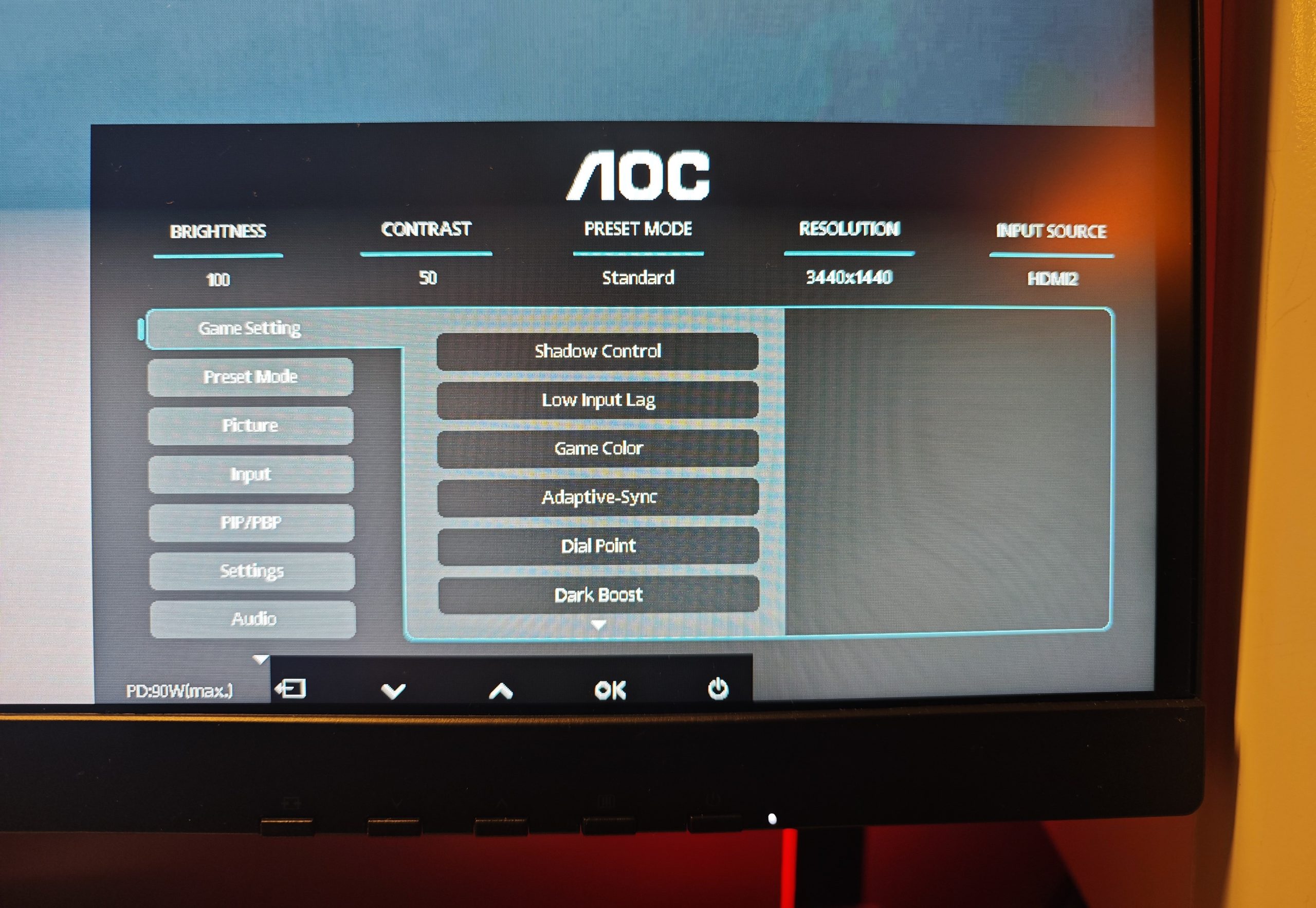
Another thing we complained about was that Philips once again offered the classic, difficult-to-navigate menu system with four black buttons located right next to the power button. AOC has the same setup but has actually improved it. When you open the menu, you get a much more welcoming graphical solution and, as the icing on the cake, small on-screen labels showing what each button does. You also get a brief overview of the most relevant settings, the resolution being used, and the current input. Elegant, easy to navigate, and above all, a step in the right direction. Great job, AOC! It actually makes a difference in how much one is willing to dive in and utilize the monitor to its full potential, something we noticed with the Philips.
(Photo: senses.se)
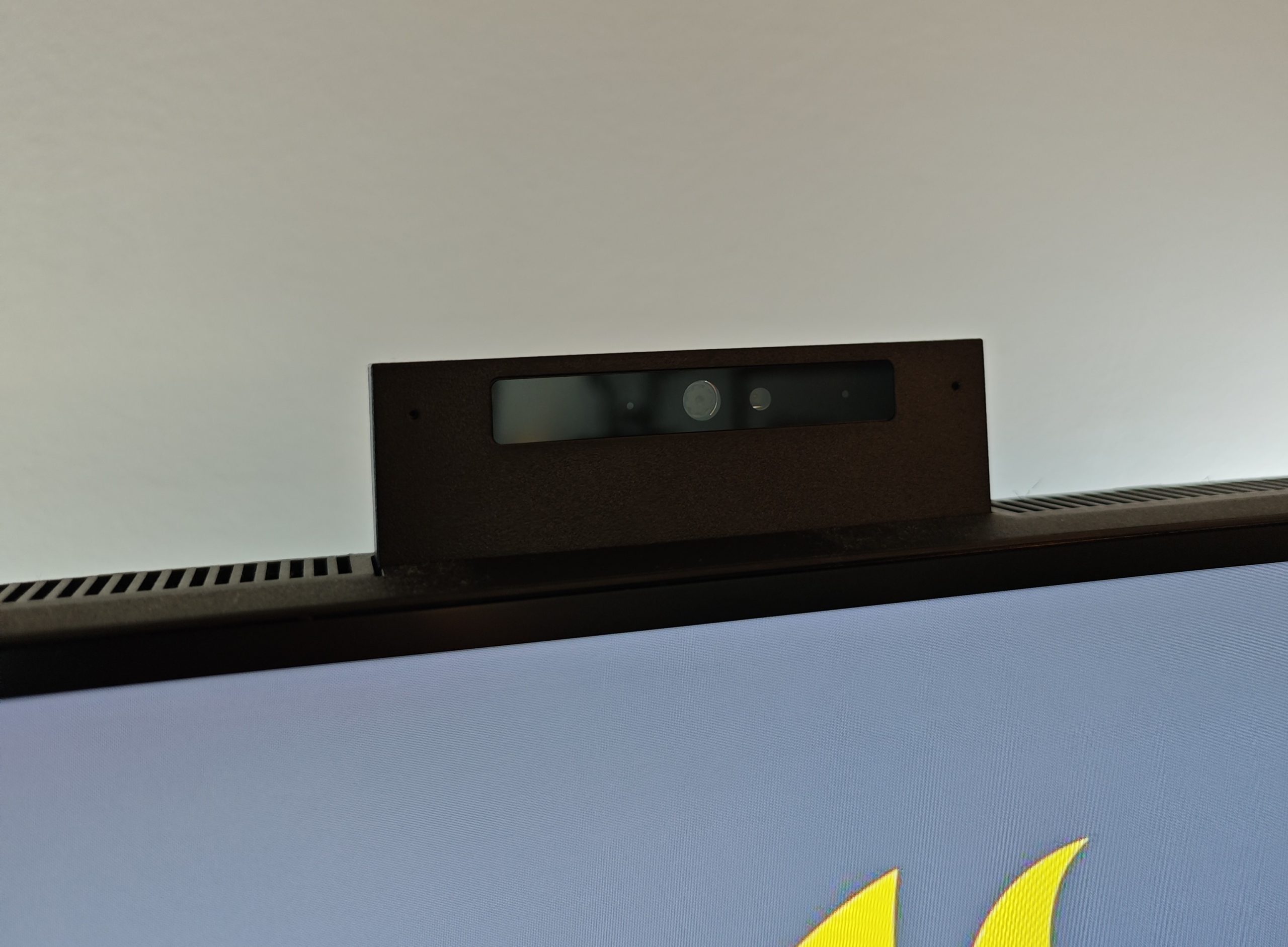
The built-in pop-up camera with QHD quality cannot be tilted like the one on the Philips Curved Business Monitor (34B2U6603CH), but when we turn it on, the image is wide and tall, and of very good quality. Naturally, this cannot be compared to dedicated cameras like the Logitech MX Brio either. But at the same time, it is significantly better than many built-in laptop cameras. It also lacks the innovative red “do not disturb” light, but that is no real loss.
The speakers shouldn’t be forgotten. They are perfectly fine as all-rounders and for video calls. But for music or gaming, they are nothing to write home about. This is as expected, and AOC has not claimed otherwise. The monitor also has a built-in microphone, which means you simply don’t need anything else. The basic functions are in place. On all fronts.
One cable for everything
One of the major advantages of today’s office monitors is their many capabilities. Since it can handle audio, connectivity, and keyboard, and then link everything through a USB-C cable that also charges your laptop, it replaces a dock. AOC CU34E4CW offers Smart KVM, which theoretically allows you to connect your keyboard and mouse to the monitor, which then moves them between your devices. With the Ethernet cable, you also get internet access, giving your laptop everything it needs.
(Photo: senses.se)
The Experience – AOC AM400
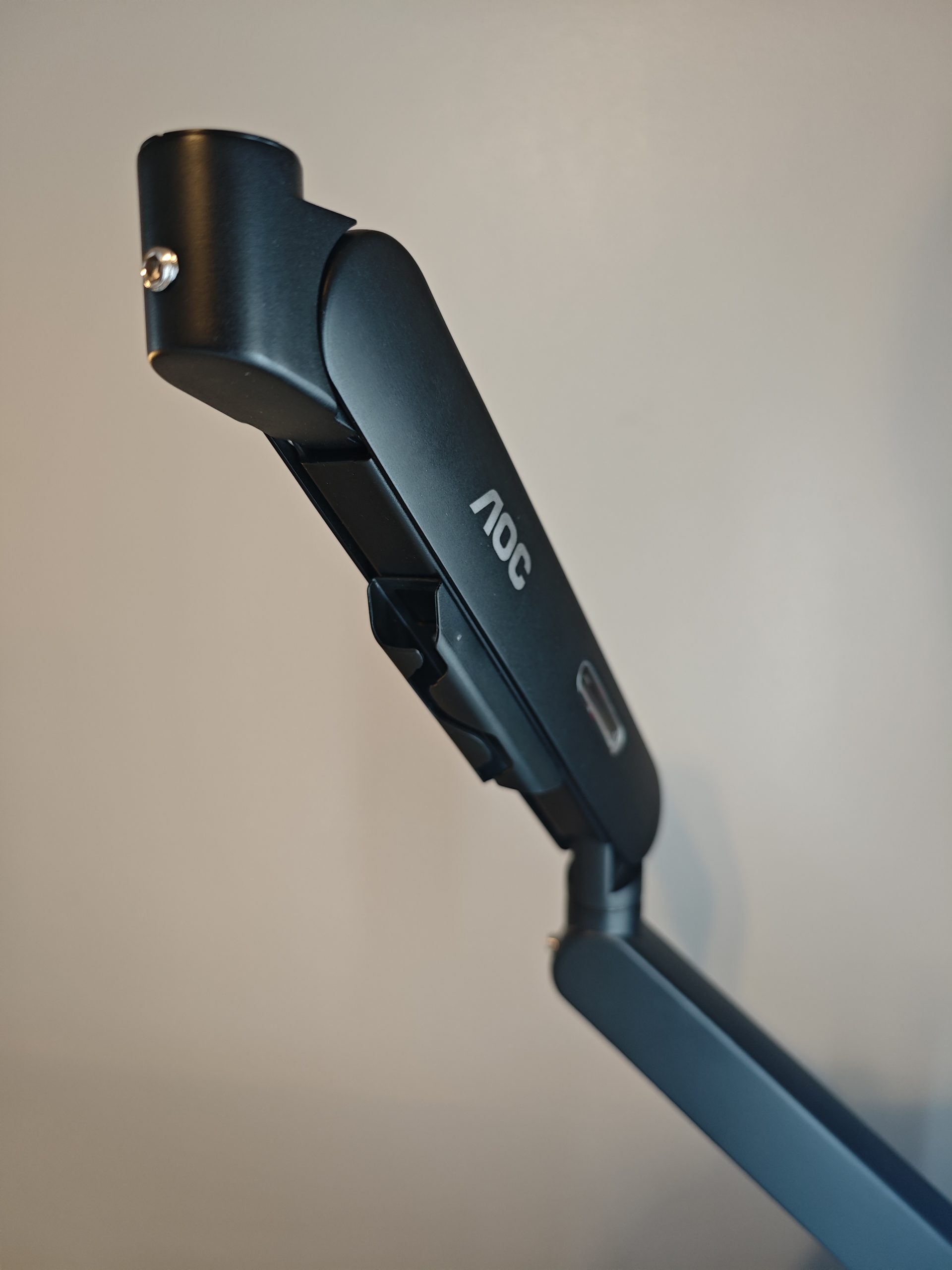
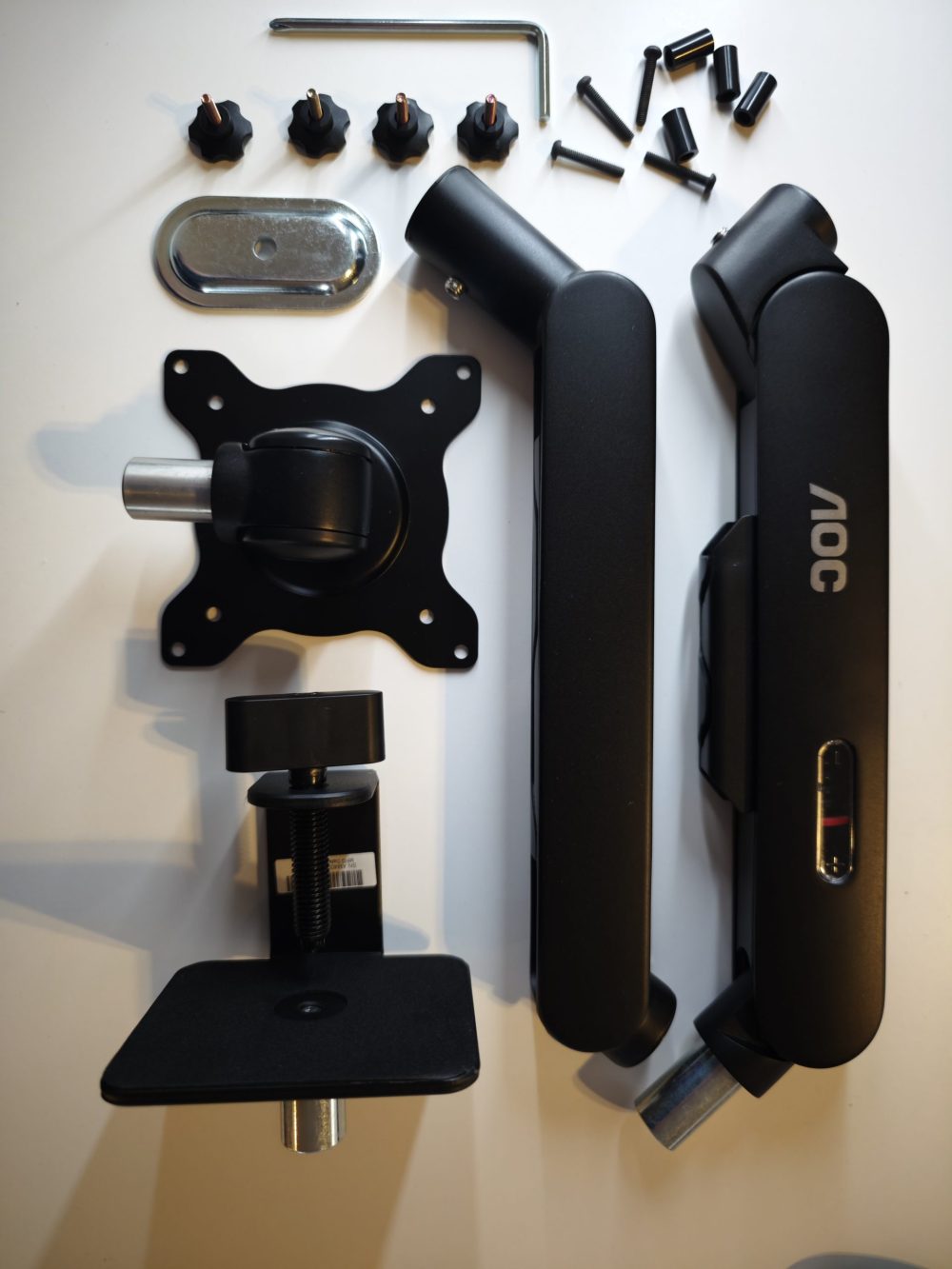
We initially mounted the screen on the AOC AM400. Assembly was easy, and the brackets and screws for adjusting the arm’s tension are self-explanatory and easy to access. It is designed for screen sizes between 17–34 inches and a maximum weight of 9 kg. Thus, when the AOC CU34E4CW, weighing 7.33 kg without the stand, is mounted, the tension needs to be tightened significantly. But then it hangs nicely, and you can easily position it exactly as you wish. A monitor arm is primarily a way to create a suitable ergonomic position where you can place the screen closer if needed. If the desired position is straight ahead, however, the included stand is preferable. Because the downside of the arm is that the screen wobbles a bit too much as soon as the desk surface it’s attached to moves. That is, when you sit down or when you work standing up and occasionally lean against it. So for this specific monitor, the AOC AM400 was a bit on the weak side, but when we mounted a Twisted Minds 27″ FHD the solution felt stable and the wobbling disappeared almost entirely. The AOC AM400 costs about 700 kronor, which makes it good value but not the cheapest.
(Photo: senses.se)
The Image – AOC CU34E4CW
AOC CU34E4CW is not intended as a gaming monitor but primarily as an office monitor. However, if we look at the performance, as we went through above, it works well even as a gaming monitor. The image, however, is superb and razor-sharp. There is no 5K screen in the series, but at the same time, there are primarily two types of users who would even benefit from the higher resolution: professional photographers and content creators, and Apple users accustomed to their Retina displays. But when we connected the aforementioned computer, the result was decidedly acceptable. Color reproduction and brightness are also clearly very good. The compared Philips monitor has a brightness of 550 NITS (cd/m²), while AOC offers 350 NITS (cd/m²). However, we don’t experience a particularly darker image; in fact, rather the opposite. Above all, we feel that the color reproduction is more powerful and vibrant. With the Philips, we never quite got the same clear color reproduction compared to the same Retina display.
The Bottom Line – AOC CU34E4CW
Curved screens have advantages and disadvantages depending somewhat on what you use them for, but AOC CU34E4CW has succeeded really well throughout with this monitor. You get an abundance of inputs and everything needed to replace a laptop dock. Speakers, camera, and microphone also make you ready for video conferences without having to buy additional equipment, although a pair of headphones is appropriate, almost regardless of where you sit. But both the microphone and camera require no upgrade for basic purposes.
(Photo: senses.se)
We also want to give a final nod to the fact that AOC has at least tried to improve the monitor’s internal navigation. It is a bit nicer and has on-screen instructions. AOC has also built in several pleasant features into the monitor itself, such as a button for upgrading internal software, a timed reminder to take a break, several preset viewing options, and the ability to configure the screen for the best gaming experience. Furthermore, the AOC CU34E4CW feels thoroughly affordable considering what is included and a 5-year warranty. And especially in comparison to Philips, which admittedly has a few bonus features missing here, but which we don’t actually miss. So finally, great job AOC, this monitor is not hard to recommend.
AOC sent review units for this review. Senders of material have no editorial influence on our tests.
How we rate products at SensesReview Highlights: Q&A
How much does the AOC CU34E4CW cost?
It costs about 4,600 kronor, nearly 3,000 less than the Philips model.
What kind of warranty does the AOC CU34E4CW offer?
The monitor comes with a 5-year warranty and is considered affordable.
What are the refresh rate and response time?
The screen has a 120 Hz refresh rate and a 4 ms response time.
How much charging power does the USB-C output provide?
The monitor provides 90W charging for laptops via its USB-C port.
Does the monitor have a built-in camera?
It includes a QHD pop-up webcam that provides high-quality video.
Are the built-in speakers suitable for music?
The speakers are fine for calls but not great for music or gaming.
How does the monitor handle cable management?
Inputs are placed high enough to allow for hidden cable management.
What are the limits for the AOC AM400 monitor arm?
The arm supports screens from 17–34 inches and weights up to 9 kg.
