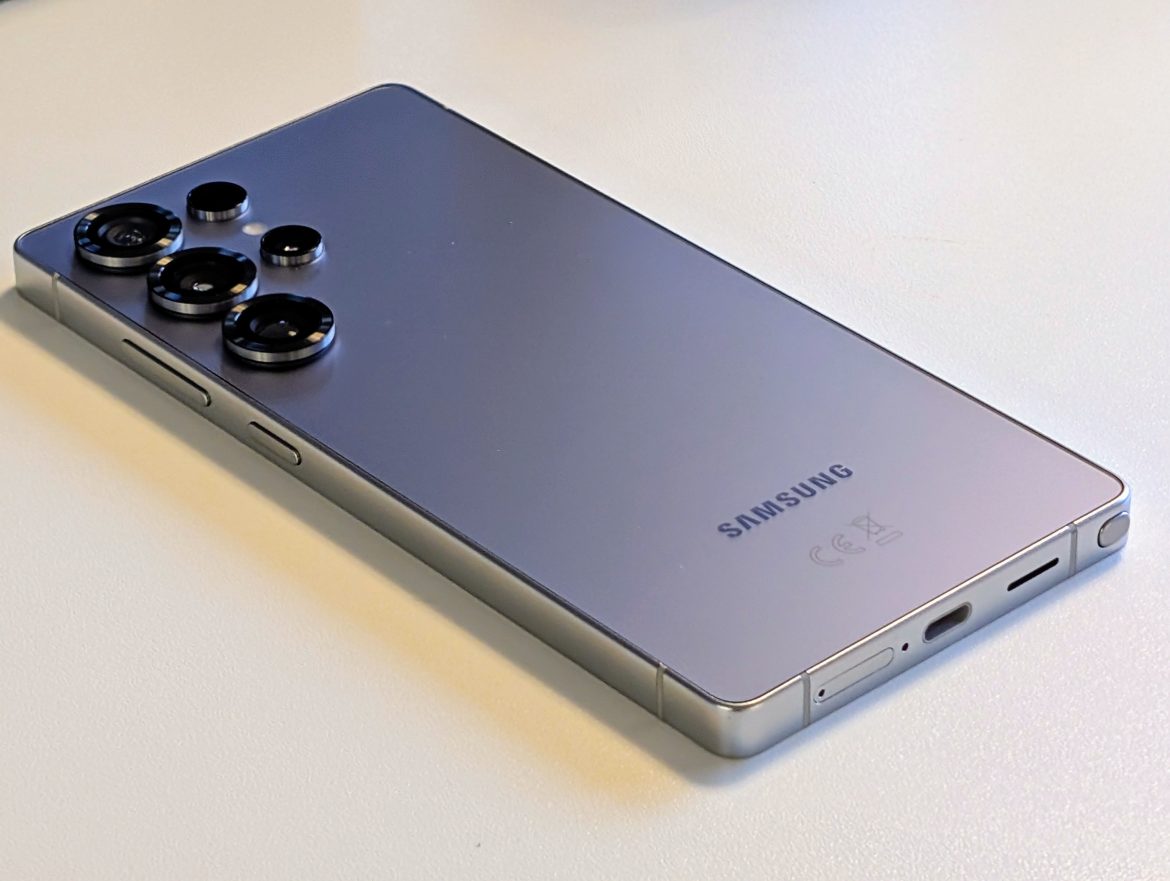

TL;DR
Samsung's S25 Ultra aims for the top spot in Android, boasting a stunning display, powerful Snapdragon 8 Elite chip, and impressive AI features like real-time call translation. While its cameras compete well, particularly in low light, and the battery life is solid, the premium price tag might be a hurdle. It's a refined, capable device, but lacks that defining "wow" factor. Discover if this polished performer is worth the splurge – read the full review for all the details!
It is now time to test Samsung’s “maxed-out” phone, the Samsung Galaxy S25 Ultra. Android’s equivalent to the iPhone 16 Pro Max. Maxed-out specifications, plenty of software innovations and, as always, a hefty price tag. But does the S25 Ultra live up to the hype? Can it beat, for example, Google’s Pixel 9 Pro XL, which can be purchased significantly cheaper? We are about to find out!
Design & Build Quality
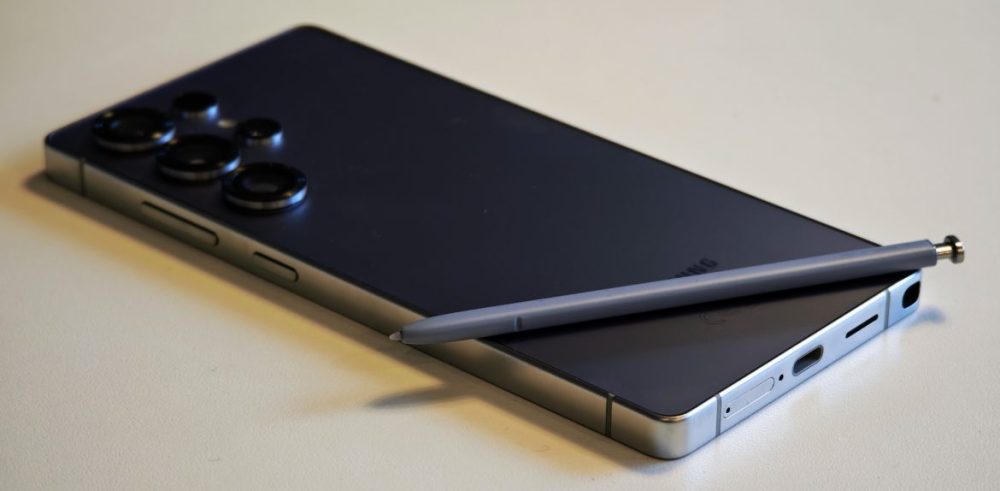
In recent years, Samsung’s Ultra series has been very boxy, and to our delight, the S25 Ultra is slightly more rounded at the corners. What immediately catches the eye are the camera lenses, which are clearly accentuated.
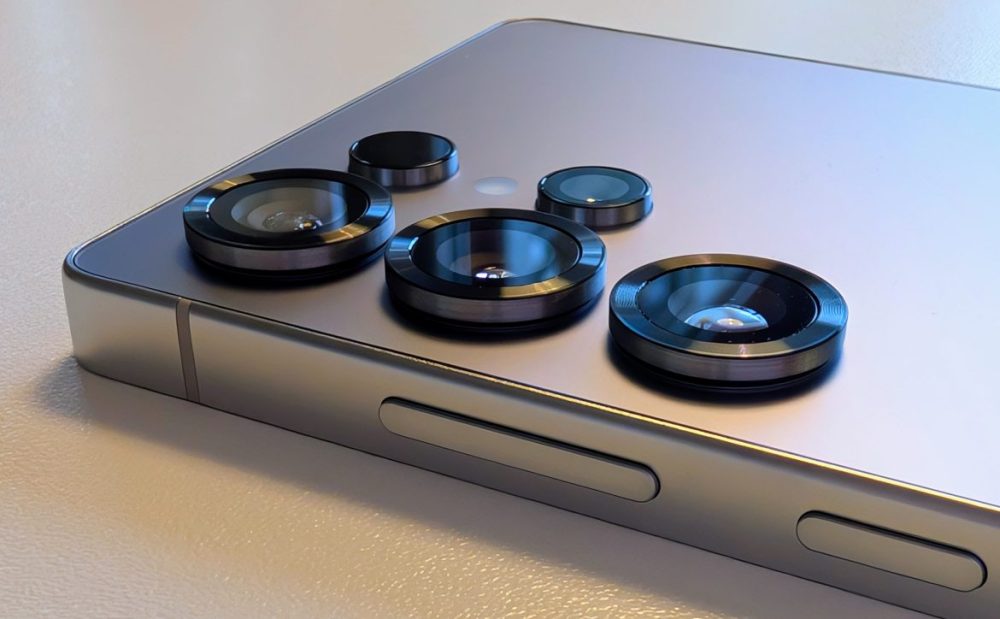
The back has a stylish metallic color that, depending on how the light reflects, is perceived slightly differently. However, it is a fingerprint magnet. After just a few minutes of using the phone, the back was covered in quite visible fingerprints.
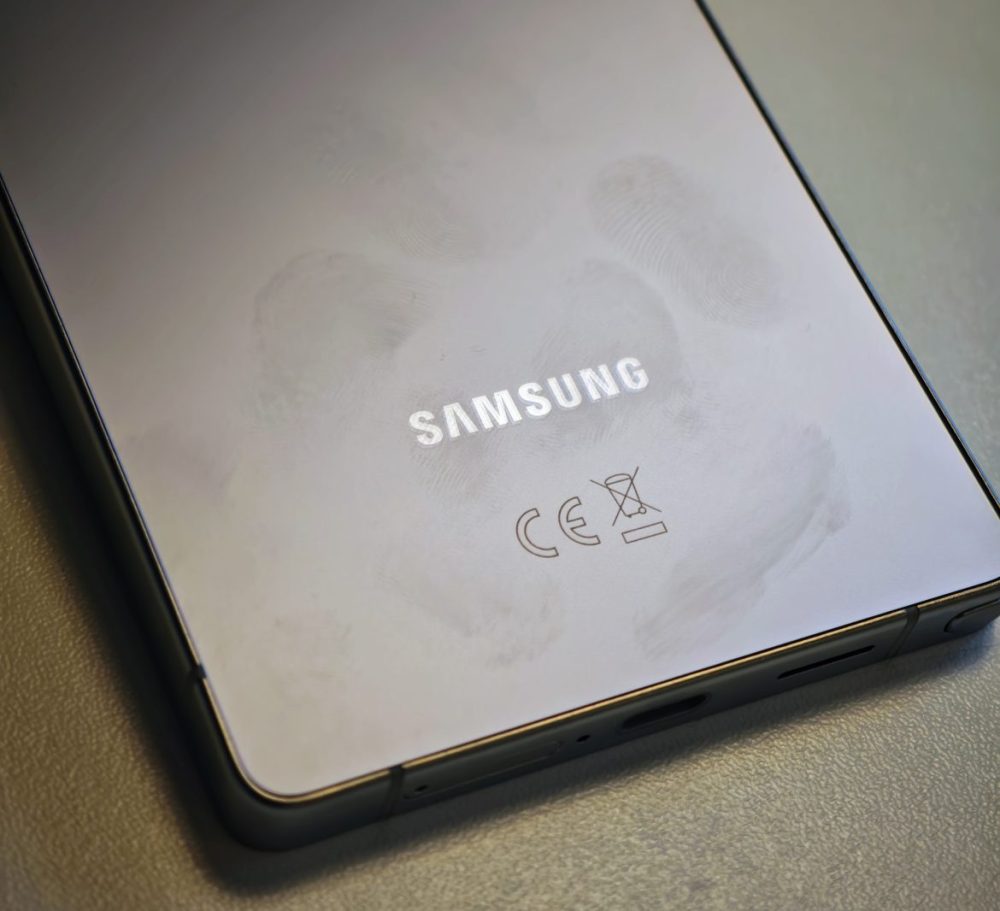
Because the camera lenses are placed on one side of the phone, it does not lie stable on a table and wobbles when used. We appreciate it when lenses are more centered, allowing the phone to be used while lying on a flat surface.
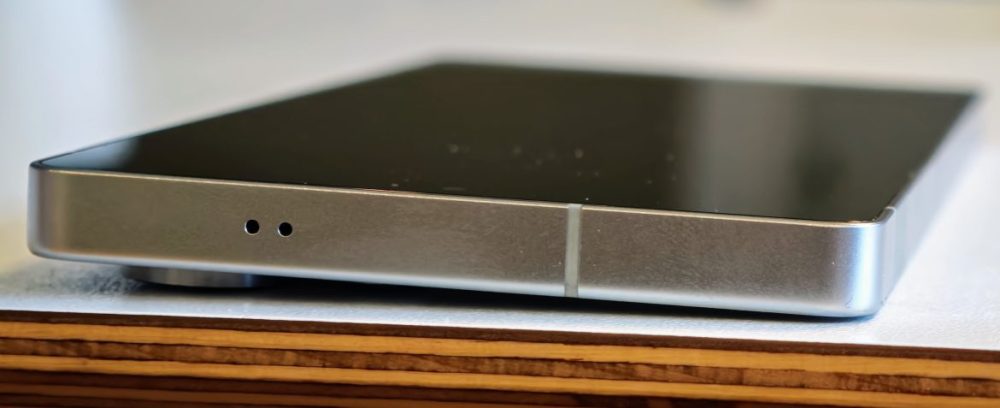
The front is protected by Corning Gorilla Armor 2 and the back is protected by Corning Gorilla Victus 2. The frame is made of titanium, and the phone has an IP68 rating. The feeling when holding the phone is truly premium; it feels expensive and well-built. If we were to look for something to complain about, it is that the edges feel somewhat sharp. Having them slightly more rounded would be preferable.
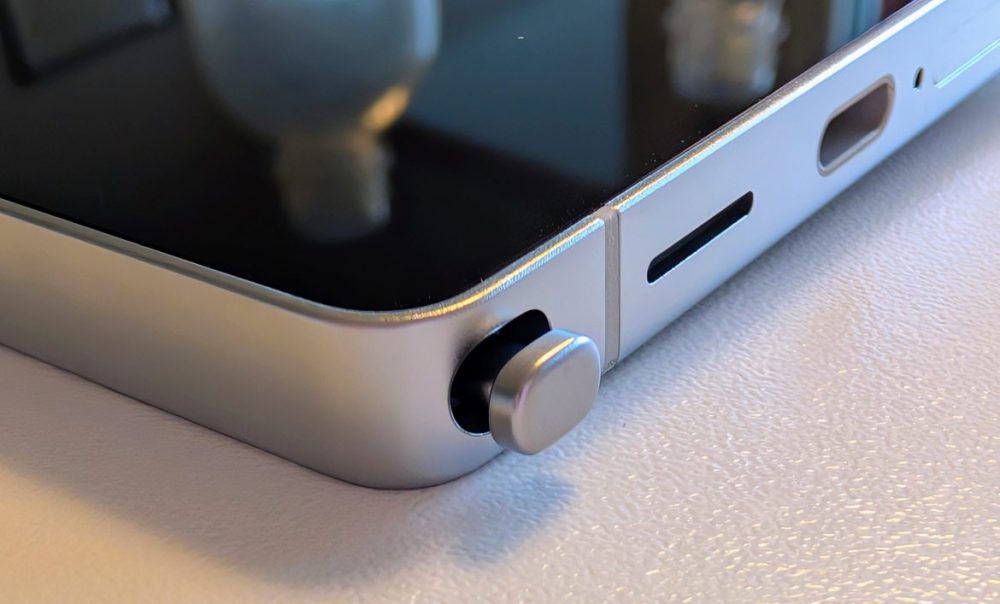
The pen is located on the left side and can be easily clicked out. The pen is a legacy from Samsung’s Note series and is highly appreciated by a portion of the user base. We have never quite understood the greatness of using a pen, and this year Samsung has made the pen worse than in previous years (perhaps a step toward phasing out the pen entirely?). Previously, the pen was connected to the phone, allowing the button on the pen to be used as a remote shutter, for example. Now the connection is gone, and the pen can be used solely as just a pen. However, it works very well; the screen reacts lightning-fast to what you write, and it can decipher handwriting and convert it into text.
Screen
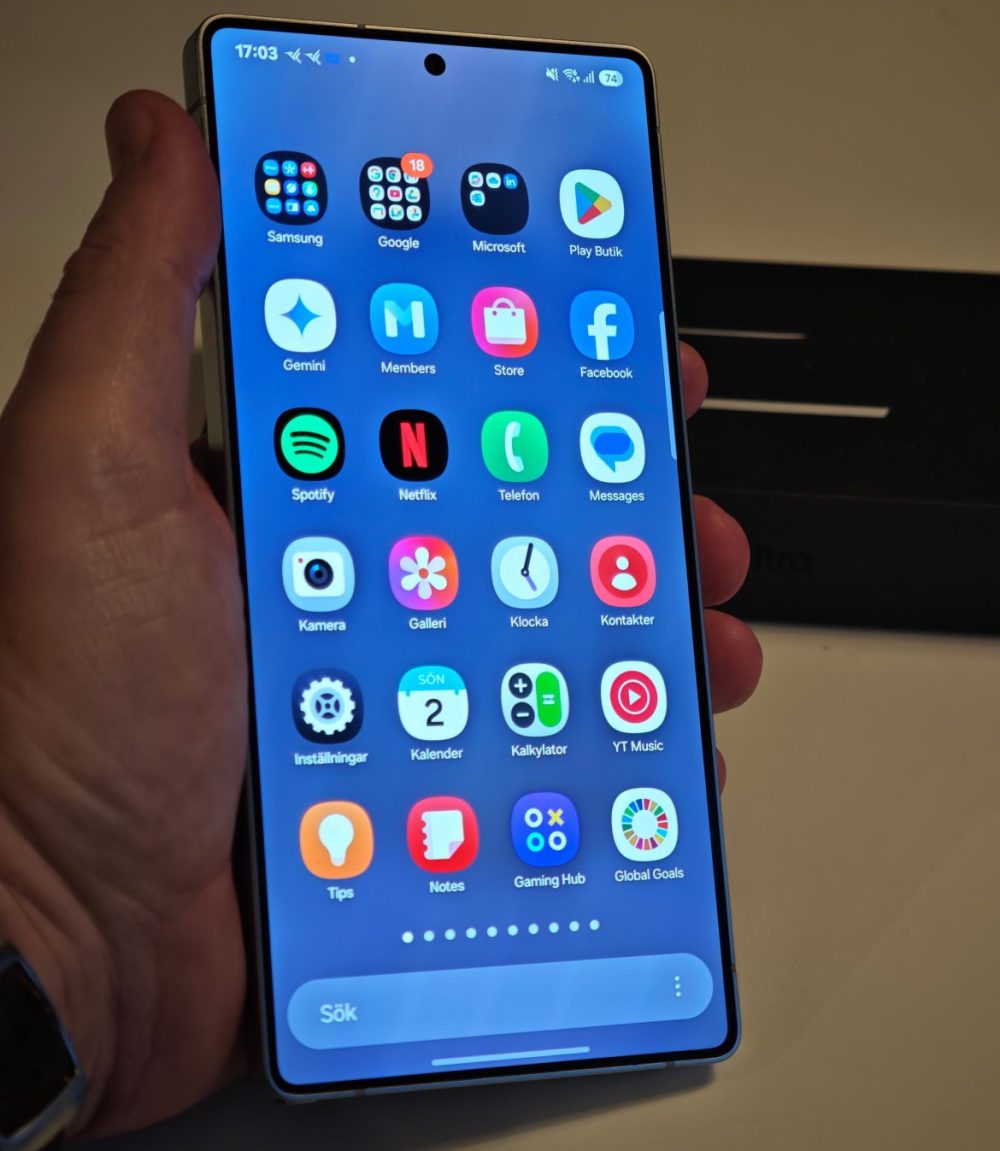
The screen is truly impressive; it is a 6.9-inch QHD+ panel (1440×3120 with 498 ppi). It supports up to 120 Hz, and it is an LTPO panel, so it can go down to 1 Hz when necessary. It is very bright—perhaps not quite as much as the Pixel 9 Pro XL, but it handles more than you need. Colors, contrast, everything is top-tier.
Performance
The Samsung S25 Ultra is powered by the most powerful chip for Android right now, the Snapdragon 8 Elite. Furthermore, it is a special edition called “Snapdragon 8 Elite for Galaxy,” which means it is slightly overclocked compared to the standard version.
And as expected, it’s fast! You won’t find better performance on the Android side. Regardless of what you do, it delivers maximum performance. It has 12 GB of RAM, so switching between different applications is also lightning-fast.
Battery / Charging
The Samsung S25 Ultra houses a 5,000 mAh battery, which is fairly standard and doesn’t particularly stand out. It supports wired charging up to 45 W, and for wireless charging, it supports Qi 2.1 up to 15 W.
We have tested it with several different chargers, and unlike, for example, the Google Pixel 9 Pro XL, it isn’t as finicky; it accepts most chargers and charges quickly. With a 45 W charger, it took almost exactly one hour to charge from 0–100%, and in 30 minutes, it reached approximately 70%.
Despite the standard-sized battery, the battery life is good. There are no problems getting through a day of fairly heavy use and having 20–40% remaining.
Software / AI Features
The Samsung S25 Ultra launches with Android 15 and Samsung’s One UI 7. Samsung is among the best when it comes to releasing updates and offers seven years of support (both security updates and Android updates).
One UI is a sleek and well-polished interface, and aside from Samsung’s own apps such as Gallery, Wallet, and so on, there isn’t much bloatware. There are a couple of apps from Microsoft, but beyond that, it is clean.
When it comes to AI features, Samsung has really gone all-in. Unlike many competitors, all features work with Swedish as a language. Here are the features offered:
- Call Assist – Get real-time translations during voice calls.
- Writing Assist – Get tools to write, organize, and improve text, as well as chat translation and suggested replies for text messages.
- Interpreter – Live translation of spoken conversations available as voice or text output.
- Note Assist – Auto-format, summarize, spell-check, and translate text. Transcribe and summarize recordings. Decorate notes with AI-generated covers and images.
- Transcript Assist – Transcribe and summarize recordings that you can review and translate.
- Browsing Assist – Get simple summaries of web pages, translate text and images, have summarized web pages read aloud, and listen to highlights from articles and posts from selected websites.
- Photo Assist – Reimagine images by moving or removing people and objects, create portraits in different styles, and sketch new elements into the background.
- Drawing Assist – Turn simple sketches into art, create images from text descriptions, and transform photos into comic strips, paintings, and more.
- Audio Eraser – Remove distracting sounds in videos by adjusting the volume of speech, wind, and other sounds separately.
- Photo Ambient Wallpaper – See how AI changes your photo based on time and weather.
- Now brief – Get a personalized briefing with suggestions for content and actions that change throughout the day.
Some features are better than others; some are fun to test once (like Drawing Assist) while others are genuinely useful.
Something that works impressively well is Call Assist:
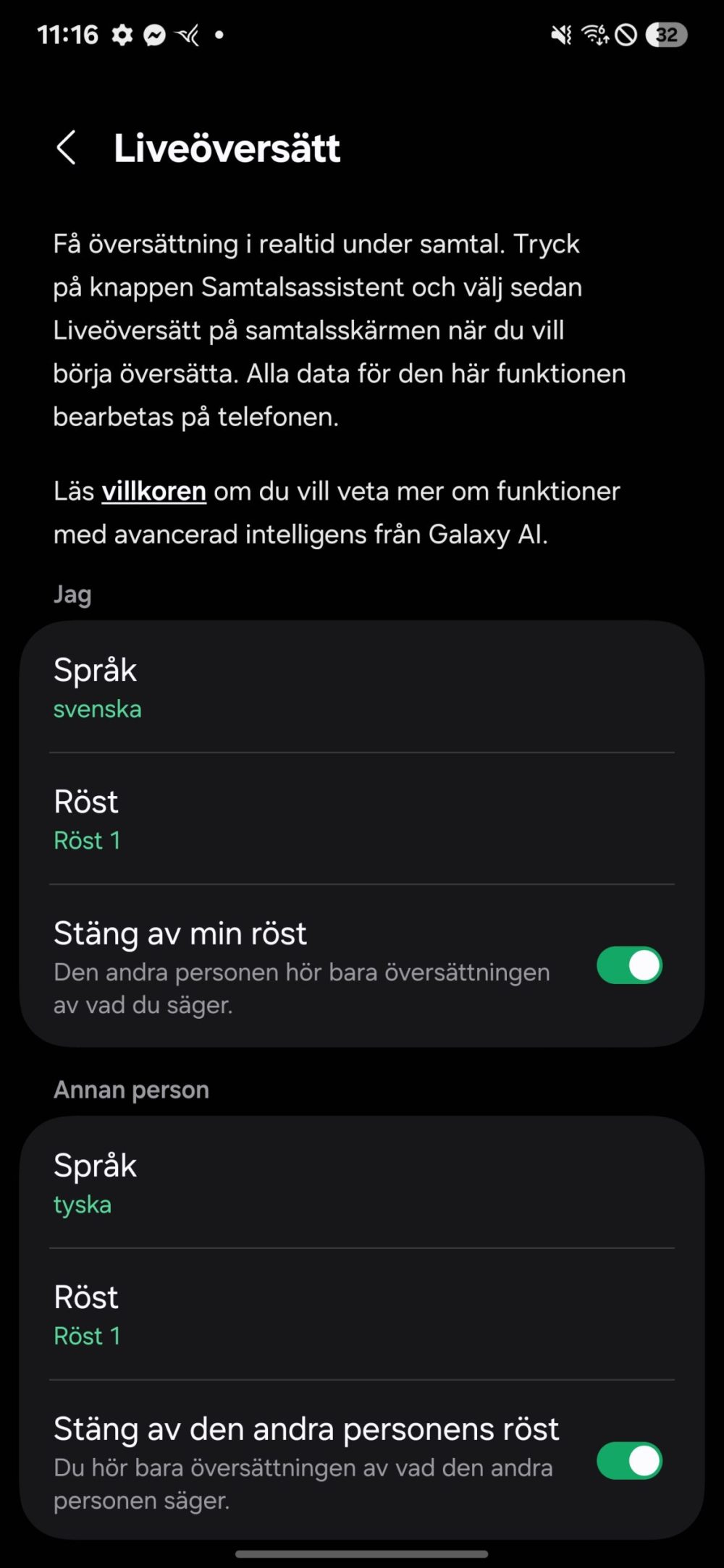
During a call, you can choose to switch to an interpreter who translates for you/the other person, and it simply works.
Another handy feature of Call Assist is that when the phone rings, you can choose to answer with a “text call.”
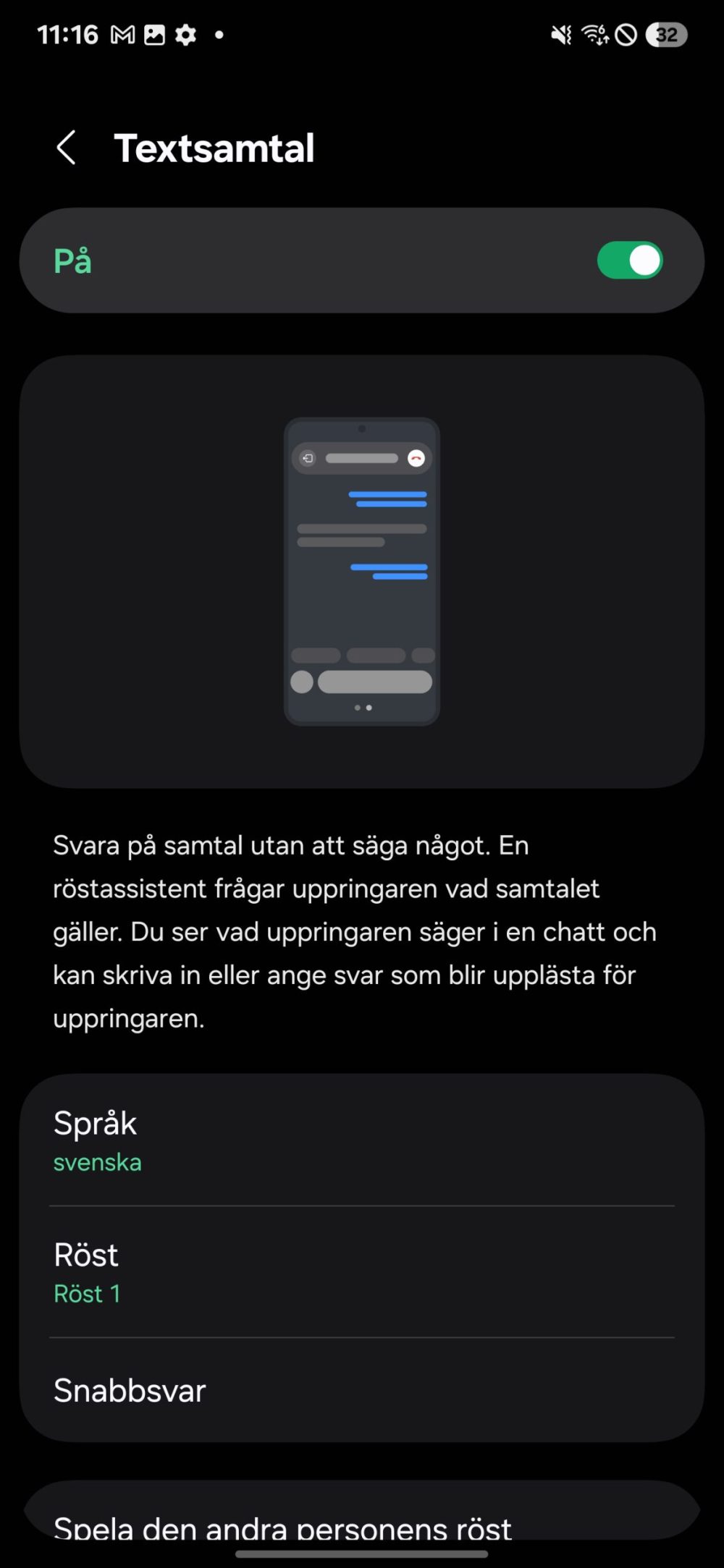
Perfect for when you’re busy or if a telemarketer calls. An AI voice answers and transcribes what the other party says, and you can choose to either take the call if it’s important, or you can type what the AI voice should say to the caller.
Another great feature is “Photo Assist.” All phones now have various functions for editing photos using generative AI, such as removing objects/people and making other changes. Samsung, of course, has the same functionality. But it is very much better than what many competitors offer. As an example, let’s take something AI normally has extreme difficulty with: hands. So what happens if you take a photo while holding something and then try to remove the object from your hand?

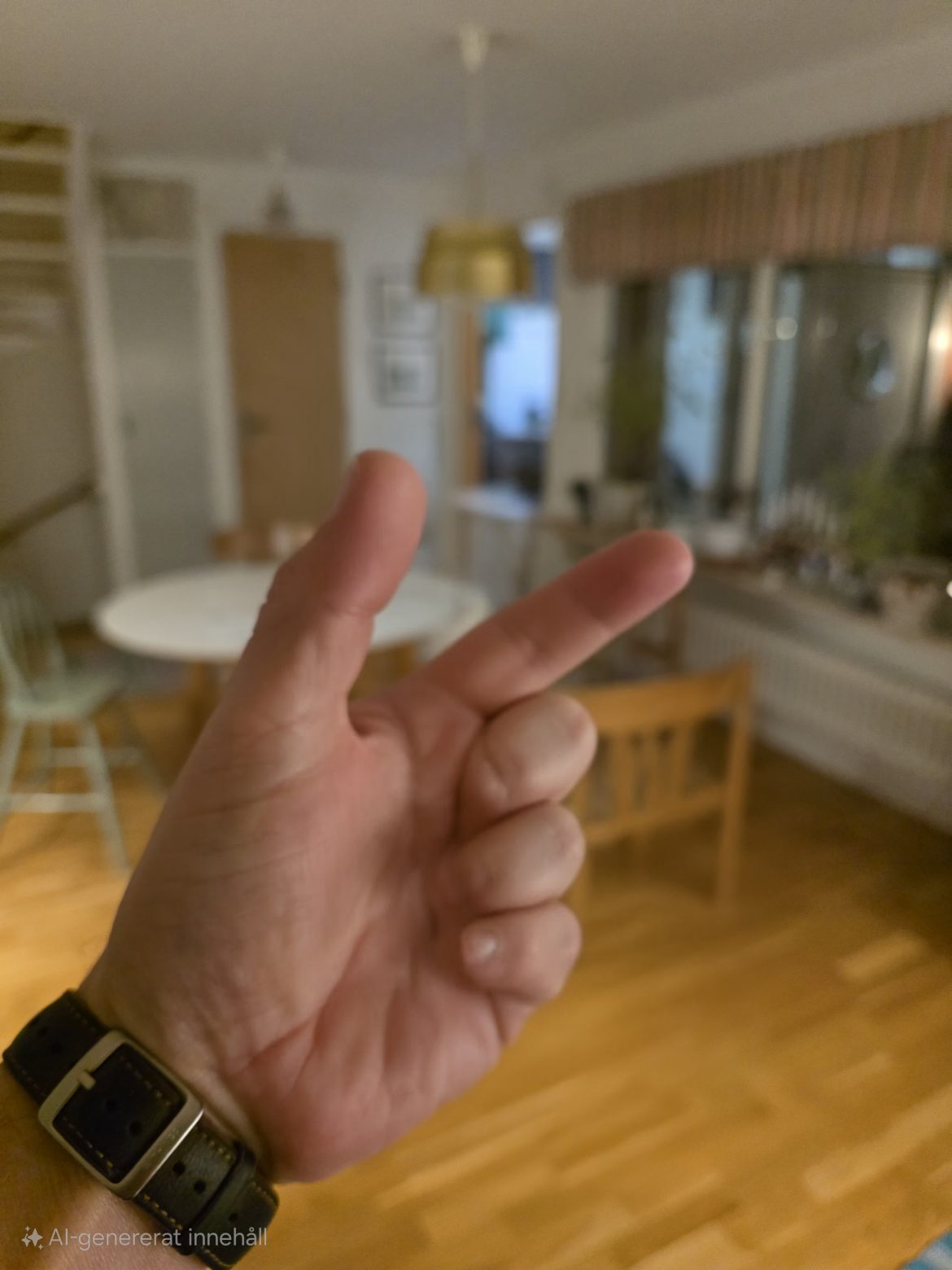
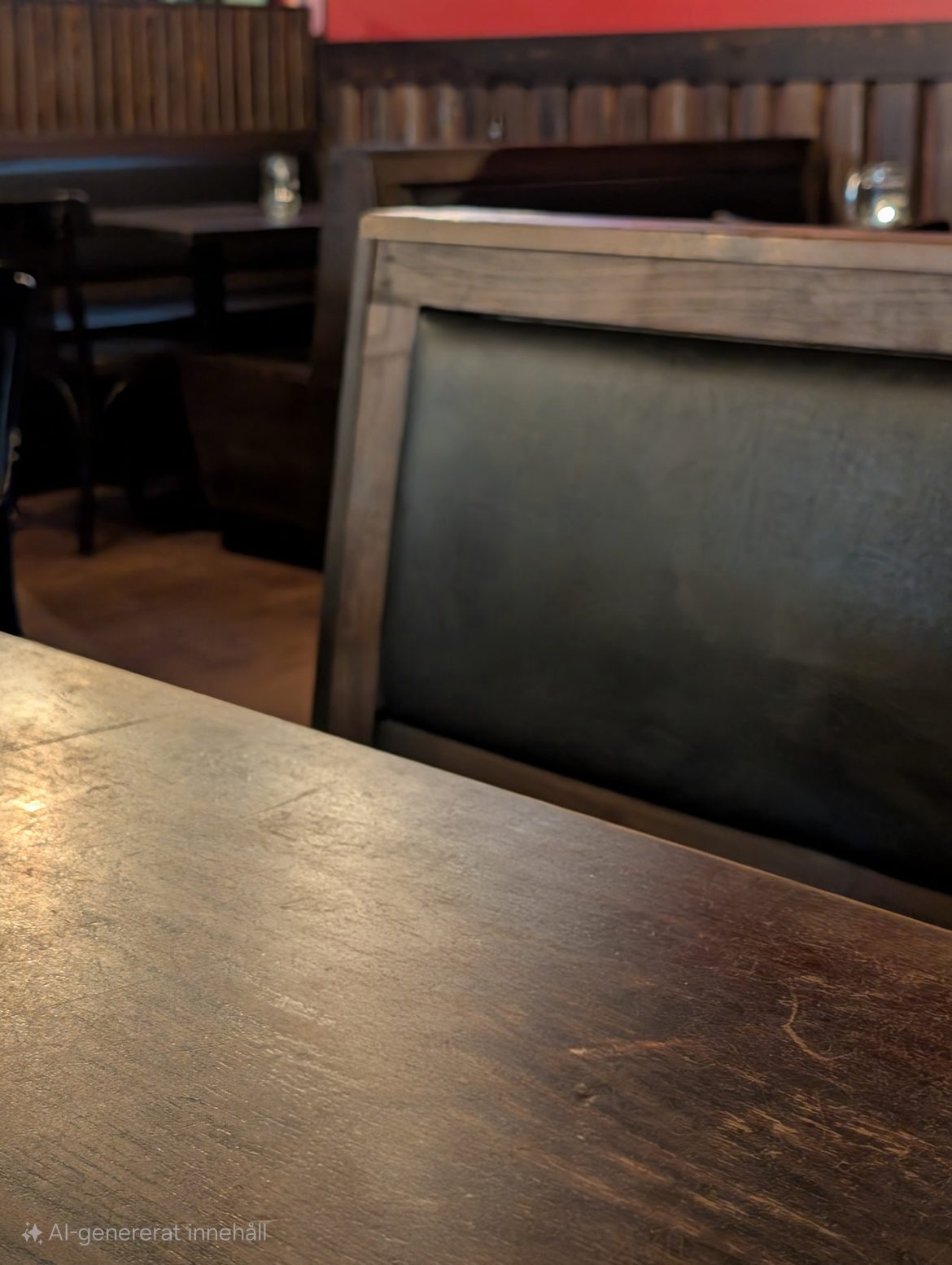
Okay, the fingers might not be 100% correct, but when we try to do the same with an iPhone, we get a lump of flesh instead of a hand. Overall, it works very well, and it also removes shadows and reflections very effectively, as in the example below:

Cameras
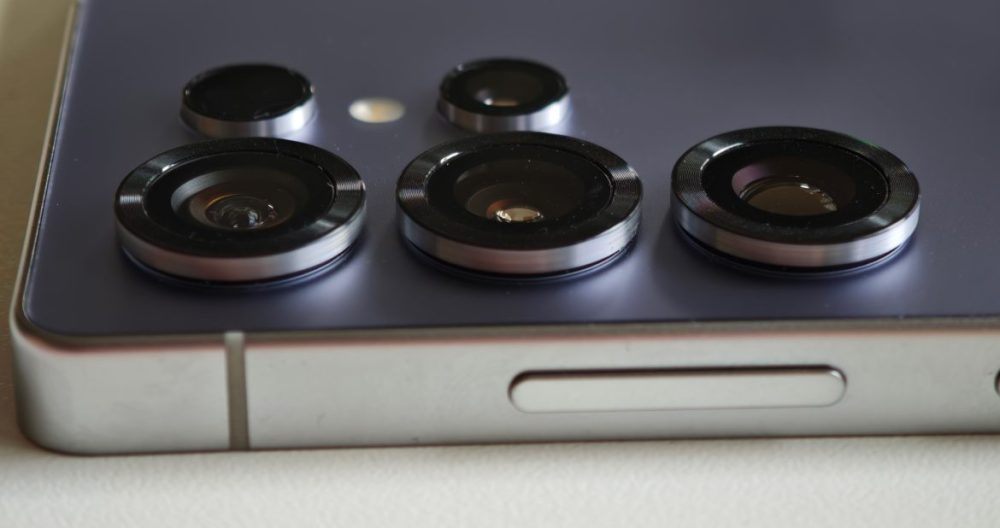
The camera system is largely identical to the one in the S24 Ultra, and not that far from the one in the S23 Ultra either, for that matter. Samsung is taking it slow here. Looking at the specifications, the main camera has a 200 MP sensor and a 23 mm lens at f/1.7. The ultra-wide is new and has a 50 MP sensor and a focal length of f/1.9. There are two telephoto lenses: a 12 MP lens with 3x zoom and a 50 MP lens with 5x zoom.
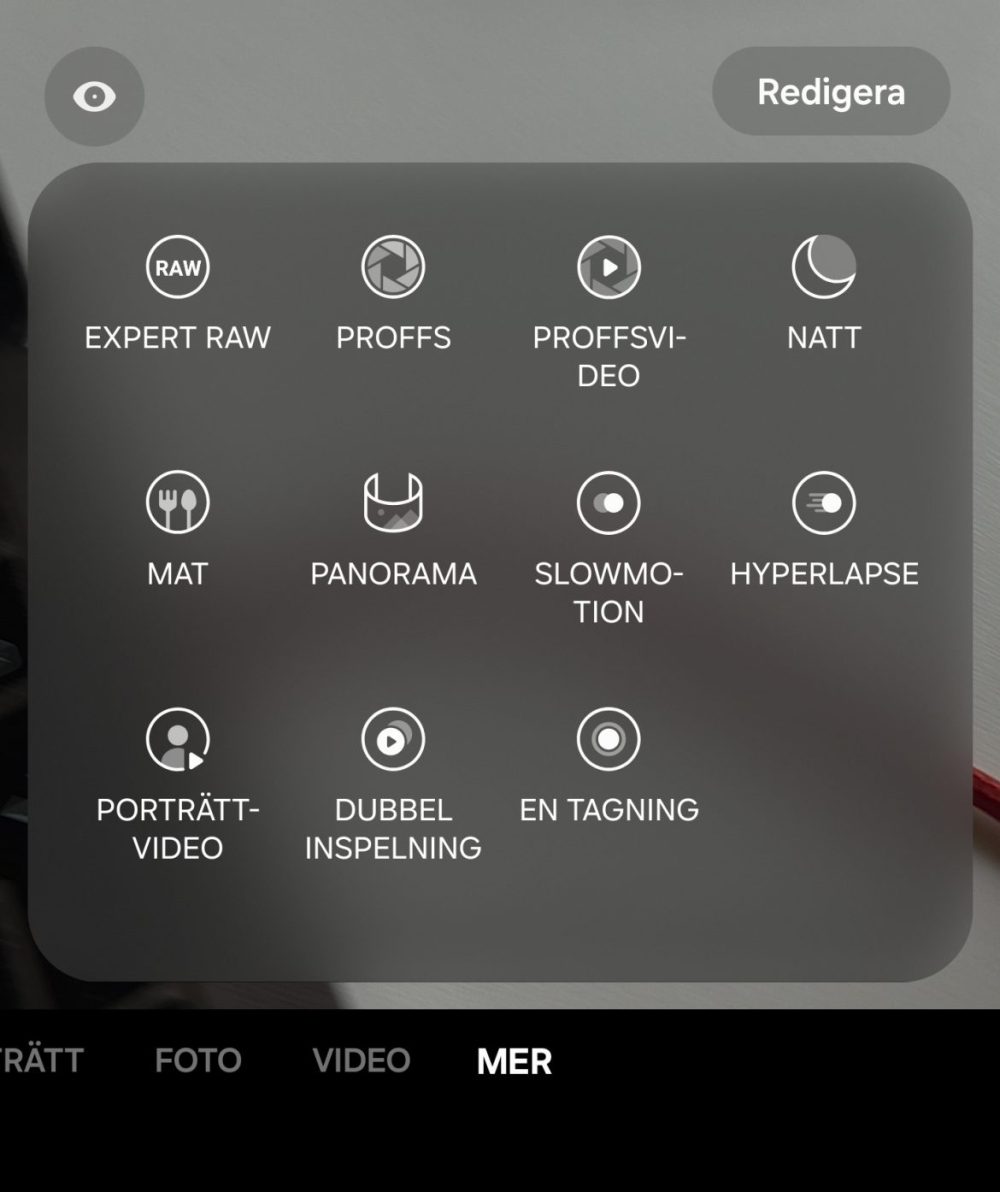
Samsung’s camera app has plenty of different modes: Portrait, Photo, Video, and more. And under “More” we find: Expert RAW, Pro, Pro Video, Night, Food, Panorama, Slow Motion, Hyperlapse, Portrait Video, Dual Recording, and Single Take.
So what is “Expert RAW”—a mode for shooting in RAW? No, it’s not quite that simple. It is a completely separate camera app with advanced settings. But didn’t the “Pro” mode exist? Yes, and there you can also shoot in RAW or JPG just like in “Expert RAW.” Messy to say the least; there is quite a bit for Samsung to work on here.
How are the pictures, then? Well, they are consistently good, whether via the main camera, the ultra-wide, or any of the zoom cameras. To make a comparison, we went out with the Google Pixel 9 Pro XL and took some photos.
We started during the day under good lighting conditions:












Looking at the pictures, there isn’t much that differs. The S25 exaggerates colors slightly, especially on the ultra-wide. The sky gets a bluer tone than it should, but it’s not as exaggerated on the other cameras, and it has no problem keeping pace with the Pixel phone, which must be seen as a very good rating. At 30x, there are even more details and better sharpness.
We went out late in the evening and repeated the test under really poor lighting:








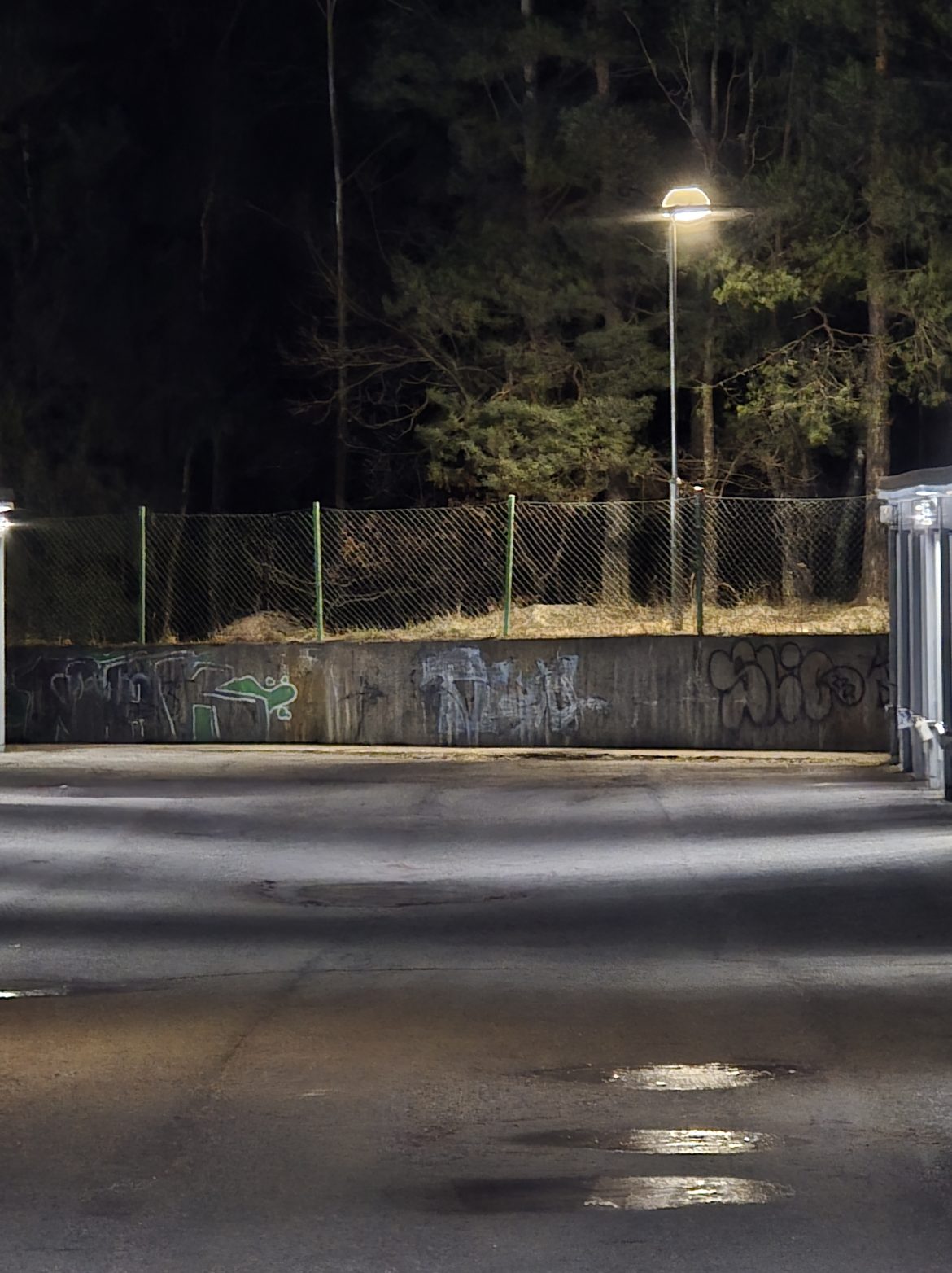



Same thing here; it easily keeps pace with the Pixel and does certain things better, such as how it handles lights (which is one of the Pixel phone’s few weaknesses). The Pixel has slightly more detail in the darkest parts, but otherwise, they are neck and neck.
So there is no doubt that the S25 Ultra has one of the absolute most competent camera systems. Even the other modes, like portrait mode, are very good.
Conclusion
It is difficult to give the S25 Ultra a rating because it is, in many ways, a truly great phone. Excellent screen, great performance, really good cameras, and smart AI features. But there are a few things that bother us, starting with the price. It begins at a starting price of 17,490 SEK for 256 GB of storage and goes up to 22,490 SEK for 1 TB of storage. That is a lot of money. Then there is something else: there is nothing that gives it that “must-have” feeling you can get from some products and which is needed for such an expensive phone. It feels like an excellent business phone, incredibly polished and good. But something is missing, though at the same time, it’s hard to put your finger on what. In some way, it feels boring and a bit timid.
However, it still earns a 7/10 rating, because this is among the best the Android world has to offer.
Samsung provided a review unit for this article. The provider of materials has no editorial influence on our tests.
How we rate products at SensesReview Highlights: Q&A
What is the battery capacity and charging speed?
It has a 5,000 mAh battery and supports 45W wired charging.
How long does it take to fully charge the phone?
It takes almost exactly one hour to charge from 0 to 100 percent.
Does the S Pen still have remote shutter features?
No, the pen is no longer connected and cannot be used as a remote.
What is the screen size and refresh rate?
The phone features a 6.9-inch QHD+ panel with a 120Hz refresh rate.
How many years of software updates does Samsung offer?
Samsung provides seven years of security and Android OS updates.
What processor powers the Galaxy S25 Ultra?
It uses the Snapdragon 8 Elite for Galaxy, an overclocked chip.
How does the AI Photo Assist compare to competitors?
It performs better than many rivals, especially when editing hands.
How much does the Samsung Galaxy S25 Ultra cost?
The starting price is 17,490 SEK for the 256 GB storage model.