TL;DR
The Samsung Music Studio 5 is a compact 2.0 wireless speaker priced at 3,990 kr. It produces clear vocals, natural acoustic playback, and wide sound dispersion for normal living rooms. However, the deepest sub-bass is missing, sound degrades past 60% volume, and it lacks HDMI eARC. It suits listeners wanting a versatile music speaker, particularly owners of newer Samsung TVs.
Is it possible to get a speaker that both sounds good and fits into the living room? Music Studio 5 is the smaller of two models in Samsung’s new series of wireless speakers for music, and it has already been awarded the iF Design Award Gold 2026. It features support for Google Cast, AirPlay, Spotify Connect, Tidal Connect, and Roon, as well as Dolby Atmos, Bluetooth 6.0, and a range of AI functions designed to adapt the sound to the room.
It sounds like a speaker that fits in most homes. But is a stylish design and a long list of services enough to go all the way, and what happens when you want to connect it to the TV? Let’s find out!
Design and Build Quality
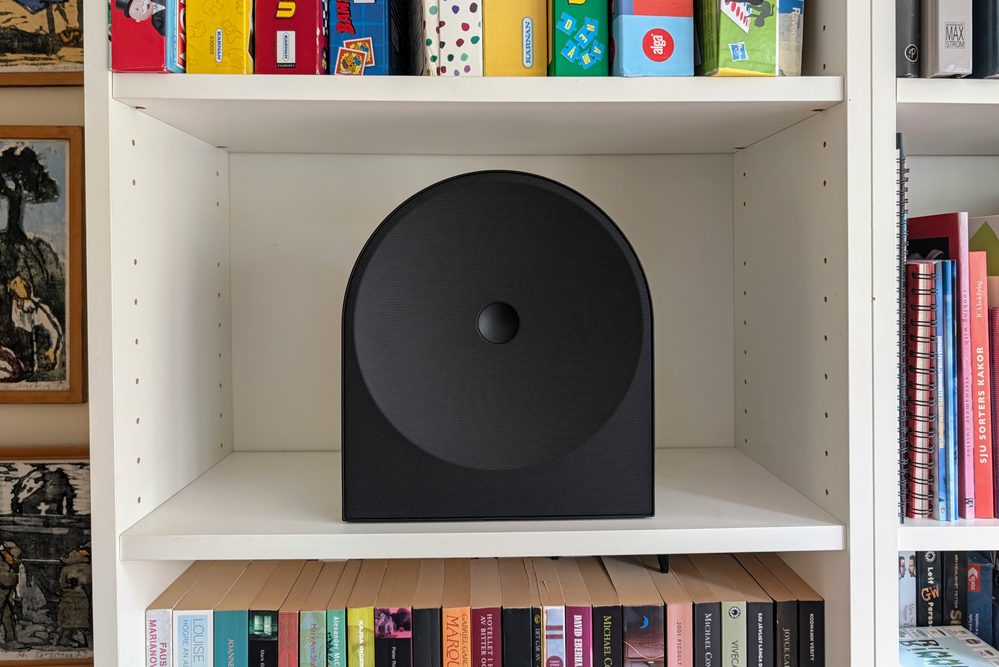
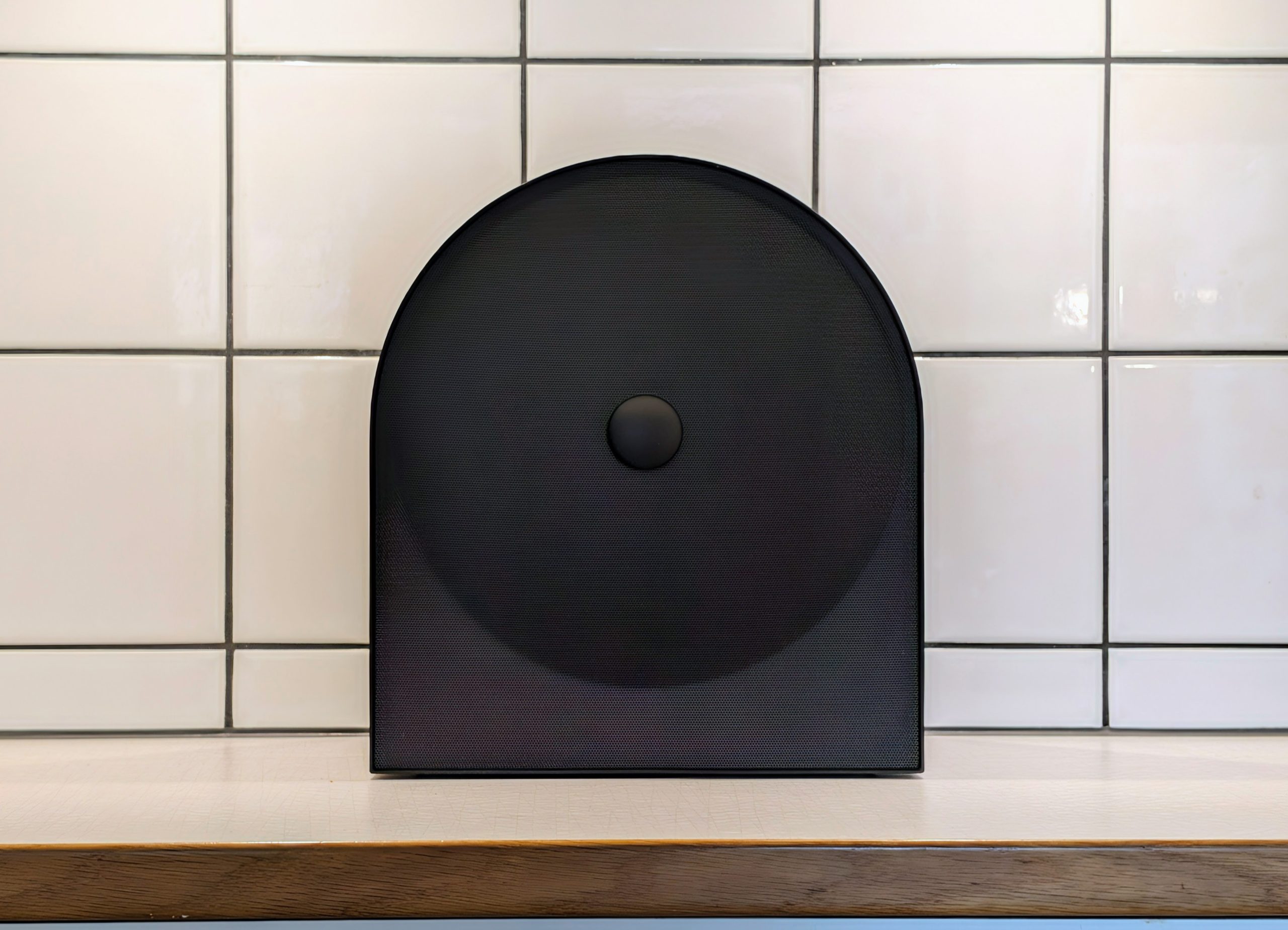
Music Studio 5 is a stylish speaker. It is sleek and understated, looking more like an interior design detail than a tech gadget. With dimensions of 251 × 283.5 × 137 millimeters and a weight of 2.4 kilograms, it is also easy to find a place for. It works just as well on a bookshelf as on a sideboard or in the kitchen, and it blends in wherever it stands. We have tested the black version (HW-LS50H), but the white one (HW-LS51H) likely blends in even better against light walls and furniture.

The black surface, however, easily picks up fingerprints, and they are clearly visible. If you want it to look clean, you should keep a microfiber cloth close at hand.
The touch buttons on the speaker are flat, lack backlighting, and are only marked with text. In daylight, this works fine, but in a dim living room in the evening, it is difficult to see what you are pressing. In practice, your smartphone becomes the actual controller.
Installation and Connections
Installation is simple. You connect the speaker to Wi-Fi via the Samsung Sound or SmartThings app, and after a few minutes, it is ready to use. Thanks to the wide support, you can get started immediately, regardless of which phone or service you use:
- Google Cast (Chromecast) from Android and all apps that support it
- AirPlay from iPhone, iPad, and Mac
- Spotify Connect and Tidal Connect directly in their respective apps
- Roon Ready for those who have a Roon Core at home
- Bluetooth 6.0 when you need a quick connection or when a guest wants to play something
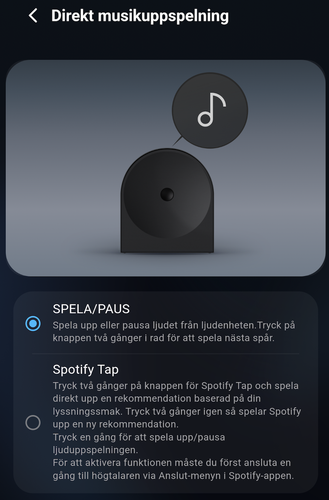
There is also a button with a musical note on the speaker. Its function is controlled by the Direct Music Playback setting in the app. By default, it is set to PLAY/PAUSE, where two presses skip to the next track. If you switch to Spotify Tap, two presses instead start a recommendation from Spotify based on your listening habits, and two more presses provide a new one. This requires that you have connected the speaker via Spotify Connect once first.
If you have multiple speakers from Samsung, two Music Studio 5 units can be connected as a stereo pair with Stereo Play, and with Group Play, up to ten compatible speakers can play the same music. The latter requires all of them to be connected to the same 5 GHz network. We have tested a single speaker.
Voice control is available, but not quite in the way you might think. Google Assistant is supported but requires a separate device with Assistant and is set up via the Google Home app. Alexa is found under Manage Services in Samsung Sound and is activated by logging in with your Amazon account.
The App
Samsung Sound is simple and clear. The home page shows the volume, which audio source is in use, and a shortcut to Direct Music Playback. Under Sound Source, you choose between This Phone (Bluetooth), External Device (the optical input), and a Samsung TV via Wi-Fi.
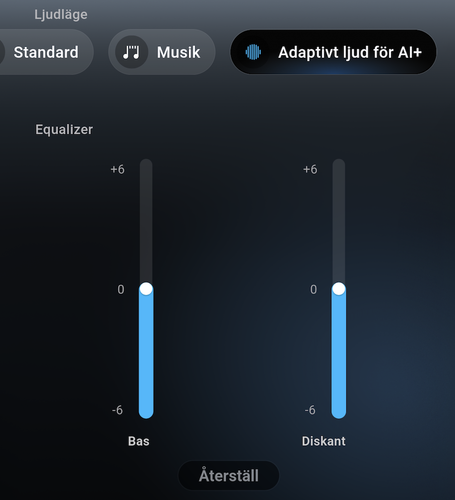
The equalizer, however, is very basic. In Standard sound mode, there are seven bands that can be adjusted from minus 6 to plus 6, but in Music and Adaptive Sound for AI+ modes, you only get controls for Bass and Treble. It’s enough to tame the bass on a shelf or add a bit more air to the top end, but those who like to fine-tune won’t have much to work with.
Otherwise, there are a handful of sound settings:
- Professional room-adapted sound, which analyzes the room using the speaker’s microphones and adapts the sound based on its placement.
- Active Voice Amplifier Pro, which lifts dialogue when there is a lot of background noise in the room.
- Auto Volume, which keeps the volume level consistent across different content.
- Voice Enhancement and Night Mode under Advanced Sound Settings. Note that Voice Enhancement and Active Voice Amplifier Pro are two different functions, despite having nearly the same name.
- Sound Sync, where you can delay the audio between 0 and 300 milliseconds.
Under Settings, there is also Voice Guide, which provides the speaker’s spoken notifications. Swedish is not among the languages, so you have to settle for English or one of the other available languages. Firmware updates are also managed via the app.
Sound Quality
Music Studio 5 is a 2.0 speaker with three drivers in a single cabinet. And it sounds quite good, actually larger than its size suggests.
Vocals, podcasts, and acoustic music sound clear and natural, and the sound spreads well in the room, though you might need to turn down the treble slightly. The bass is full and gives the music weight, but the deepest sub-bass is missing. Electronic music and hip-hop with a lot of low-end bass lack that final punch, and if you want that, you’ll need a larger speaker. “Active Voice Amplifier Pro” should definitely be turned off when playing music, as it significantly degrades the midrange and treble. “Professional room-adapted sound” can also make music sound worse, though that depends more on the room itself.
It can play quite loud. It fills a small to medium-sized living room without problem, but in a very large room or an open floor plan, it doesn’t quite suffice. When you start getting above 60% volume (which is quite loud), the sound quality degrades the more you turn it up.
Stereo from a single speaker is always a compromise, and that applies here too. The soundstage is wide for its size, but if you want true stereo, Stereo Play with two speakers is the way to go. Dolby Atmos is supported, but from a single box of this size, you shouldn’t expect sound from above.
TV Connection
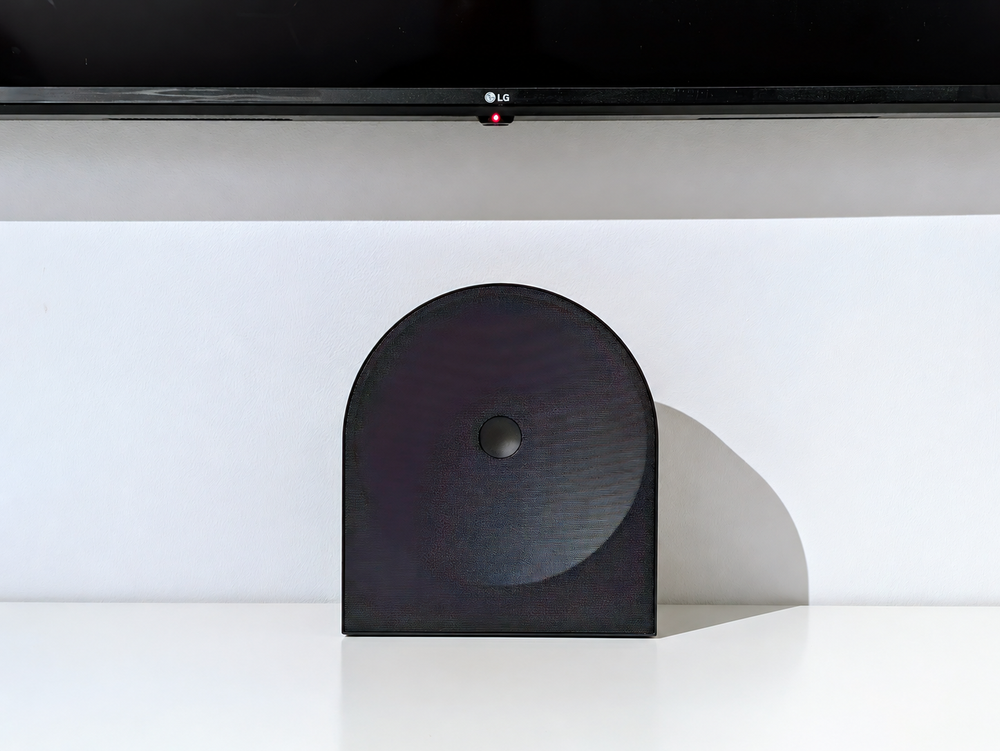
Music Studio 5 is primarily built for music. However, with features like Active Voice Amplifier Pro, Night Mode, and support for Dolby 5.1, it’s clear that Samsung also intended it for use with a TV. And that’s where the big problem lies, at least if you don’t have a newer Samsung TV.
Namely, the speaker lacks HDMI. The only way to get audio from a TV via a cable is through the optical input.
Why HDMI eARC is So Important
HDMI eARC is the standard most soundbars and TV speakers use today. The TV sends the audio back to the speaker through the same HDMI cable otherwise used for video, providing three main advantages:
- All audio is included. Whether the sound comes from the TV’s own apps, a TV box, or a game console, it passes to the speaker, including Dolby Atmos.
- The TV remote controls everything. Via HDMI-CEC, which is included in the same cable, the TV and speaker talk to each other. The volume button on the TV remote controls the speaker, and when you turn off the TV, the speaker turns off as well.
- Audio and video are kept in sync. eARC has built-in audio-video synchronization so that voices and lip movements match.
These are the things that make a speaker at the TV “just work” without you having to think about it. And these are exactly the things you lose with Music Studio 5.
Optical Cable or Bluetooth
Via an optical cable, you get sound, and technically it handles both stereo and Dolby Digital 5.1. But Dolby Atmos cannot be sent that way, and more importantly, no control signals are sent via an optical cable. Thus, the TV and the speaker are unaware of each other. You have to manage the volume using the speaker’s own buttons or the app, and those buttons are, as mentioned, difficult to see in a dark room. Keeping track of two remotes, or a remote and a smartphone, is not something you want to do on a Friday night on the couch.
Bluetooth is an alternative, but not a good one. Audio via Bluetooth often lags behind the video, and the app doesn’t help here. Sound Sync can only delay the audio further. It helps when the audio is ahead of the video, but not when it’s lagging behind, which is the common problem with Bluetooth.
With a Samsung TV, It’s a Different Story
If you have a newer Samsung TV, the situation looks completely different. Then the speaker connects wirelessly to the TV via Wi-Fi with Q-Symphony and functions as a natural part of the TV’s sound system. According to Samsung, this works with selected models from 2020 onwards, as well as The Frame from 2021 onwards. At the time of testing, we did not have such a TV, and it is clear that Music Studio 5 is made for those who are already within the Samsung ecosystem.
Conclusion
Samsung Music Studio 5 is a stylish and easy-to-place speaker that blends in wherever you put it. It sounds okay, the midrange and voices are clear, and it plays loud enough for a normal-sized living room. Installation is simple, and thanks to Google Cast, AirPlay, Spotify Connect, Tidal Connect, Roon, and Bluetooth, you can get started immediately, regardless of which phone you have. The app is simple and clear, even if the equalizer is a bit minimalist.
However, there are some drawbacks. The deepest bass is missing, the buttons are hard to see in poor lighting, and the black surface attracts fingerprints. The biggest issue is still the TV connection. Without HDMI eARC, it becomes a half-measure when used with a non-Samsung TV, requiring separate volume control and suffering from Bluetooth lag that cannot be properly synced.
The recommended price is 3,990 kronor. As a music speaker, it’s reasonable for what you get, and for those with a newer Samsung TV, it becomes even more interesting. If you want something smaller and cheaper for the kitchen, the Google Home Speaker is an alternative, and if you are primarily looking for TV audio, a soundbar with HDMI eARC is a better choice.
Samsung sent review units for this test. Senders of materials have no editorial influence on our tests; we always write independently with our readers and consumers in focus.
How we rate products at SensesReview Highlights: Q&A
Can I connect this speaker to my TV?
The Samsung Music Studio 5 connects to TVs via an optical cable, Bluetooth, or wirelessly over Wi-Fi with compatible newer Samsung TVs. It lacks HDMI eARC, meaning non-Samsung TVs cannot pass Dolby Atmos or control speaker volume with the TV remote.
How does the speaker perform at loud volumes?
The speaker fills small to medium-sized rooms, but sound quality degrades once the volume exceeds 60 percent. It also does not produce the deepest sub-bass notes required for heavy electronic music and hip-hop.
What streaming services and wireless protocols are supported?
Wireless connectivity includes Bluetooth 6.0, AirPlay, Google Cast, Roon Ready, Spotify Connect, and Tidal Connect. Up to ten compatible Samsung speakers can also join together using Group Play over a 5 GHz Wi-Fi network.
Are the physical controls easy to use in the dark?
The flat touch buttons lack backlighting and feature only text markings, which makes them difficult to identify in dim living rooms. In low lighting, adjusting settings is generally easier using the companion smartphone app.