TL;DR
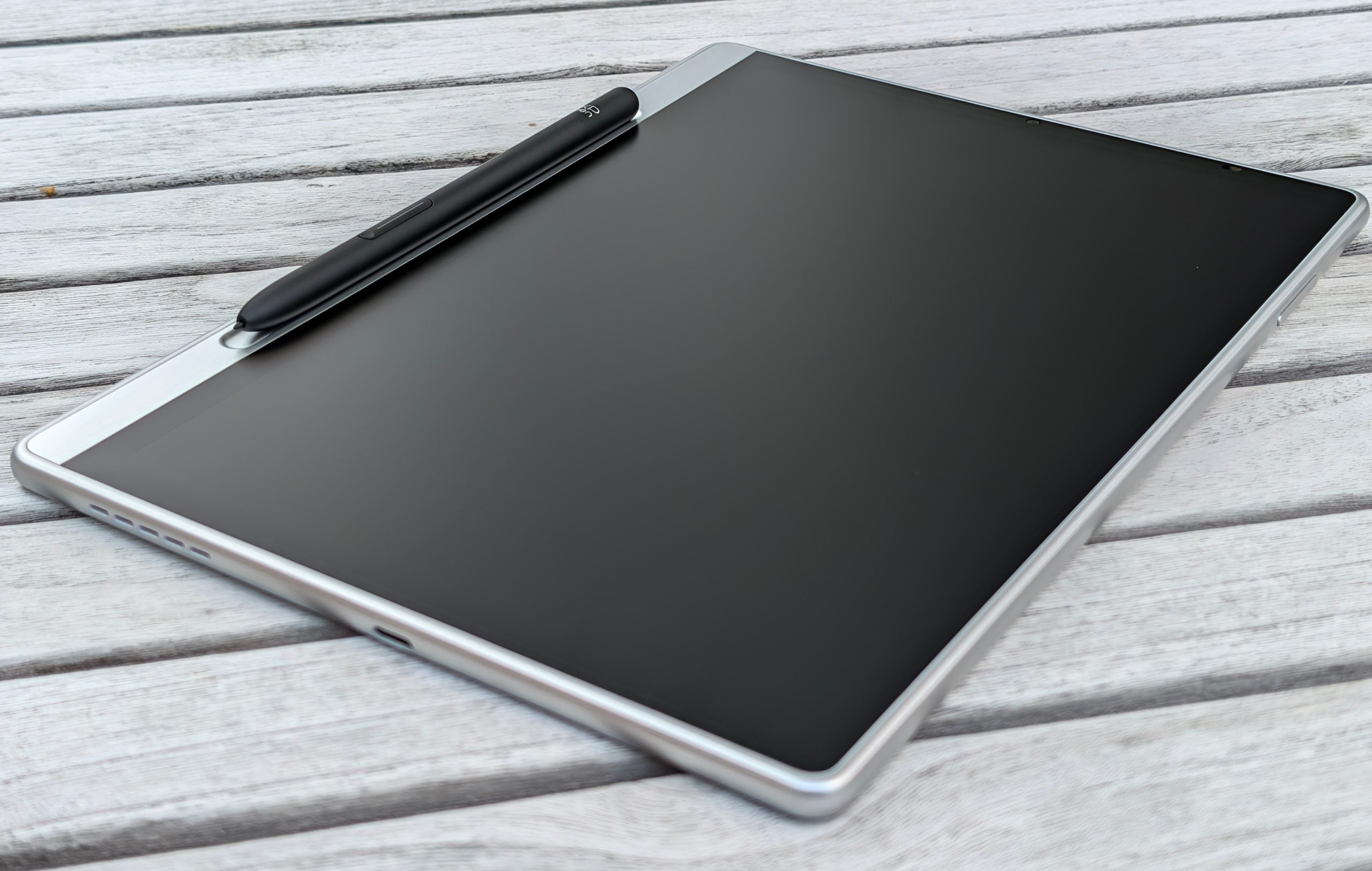
The XPPen Magic Note Pad is a 10.95-inch Android tablet designed for writing and reading. Its matte, reflection-free screen delivers exceptional reading comfort, paired with an accurate battery-free stylus featuring 16,384 pressure levels. However, low 400-nit brightness limits outdoor visibility, while 6 GB of RAM causes interface stutters. At 4,290 kr, it primarily suits users prioritizing paper-like note-taking over general tablet performance.
XPPen is most well-known for drawing tablets and pen displays that connect to a computer, such as the Artist Pro 22 (Gen 2) that we have previously tested. The Magic Note Pad is something else. It is a standalone Android tablet built for note-taking, reading, and sketching, featuring a matte screen developed in collaboration with TCL.
Can a manufacturer of drawing tablets build a good tablet? At the very least, they should be able to handle the pen. Here, you get a battery-free pen with 16,384 pressure levels, a screen designed to feel more like paper than glass, and XPPen’s own note-taking app pre-installed.
We recognize the screen technology from the TCL NXTPAPER 11 Plus, which impressed us last summer. But is the rest of the tablet up to par? Let’s find out!
Design and Build Quality
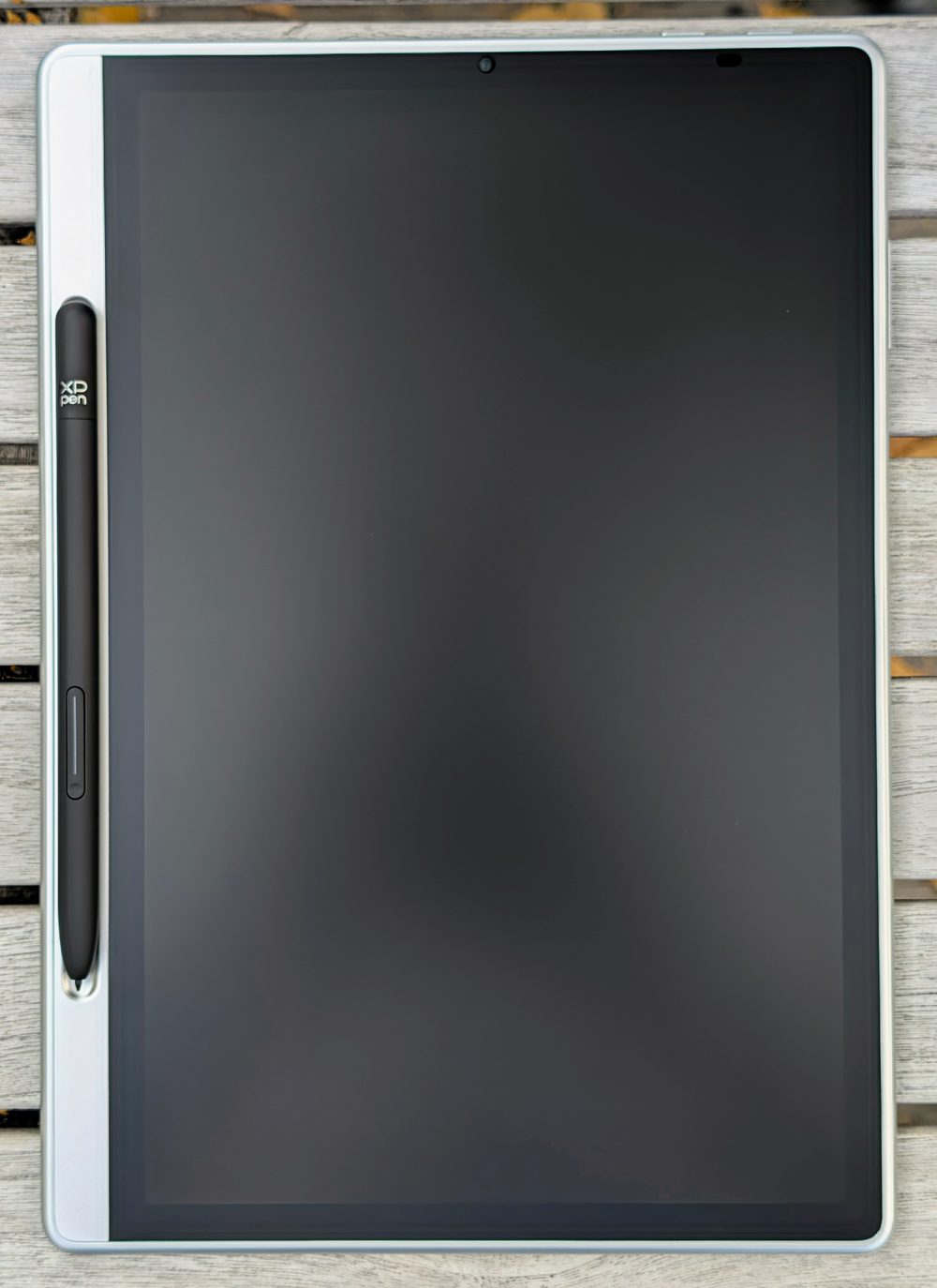
10.95 inches, 7 millimeters thin, and 495 grams. The format is good. It is large enough to write a full page on, but not so large that it becomes clunky to hold in your lap or carry in a bag. After a long period with the tablet in one hand, however, the weight does become noticeable.
The bezels around the screen are quite wide. It looks a bit dated, but it functions as a natural grip and ensures your thumb doesn’t end up on the screen.
The back is completely flat without a camera bump, which is actually an advantage. The tablet stays still when you write on it, instead of wobbling like most tablets with a rear camera. Without a case, however, it slides easily on a smooth table.
What I like most is that the pen attaches magnetically directly to the edge of the tablet. On the TCL tablet, the pen sits in the case, so if you take the case off, you have nowhere to put it. Here, the pen stays with the tablet, and the magnets hold well.
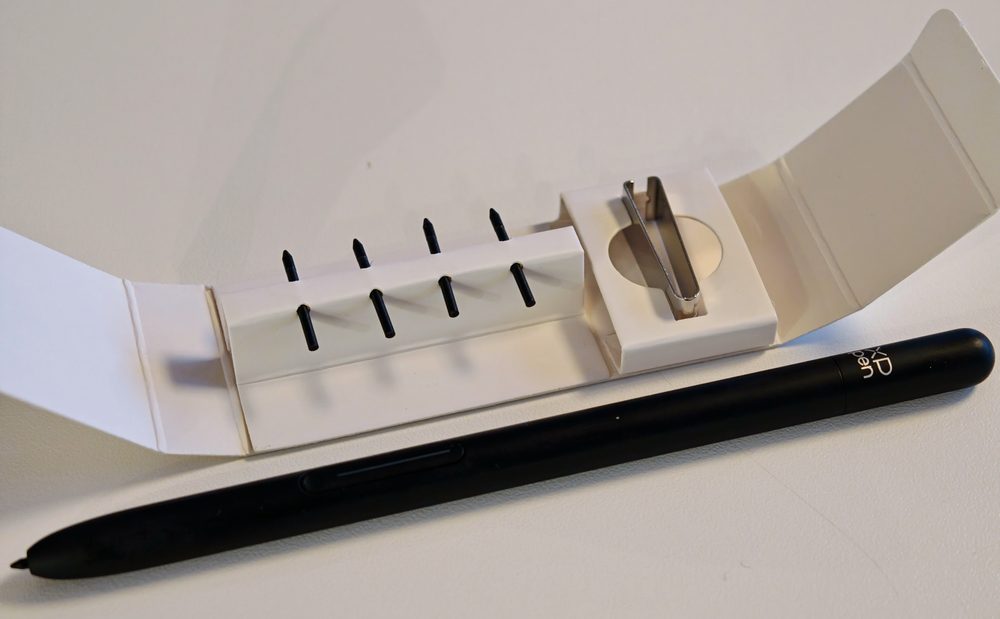
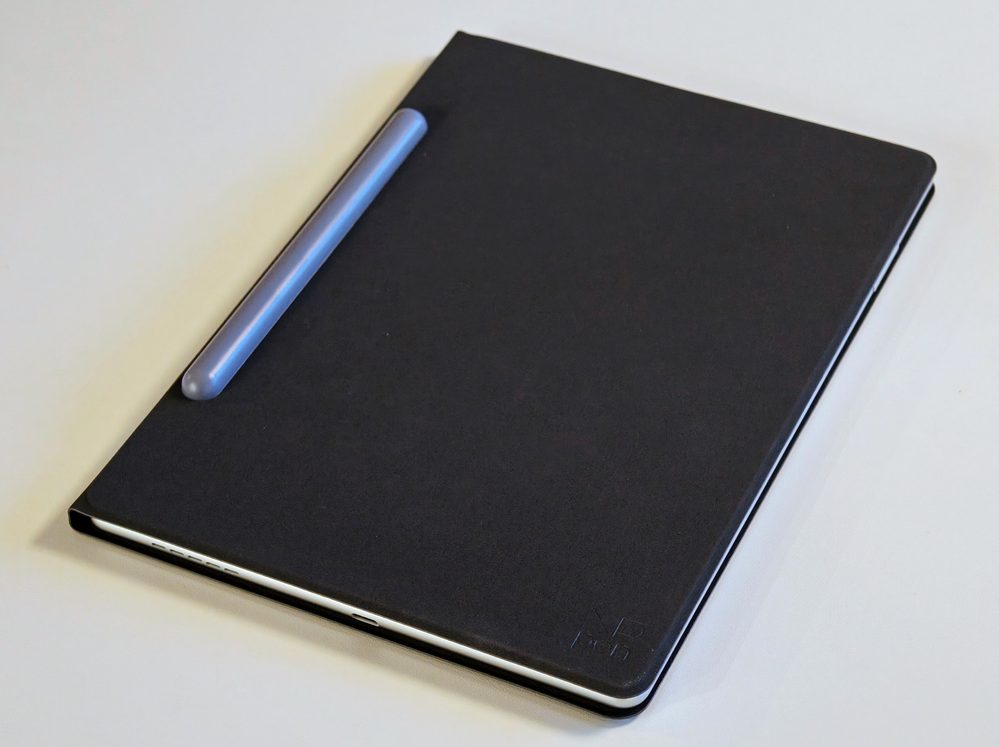
In the box, you’ll find the tablet, a magnetic case, the pen, a 20-watt charger, a USB-C cable, four extra nibs, and a tool for changing the nibs. The case protects the front and back, but not the edges, and the felt surface attracts dust. It also cannot be used as a stand. And the bulge for the pen is not particularly attractive.
There is no fingerprint reader. Unlocking is done via PIN or 2D face unlock using the front camera, which works reasonably well but is not as secure as a fingerprint reader.
Screen
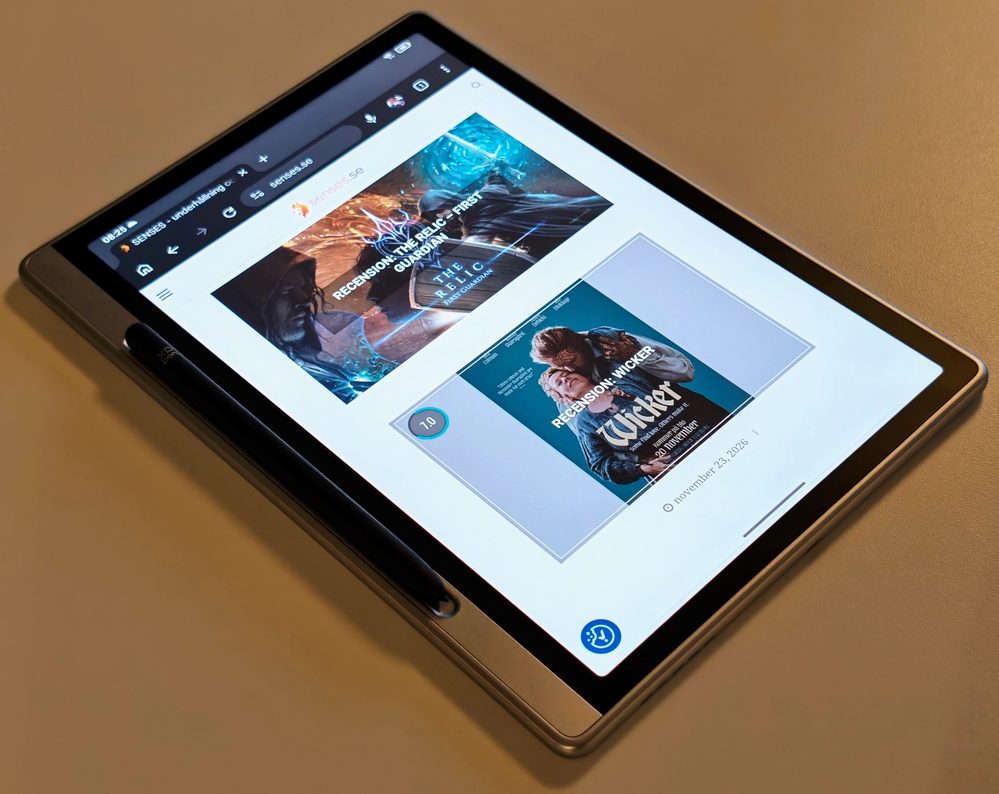
The screen is undoubtedly the best part of this tablet. It is a matte 10.95-inch LCD panel with a resolution of 1920 x 1200 pixels and 90 hertz. XPPen calls the technology X-Paper and developed it together with TCL; it is based on the same idea as TCL’s NXTPAPER. The glass is etched so that light is diffused instead of reflected.
The result is incredibly pleasant. Reflections are virtually gone, even with a ceiling light directly behind me. It is a screen you could happily sit and read on for hours, and I haven’t missed a glossy screen once. It is also worth noting that this is not E-ink. It is a standard color screen, with all the benefits that entails for video, colors, and fast movement.
XPPen states that the brightness is controlled with DC dimming and not PWM, meaning the screen does not flicker when the brightness is lowered. The tablet also has a certification from TÜV SÜD for low blue light.
With a button on the short side (right next to the power button, so it’s often pressed by mistake), you can switch between three modes:
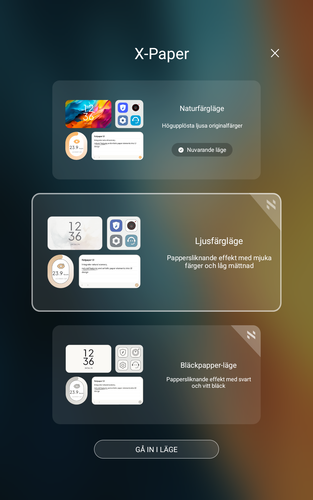
- Natural Color Mode is the standard color mode, best for photos, video, and drawing.
- Light Color Mode lowers color saturation. This is the mode I used most for note-taking and reading.
- Ink Paper Mode makes the entire interface monochrome in a warm gray tone, and is what comes closest to an E-ink e-reader.
Ink Paper Mode is nice for pure text reading in the evening, but colored highlights in notes disappear, so I prefer Light Color Mode for writing.
The resolution is perfectly adequate for text, but if you look closely, you can see the pixels, and the matte surface makes the colors slightly duller than on a glossy screen. At an angle, the brightness drops noticeably and the screen gets a gray veil. Black levels are like most LCD screens, not particularly deep.
Brightness is the manufacturer’s weakest figure at 400 nits. Indoors, it’s no problem, and in the shade, it works well thanks to the matte surface. In direct sunlight, it becomes too dark. The TCL tablet is both brighter and sharper, with 550 nits, 2.2K, and 120 hertz.
One minor annoyance is that the light sensor is located where your hand often rests when the tablet is held in landscape mode. If you cover it, the screen dims.
Pen and Note-taking
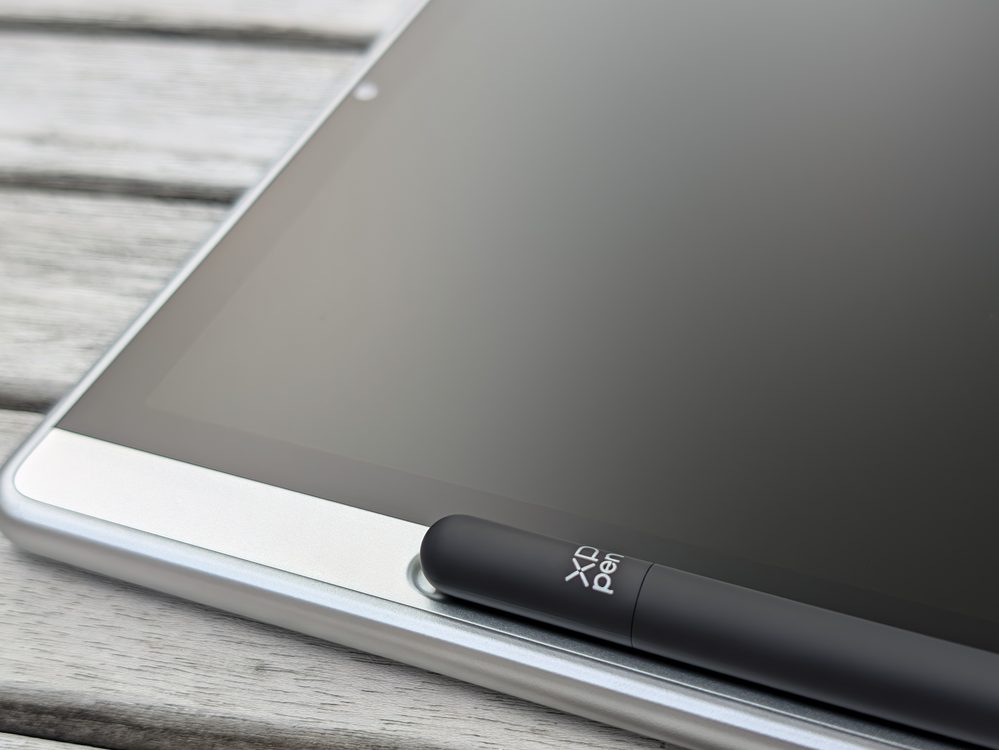
This is where it shows that XPPen has been making drawing tablets for many years. The pen is called the X3 Pro Pencil 2 and is battery-free. It is based on the same technology (EMR) that Wacom uses, meaning it never needs to be charged or paired. You just pick it up and write. This is a clear advantage over the TCL tablet, whose pen must be charged and has 4,096 pressure levels compared to 16,384 here.
The writing feel is good. The soft nib against the matte glass provides a bit of resistance, and the hard tapping sound of a plastic nib against regular glass is gone. However, it doesn’t feel exactly like paper; the surface is still a bit slippery.
Lines follow the pen well, and latency is minimal in XPPen Notes. It is more noticeable in some drawing apps. Palm rejection works well for the most part, but occasionally the hand manages to leave a dot on the page before the pen reaches the screen.
Two things are worth noting. The pen does not support tilt, meaning the line doesn’t change when the pen is tilted, which makes the tablet less interesting for serious artists. And the button on the pen is easy to press by mistake. In XPPen Notes, it functions as an eraser, so more than once I have erased instead of writing.
The button can also be used to wake the tablet directly to a new note, or to take a screenshot and write on it. This is convenient for quick notes.
XPPen Notes is a solid note-taking app. It features templates, PDF import with annotation, shape tools, audio recording linked to what you write, and handwriting-to-text conversion. Notes are saved locally and can be exported to Google Drive and OneDrive. Speech-to-text is available in 13 languages, but Swedish is not one of them.
Performance
The tablet is powered by the MediaTek MT8781, which is the same chip as the Helio G99, along with 6 GB of RAM and 128 GB of storage. Storage cannot be expanded with a memory card.
It’s no performance beast. For note-taking, reading, web browsing, and video, it is just enough. The interface stutters occasionally, and background apps often reload when switching between them, suggesting that 6 GB of RAM is on the low side. Large PDF files become sluggish to scroll through. XPPen adds 6 GB of virtual memory from the storage, but it’s not the same as real RAM.
Games and heavier drawing apps with many layers are not what this tablet is built for. The TCL NXTPAPER 11 Plus has the Helio G100 and 8 GB of RAM, and while the difference isn’t massive, the TCL tablet feels slightly faster in daily use.
Software / Updates
I was extremely critical of this at first. The tablet was delivered with Android 14 and a very old security update, at a time when Android 17 already exists. XPPen has not made any clear promises about how many updates the tablet will receive, or for how long.
During the test period, however, an update to Android 15 arrived, with a security update from October 2026. This must be seen as a major step forward. But it doesn’t change the fact that there is still no word on the future. The tablet was launched in March 2025, before the EU’s ecodesign requirements took effect on June 20, 2025, and is therefore likely not covered by the requirement for five years of updates. Anyone buying the tablet will have to rely on XPPen’s goodwill.
The interface is close to stock Android, with a few custom additions for the pen and screen modes. It comes with some pre-installed apps, including WPS Office, which can be uninstalled.
Battery and Charging
The battery is 8000 mAh. XPPen mentions a week of battery life, but that applies to a couple of hours of use per day at half brightness and power-saving mode. With the screen on constantly, it lasts a workday, not a week.
Charging is 20 watts via USB-C, and the charger is included. A full charge takes just over two hours.
Camera, Audio, and Connections
There is only one camera: a 13-megapixel front camera. It’s sufficient for video calls, but it’s located on the short side, so in landscape mode, the angle is a bit strange. There is no rear camera, which makes it difficult to scan QR codes or photograph a document or sketch.
The two speakers sound better than I expected. Voices and podcasts work well, but at high volumes, the sound becomes a bit sharp and music lacks bass. There is no 3.5 mm jack.
The tablet has Wi-Fi 5 and Bluetooth. The USB-C port only runs at USB 2 speeds, so it takes a while to transfer large files from a computer.
Conclusion
The XPPen Magic Note Pad has one of the most comfortable screens I have ever used on a tablet. Almost no reflections and very pleasant to look at for hours. The pen never needs charging, writes well, and has its own attachment point on the tablet. XPPen Notes is a good app, and the format is right for note-taking and reading.
However, the performance is on the low end, 6 GB of RAM is noticeable, and the brightness isn’t sufficient in direct sun. A rear camera and fingerprint reader are missing. The update to Android 15 was welcome, but there is still no promise regarding how long the tablet will be supported.
Then there is the price. The recommended price is 4,290 SEK and it can be found for around 3,500 SEK. This makes the comparison with the TCL NXTPAPER 11 Plus difficult for XPPen. The TCL tablet is superior in most respects: a brighter and sharper screen, more memory, twice as much storage, faster charging, and a rear camera—and it also costs less.
For those who primarily want to write and want a better pen that never needs to be charged, the Magic Note Pad is still a good choice. For everyone else, the TCL tablet is the better buy.
XPPen provided a review unit for this test. Senders of material have no editorial influence on our tests; we always write independently with our readers and consumers in focus.
How we rate products at SensesReview Highlights: Q&A
How comfortable is the screen for reading and writing?
The XPPen Magic Note Pad features an etched matte glass screen that diffuses light, practically eliminating reflections from overhead fixtures. It includes three display modes and low blue-light certification, making it comfortable to view for hours, though its 400 nits of brightness is too dim for direct sunlight.
Does the stylus require charging or pairing?
The stylus uses EMR technology and never requires charging or pairing. It attaches magnetically to the tablet edge and offers 16,384 pressure levels with minimal latency in the notes app, although it lacks tilt support.
Can the tablet handle heavy apps and multitasking?
The tablet runs on a MediaTek MT8781 processor with 6 GB of RAM and 128 GB of non-expandable storage. It handles reading, basic notes, and web browsing, but it stutters under heavy drawing apps, games, and large PDF files, often reloading background apps.
How long does the battery last and how fast does it charge?
The 8000 mAh battery lasts for about a workday of constant screen time, or up to a week if used only a couple of hours daily with power-saving settings. Charging at 20 watts with the included adapter takes just over two hours.
Does the tablet have cameras and biometric unlocking?
There is only a 13-megapixel front-facing camera on the short bezel, with no rear camera for taking photos or scanning documents. Unlocking is limited to a PIN or 2D face unlock, as the tablet lacks a fingerprint reader.