
TL;DR
The Soundpeats CC3 Pro are open-ear clip-on headphones priced at 899 kr. They deliver full bass for an open design, secure stability during exercise, IPX6 water resistance, and 10 hours of battery life with physical button controls. However, the treble can sound sharp, audio quality shifts noticeably with minor position adjustments, and sound leakage is prominent. They suit active users wanting awareness and secure fit who can manage sound leakage.
Open-ear headphones that clip around the ear have quickly gone from a niche product to one of the most popular categories. We have tested quite a few, and one of the most affordable pairs was Soundpeats UU2, which received a strong eight despite / thanks to its low price tag. Now it’s time for the big brother, CC3 Pro. Here, each earbud gets two drivers: a dynamic driver and a piezo driver for the treble. Add physical buttons, IPX6, up to 10 hours of battery life, wireless charging, and LDAC, and it looks like a very well-rounded package.
But is it possible to get sound with both punch and detail from headphones that don’t even sit in the ear canal? Let’s find out!
Design and Fit
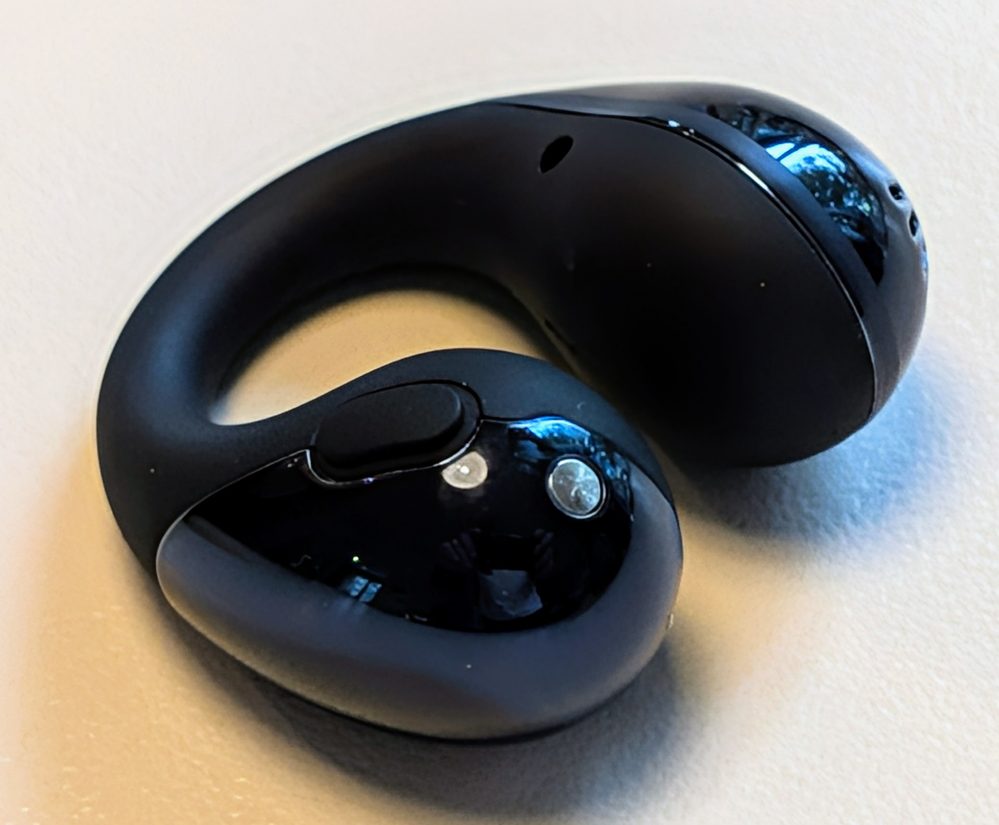
CC3 Pro follows the same recipe as most clip-on headphones. A round part containing the drivers rests against the ear, a flexible hook goes around the pinna, and a section with the battery sits behind the ear. Each earbud weighs 5.5 grams—slightly more than the UU2—but it’s not noticeable once they’re in place.
And they fit well. I have exercised with them without them coming loose or starting to slide, and they are comfortable to wear for several hours. Glasses also work without any problems. If you have small ears, however, they might feel a bit on the large side.
The earbuds are identical, and left or right is determined by which slot in the case they were stored in. This is convenient; you can pick up either bud and put it in either ear without searching for tiny letters. The only downside is that the button ends up facing either up or down depending on which side the earbud is on.
The earbuds are IPX6-rated and can handle sweat, rain, and powerful water jets. However, they should skip the shower and the swimming pool.
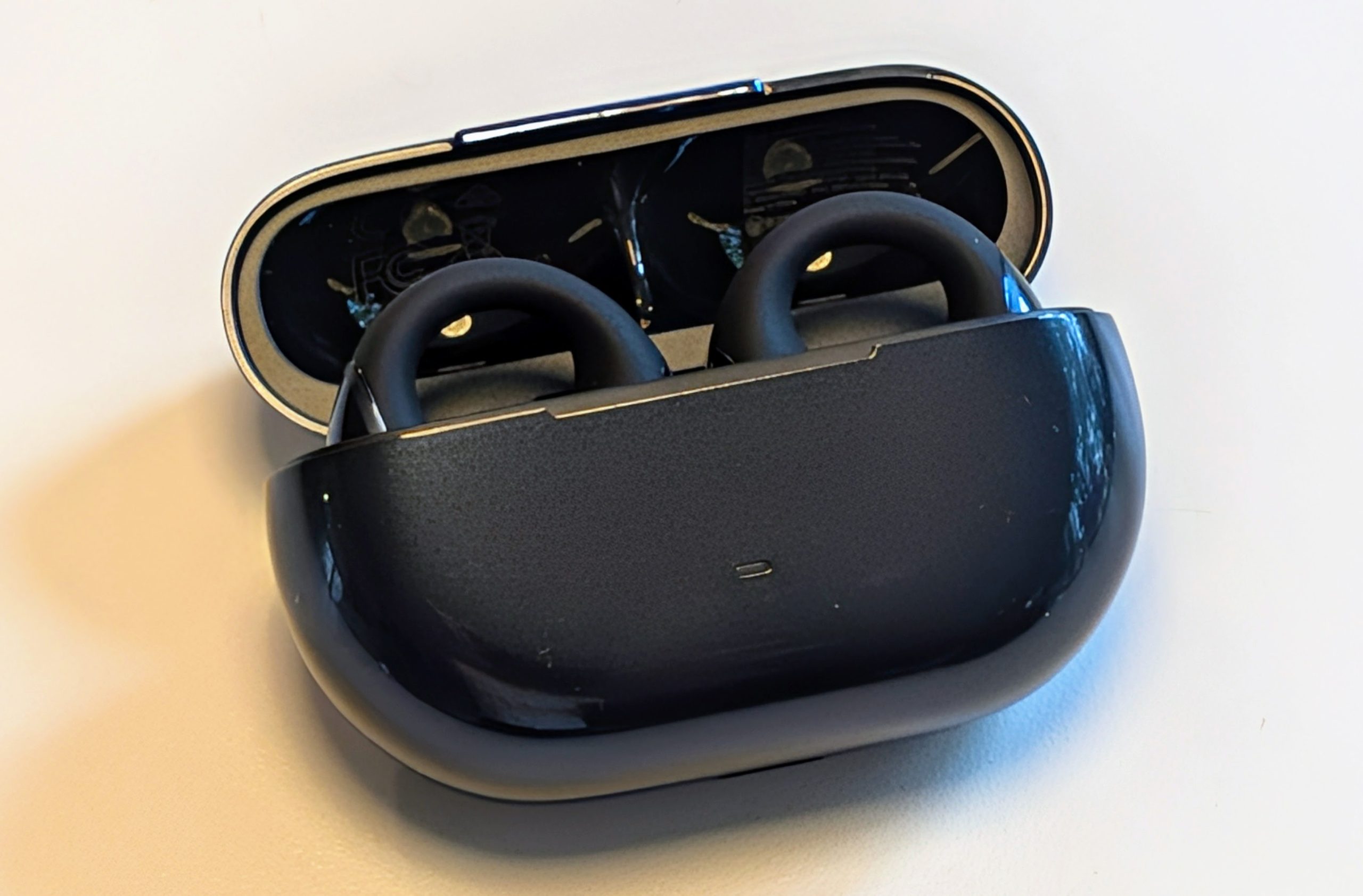
The case is small enough for a pocket but has a glossy surface that attracts fingerprints like a magnet. It looks nice for about five minutes after you’ve wiped it down. In the box, besides the earbuds and case, are a short USB-A to USB-C cable and a manual.
Buttons
Just like the UU2, the CC3 Pro is controlled with physical buttons instead of touch, and I am very happy about that. With touch controls on open-ear headphones, you often accidentally pause the music just by adjusting the fit, which is completely avoided here. The buttons work just as well with sweaty fingers as they do in the rain, and you always know if a press has been registered.
By default, a single press lowers the volume on the left bud and raises it on the right, two presses play or pause, three presses start the voice assistant, and a long press skips backward or forward in the playlist. Everything except the call controls can be changed in the app, and Game Mode can be assigned to a button.
There is one catch. When you press the button, you simultaneously push the earbud against the ear, and moving it just a millimeter is enough for the sound profile to change. More on that below.
Sound Quality
CC3 Pro sounds good, and the bass is full for open-ear headphones. Naturally, you don’t get the same punch as in a pair of in-ear headphones with a good seal, and in traffic, some of the bass disappears into the background noise, but for this format, it’s really good. The midrange is warm, voices are heard clearly, and the soundstage is wide and airy. Just like with the UU2, it’s possible to play them LOUD, which can be useful if there is a lot of traffic or ambient noise around you.
The treble, however, is a bit too sharp. The piezo driver provides plenty of air and detail, but it can sometimes pierce on cymbals and sibilance, especially when turning up the volume. This can be tamed somewhat in the custom equalizer by lowering 4 and 8 kHz slightly.
What affects the sound the most is still the placement. Moving or twisting the earbuds just a few millimeters is enough to get a completely different sound, usually with significantly less bass. If they sit right, they sound good; if they sit slightly wrong, the sound becomes thin and flat. It pays to spend a moment finding the right angle and to be a bit careful with button presses once you’ve found it.
The App
The app is okay. It features twelve preset EQ profiles, a custom 8-band equalizer from 62 Hz to 8 kHz where each band can be raised or lowered by 6 dB, Adaptive EQ that adjusts the sound based on a hearing test, and Dynamic EQ that boosts the bass when listening at low volumes. Dynamic EQ doesn’t do nearly as much for the sound as it did on the UU2; instead, I would recommend creating your own curve via the custom EQ.
Spatial Audio, with Music and Movie modes, is mostly a gimmick. I don’t hear it adding anything and have left it turned off.
Otherwise, there is Game Mode for lower latency, multipoint for two devices where you can choose from previously paired devices directly in the app, and Find Earbuds, which shows the earbuds’ last known position on a map and can play an audio signal. Scheduled Shutdown turns off the earbuds after a selected time when they’re not in use, and firmware updates are also handled from here.
LDAC
CC3 Pro supports LDAC, which is always appreciated, but it’s not something I recommend turning on. The difference in sound is very small in open-ear headphones, where the environment mixes with the music anyway. The difference in battery life, however, is large—dropping from around ten hours down to about half. Additionally, multipoint, Spatial Audio, and Game Mode are disabled, and the earbuds restart every time you toggle the feature. My advice is to leave LDAC off. On iPhone, it will be AAC regardless.
Sound Leakage and Privacy Mode
All open-ear headphones leak some sound, but the CC3 Pro leaks quite a bit. Someone sitting next to you at the office or on the bus will hear what you’re listening to even at normal volumes.
Privacy Mode is intended to reduce leakage, and it does dampen it slightly. But it sounds like listening through a blanket. The sound becomes muffled and flat, and I find it hard to see when it would be worth it. In quiet environments, it’s better to simply lower the volume.
Battery and Charging
Battery life is good. Soundpeats claims 10 hours in the buds and 44 hours total with the case using AAC and 60 percent volume, and that matches well with my experience. With LDAC enabled, it’s around 5.5 hours.
The case is charged via USB-C or wirelessly, and wireless charging is not a given in this price range. According to Soundpeats, ten minutes of charging provides three hours of listening, and the entire package is fully charged in about two hours via cable.
Conclusion
Soundpeats CC3 Pro is a really good pair of open-ear headphones for the money. They stay secure even when exercising, battery life is long, physical buttons beat touch controls by a wide margin, and the bass is fuller than you have a right to expect from headphones that don’t sit in the ear. Wireless charging and IPX6 are nice extra bonuses.
There are also things to complain about. The treble is occasionally sharp, the sound is very sensitive to how the buds are positioned, they leak a lot of sound, and Privacy Mode is not a good solution. Spatial Audio and LDAC can just as well be left alone, and the glossy case is a fingerprint magnet.
The recommended price is 899 SEK, but they can often be bought for a couple of hundred less. This is slightly more than the UU2, and for the difference, you get wireless charging, better water resistance, slightly longer total battery life, and an extra driver for the treble. If you want to keep costs down, the UU2 is still an excellent purchase, but anyone who wants a little more of everything won’t go wrong with the CC3 Pro.
How we rate products at SensesReview Highlights: Q&A
How long does the battery last on the Soundpeats CC3 Pro?
The Soundpeats CC3 Pro earbuds provide around 10 hours of playback on AAC at 60 percent volume, reaching 44 hours with the charging case. Enabling LDAC reduces earbud battery life to roughly 5.5 hours. A 10-minute quick charge yields three hours of audio.
Can you wear these earbuds while working out?
The earbuds stay in place during exercise without slipping or coming loose, weigh 5.5 grams each, and work comfortably with glasses. They also carry an IPX6 rating, protecting them against rain, sweat, and strong water jets.
Do the Soundpeats CC3 Pro leak sound to people nearby?
Yes, they leak quite a bit of audio, meaning nearby people in quiet spaces like offices or buses can hear playback even at normal volumes. The built-in Privacy Mode slightly reduces leakage but makes the sound muffled and flat.
Should you enable the LDAC codec?
Leaving LDAC off is recommended. Open-ear playback reveals very little audible improvement with LDAC, while enabling it cuts battery life down to about 5.5 hours and disables multipoint, Spatial Audio, and Game Mode.
How do you control playback and settings?
Playback and volume are operated via physical buttons on each earbud rather than touch sensors, preventing accidental pauses during adjustments. Additional options, such as an 8-band custom equalizer and multipoint toggling, are handled through the companion app.