
TL;DR
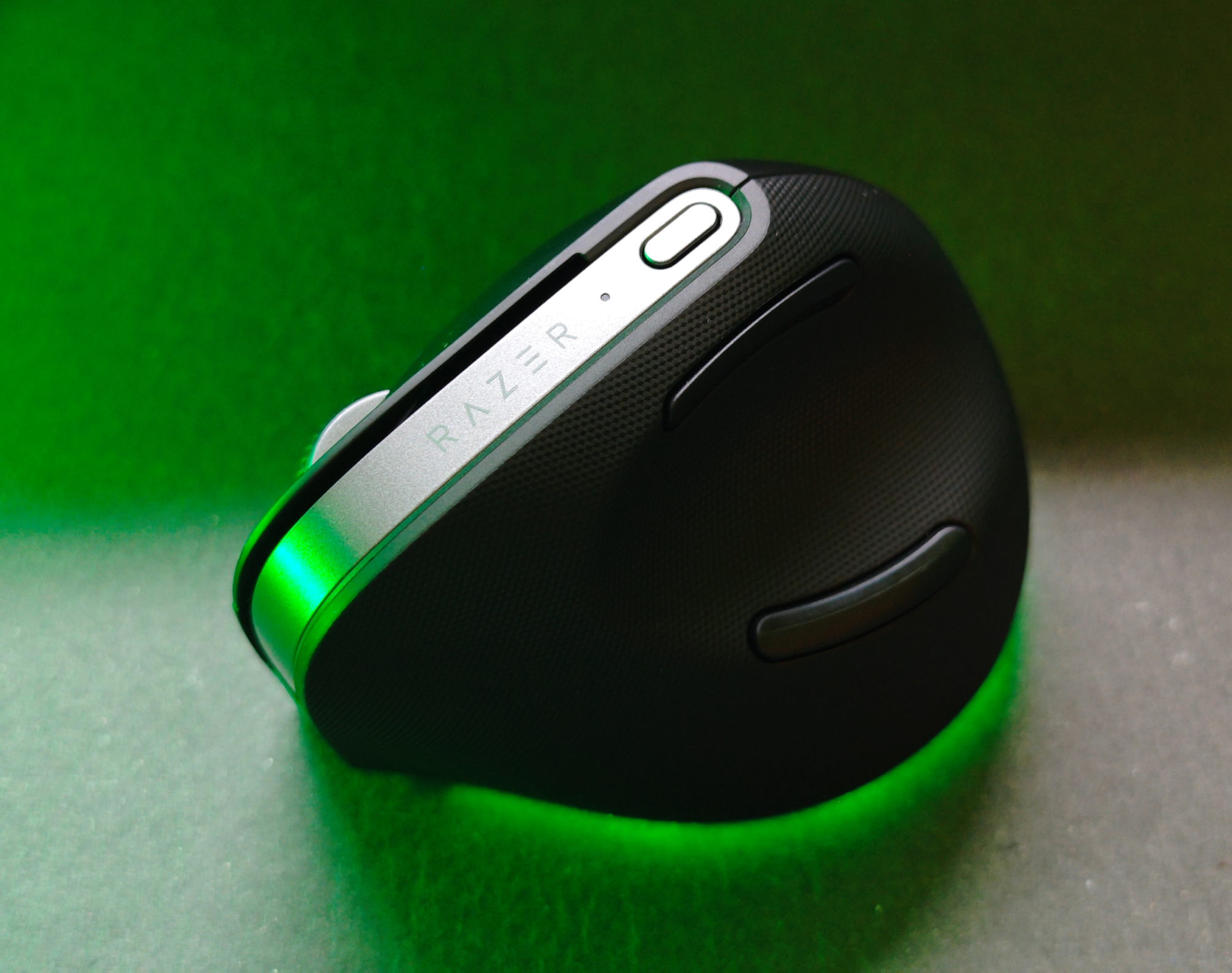
Razer takes a stab at the ergonomic mouse market with the Pro Click V2 Vertical Edition, a hybrid aiming for office use but sporting gamer-grade tech like a 30K DPI sensor. It boasts a sleek design, an innovative thumb button placement, and impressive battery life (up to 6 months!). While its natural hand posture is a win for comfort and its precision is undeniable, the lack of a horizontal scroll wheel and a premium vertical scroll feature (like Logitech's infinite scroll) hold it back from perfection. Despite a slightly awkward pinky rest for larger hands, its comfortable angle and balanced feel are a refreshing entry into ergonomics. Discover if this Razer newcomer is the right fit for your desk – read the full review to see how it stacks up!
We have tested many products from Razer here at senses.se. Aside from products like the Aether Monitor Light Bar, Razer Monitor Stand Chroma, or Razer USB 4 Dock, which all lean towards the office world, most products are gaming-oriented. Dedicated gaming mice like the Razer Cobra Hyperspeed or keyboards like the Razer Huntsman V3 Pro can certainly be used for other tasks, but that is not their primary purpose. We were therefore particularly interested when Razer asked us to take a closer look at a new mouse that isn’t necessarily meant to be viewed through the eyes of a gamer.
Razer Pro Click V2 Vertical Edition is perhaps aimed more at the office than at gaming. But at the same time, you have your RGB lights and even the Razer Focus Pro Optical Sensor with a maximum sensitivity of 30,000 DPI. So, it is a hybrid. It becomes even more interesting to compare it against other established vertical mice like the Logitech MX Vertical or Contour UniMouse. There may be aspects that these three manufacturers, who are highly respected in their field, can learn from each other. That remains to be seen. But the main guest this time is the Pro Click V2 Vertical Edition.
Why a vertical computer mouse?
Put simply, the natural posture of the forearm is not what most computer mice force it into. You can test this yourself by placing your other arm on top of the arm controlling the mouse, just below the elbow, and switching between positions. You immediately notice the strain placed on the arm with a standard mouse.
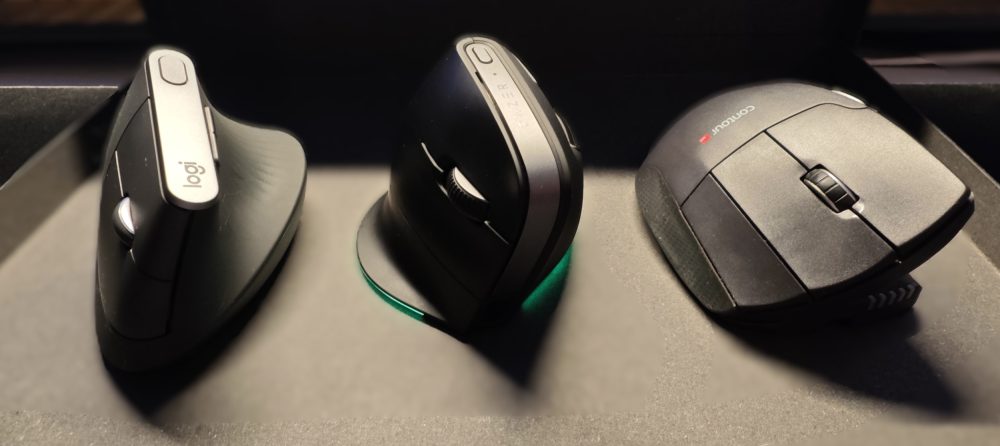
Logitech MX Vertical, Razer Pro Click V2 Vertical Edition, Contour UniMouse.
(Photo: senses.se)
What requires a bit of practice is not moving your entire hand when you click, which might otherwise cause you to click somewhere other than intended. But once this part is mastered, you can quite quickly increase the DPI and maintain excellent control over your entire screen with very small movements, all while keeping your arm in a relaxed position.
Out of the box – Pro Click V2 Vertical Edition
Lately, we have repeatedly noted that Razer has somewhat toned down its products, making them increasingly discreet. The Pro Click V2 Vertical follows this pattern. It is very stylish. Razer has also made some interesting choices regarding the back/forward buttons operated by the thumb. With this mouse, Razer has chosen to place them above and below the thumb. This solution feels attractive right from the start; it becomes incredibly easy to click them compared to many others where you have to feel around to ensure you’re in the right spot.
However, we have found one shortcoming here—one that both the MX Vertical and Contour UniMouse have also missed, but which the Logitech MX Master 4 has perfected: the horizontal scroll wheel. The Pro Click V2 Vertical has the space, and if this mouse is intended for the office environment, this should be included. The vertical scroll wheel feels perfectly fine, but even here, we miss the premium feel of the “infinite scroll” function found on the MX Master 4. So, Razer has a bit to learn here. But so does Logitech, from its own products.
(Photo: senses.se)
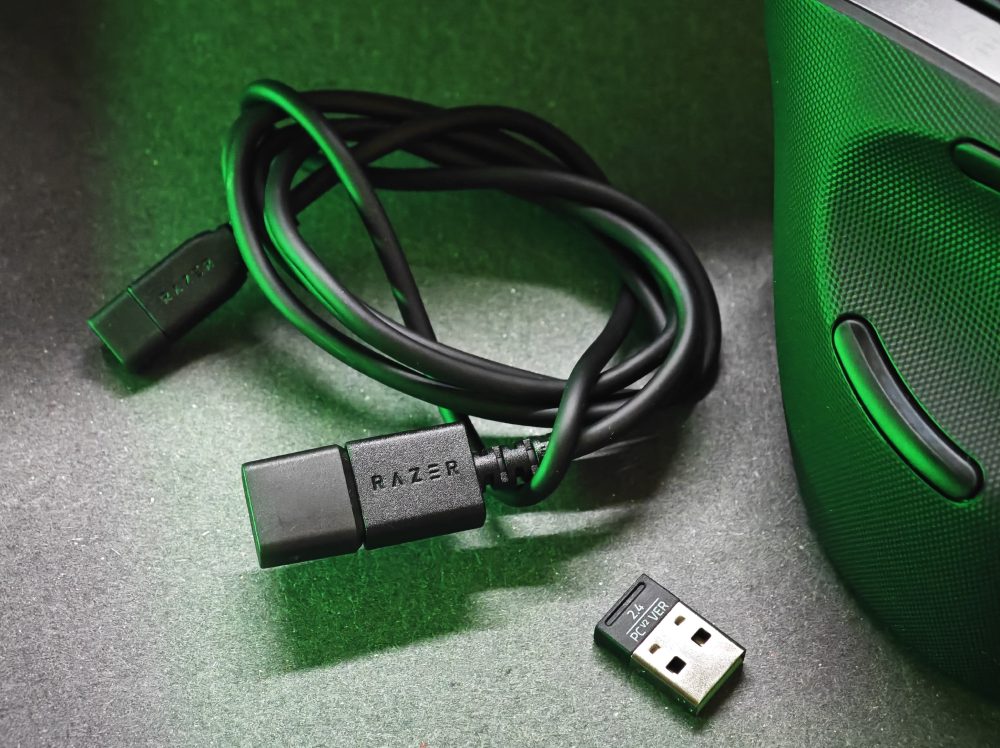
In the box, you get a charging cable that can also be used to operate the mouse, and inside the mouse itself, a USB-A dongle is magnetically attached in the middle. This detail appeals to us. If your computer doesn’t have Bluetooth today, there’s a good chance it has USB-A ports. Furthermore, it’s just as easy to use your own cable if desired. Razer has put some thought into that. You can also pair the Pro Click V2 Vertical with three devices via Bluetooth. The fourth connection method is Razer HyperSpeed, which connects the mouse via a 2.4 GHz connection.
Battery-wise, we are quite impressed. The Pro Click V2 Vertical lasts up to 6 months on a single charge. Impressively, you only need to charge it for five minutes to get three days of use. A full charge, however, takes four hours.
(Photo: senses.se)
The Feel – Pro Click V2 Vertical
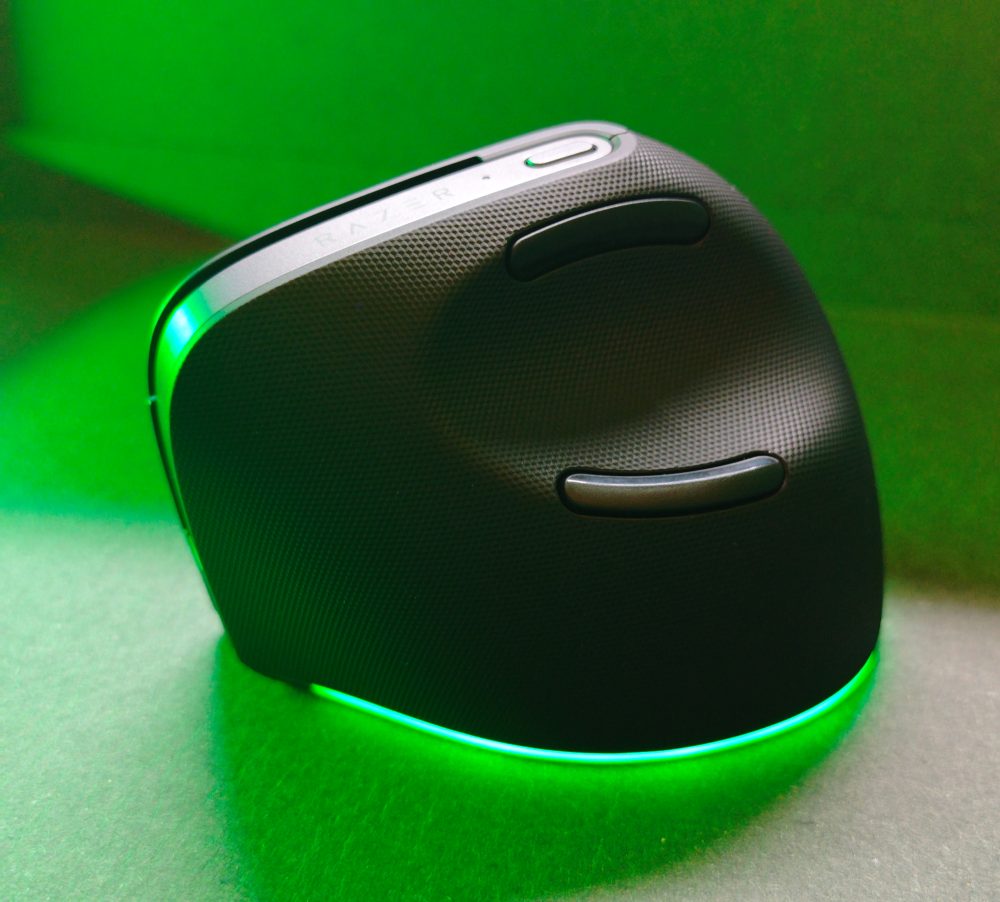
Unlike the Logitech MX Vertical, the Pro Click V2 Vertical has a small ledge at the bottom where you can rest your pinky finger, or alternatively tuck it in. If you have a large hand, there isn’t quite enough room, and the pinky finger ends up dragging. You can tuck it in, but then the ring finger ends up over the button, which isn’t particularly comfortable either. With the Logitech MX Vertical, it falls outside, which feels fine since there is no ledge. The same applies to the Contour UniMouse, which is adjustable and has three buttons across, where the third can be programmed.
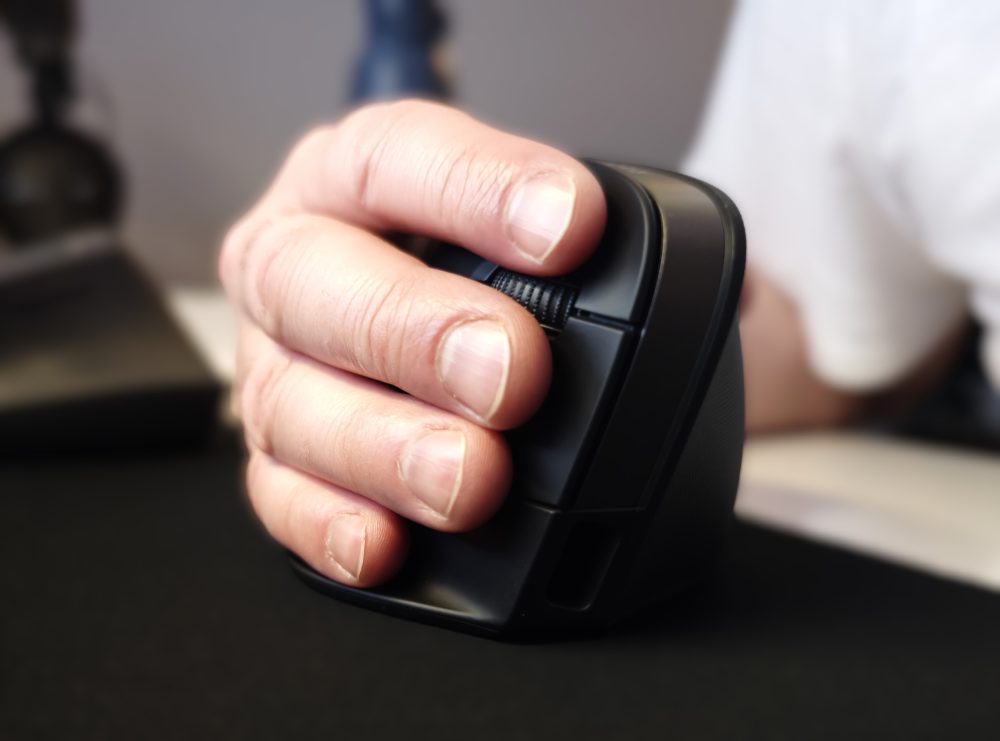
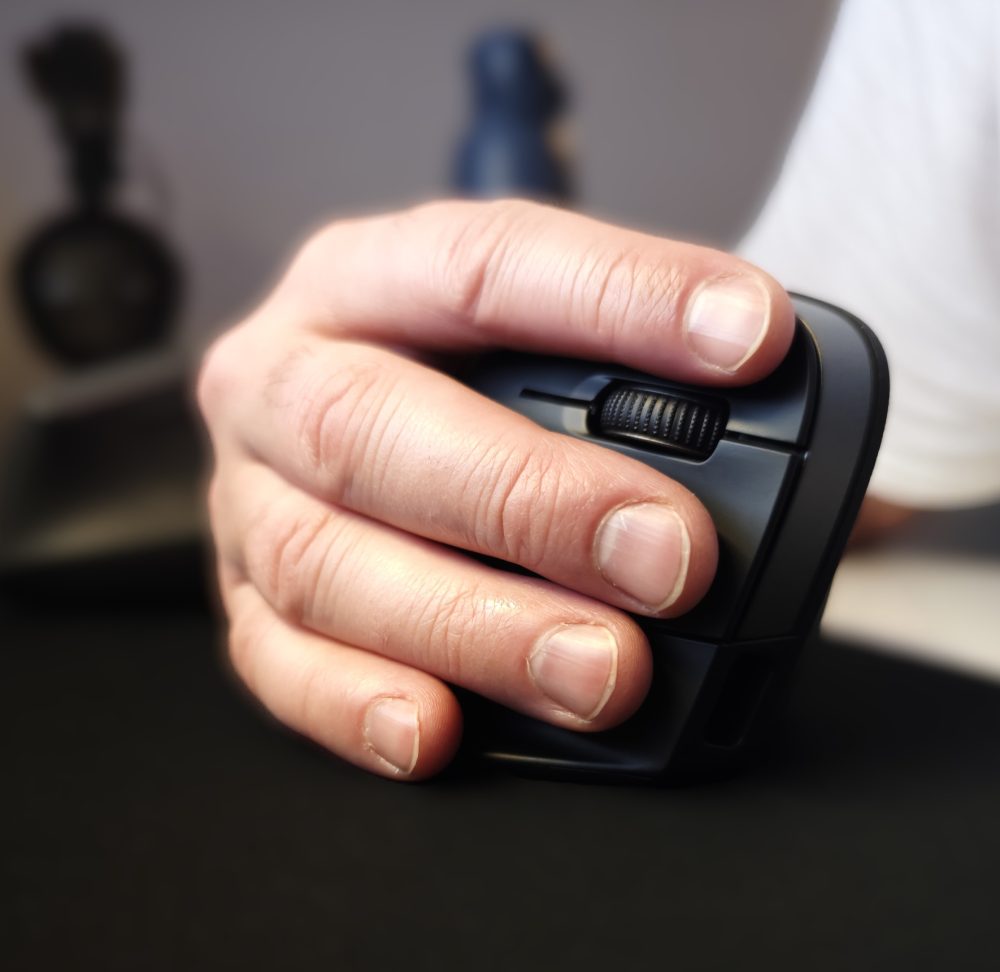
Despite its weight, it doesn’t feel heavy; rather, the weight is beneficial when making small sideways movements with the wrist, as the resistance helps you quickly learn how much force to apply. The textured surface around the thumb is very pleasant, and we would have preferred to have it under the palm as well. It gets a bit sweaty without the pattern. However, the back/forward buttons quickly prove to be a brilliant solution and are not difficult to get used to. Even though there is a small distance to move the thumb, it is faster than aiming for a traditional button.
The angle of the Pro Click V2 Vertical is 71.7 degrees, which is quite steep, but the indentation around the thumb allows the hand to rest there to some extent and rotate slightly if it feels more natural.
Razer has included AI, or…
(Photo: Razer)
(Photo: Razer)
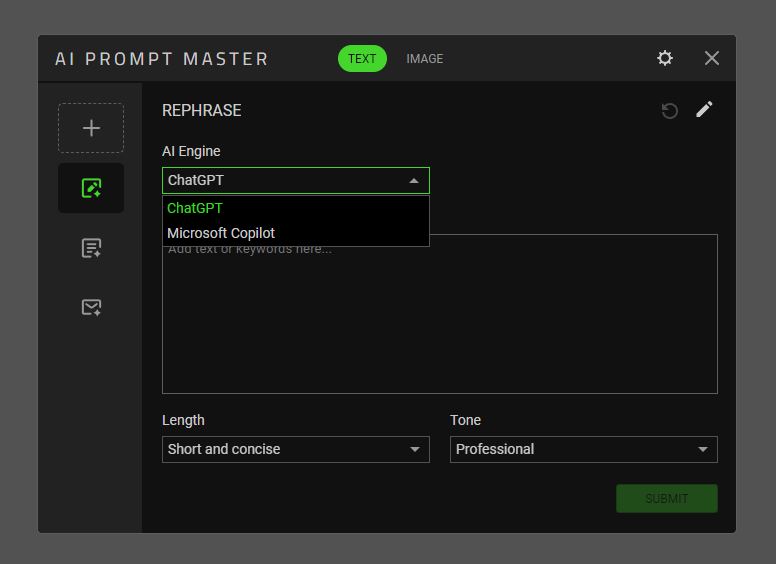
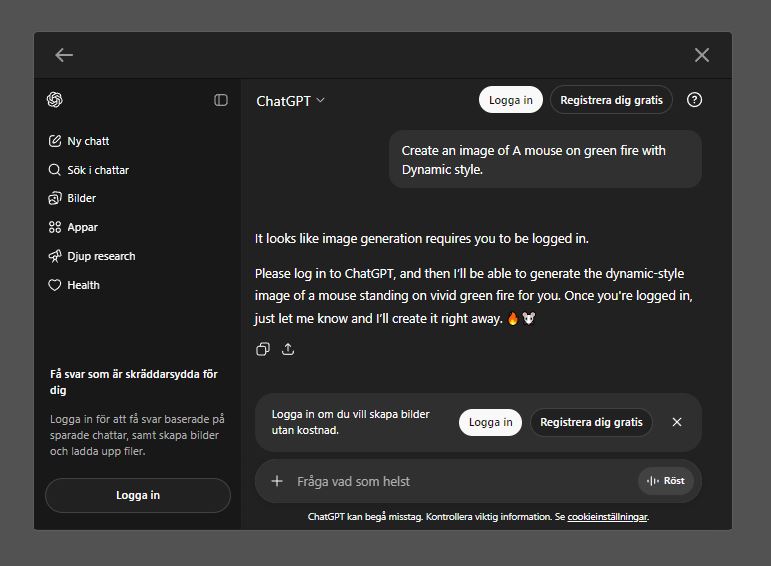
If you hold down the button that is programmed out of the box to change DPI, you launch a shortcut to ChatGPT or Microsoft Copilot. However, if you then try to use either service, you need to log into your account. So essentially, it’s just a programmable button. You can also configure a variety of long-press functions in Razer Synapse 4. If we take a quick look at the Logitech MX Master, it has an Action Ring where you can program eight different options. So, this specific function is not the Pro Click V2 Vertical’s strongest suit.

(Photo: Razer)
In true Razer fashion, you can of course control the RGB lighting on the mouse exactly as you wish. Let it sync with your lights, let the mouse dance with pulsating patterns, or turn it off completely.
The Verdict – Razer Pro Click V2 Vertical
As an office mouse, the Pro Click V2 Vertical almost hits the mark. We miss the horizontal scroll and especially an “infinite scroll” function on the vertical one. This becomes highly central when using Microsoft Excel, for example. However, the angle is comfortable, and the entire mouse feels well-balanced and glides with just the right amount of resistance.

(Photo: senses.se)
The Pro Click V2 Vertical costs approximately 1,200 SEK, making it twice as expensive as the Logitech MX Vertical and almost exactly the same as the Contour UniMouse. What the Pro Click V2 Vertical does have, however, is the very sharp Razer Focus Pro Optical Sensor, which provides great precision. In comparison, the Logitech MX Vertical’s sensor feels a bit coarse. As a gaming mouse, it is likely aimed at slower-paced games, but it is also probably a matter of habit. Ergonomically, it is excellent, and after a few days of use, something happens with the right arm, and you can feel the muscles relax.
Thus, we find it refreshing that Razer is entering the ergonomic mouse market, but we also feel that if it is to compete with experienced office mice, there is still some ground to make up.
Razer sent a review unit for this test. The sender of the material has no editorial influence on our tests; we always write independently with our readers and consumers in focus.
Review Highlights: Q&A
How long does the battery last on a full charge?
The battery lasts up to 6 months on a single full charge.
How much usage do you get from a five-minute charge?
A five-minute charge provides three days of use.
How many devices can be paired via Bluetooth?
You can pair it with up to three devices via Bluetooth.
Does the mouse have a horizontal scroll wheel?
No, it lacks a horizontal scroll wheel and infinite scroll.
What is the maximum sensitivity of the mouse sensor?
It features a Focus Pro Optical Sensor with 30,000 DPI.
What is the specific ergonomic angle of this mouse?
The mouse is designed with a steep angle of 71.7 degrees.
Where is the USB-A dongle located for storage?
A USB-A dongle is magnetically attached inside the mouse.
