

TL;DR
The Imou Doorbell 2S enters the smart home market as a budget-friendly powerhouse, offering high-end features like 2K resolution and unique motorized panning for a distortion-free 180-degree view. For under 1000 SEK, you get a battery-powered device with an indoor chime that doubles as a WiFi extender and local storage hub—eliminating the need for costly monthly subscriptions. While it excels with sharp daylight imagery and easy installation, it faces hurdles with a sluggish app, picky USB-C charging requirements, and potential visibility issues in rainy weather. Does this affordable alternative have what it takes to survive Swedish winters and outperform its premium competitors? Dive into our comprehensive review to discover if the Imou Doorbell 2S is the right security solution for your doorstep.
Imou is a brand that might not be as well-known as Arlo or Eufy here in Sweden, but it has made a name for itself internationally with affordable smart cameras and security products. The brand belongs to Dahua, one of the world’s largest manufacturers of surveillance equipment, which means there is solid hardware expertise at its core.
We have long had our eyes on their range of smart surveillance cameras, and now the turn has come to the Imou Doorbell 2S, a battery-powered video doorbell that comes with an included chime that also functions as a storage unit and WiFi extender.
With 2K resolution, motorized panning, and local storage without the requirement for a cloud subscription, it sounds almost too good to be true in this price range (under 1000 SEK). But how well does it hold up in reality, and above all, how does a gadget like this fare under Swedish conditions? Let’s find out!
Design and build quality
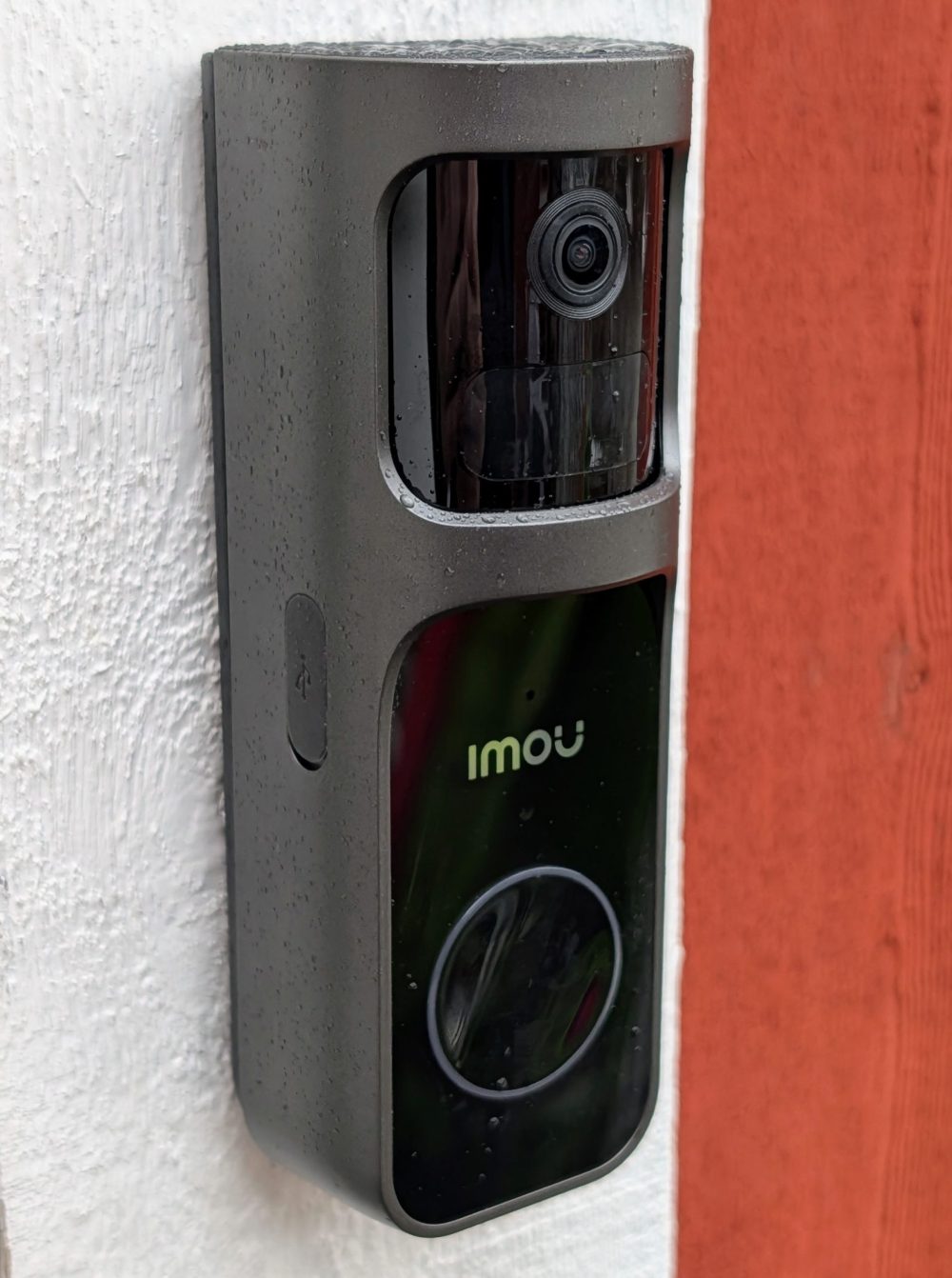
The Imou Doorbell 2S is a fairly large device. It protrudes quite a bit from the door frame compared to, for example, an Arlo Doorbell, and that size can be an aesthetic downside if you prefer discreet solutions. However, the build quality feels quite alright for the price range; it is made of matte plastic in black/silver that doesn’t attract fingerprints too easily.
One thing that worries me slightly is the weather resistance. Imou calls it “weatherproof,” and some retailers list an IP65 rating, but it’s not consistent. Clear IP rating information is missing from the official documentation. However, we have tested it during February in weather that offered both snow and rain, and it handled that without any problems.
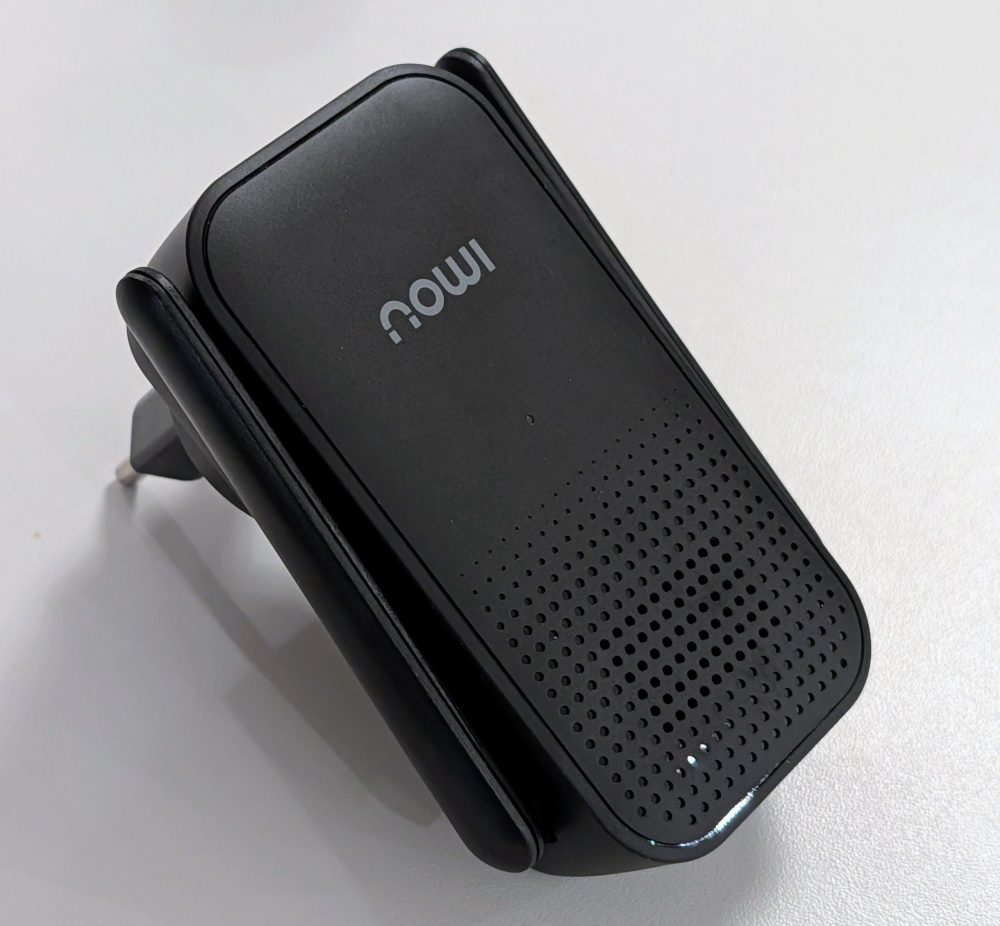
The included indoor unit is a clever solution. It plugs into a standard wall outlet and serves three purposes in one: a chime that rings when someone presses the doorbell, a WiFi extender (the doorbell itself is connected to the indoor unit, not your WiFi), and a storage unit with a slot for a microSD card (up to 512 GB). Having the SD card indoors means that if someone steals or breaks the doorbell itself, your recordings won’t be lost.
Installation
Installation is done via the Imou Life app and is very smooth. We had the doorbell mounted and connected in about ten minutes. You download the app, scan a QR code, pair the indoor unit and the doorbell, and then mount it using the included bracket. You are guided step-by-step, and it doesn’t take many minutes before the doorbell is up and running.
Imou recommends a mounting height of 1.4 to 1.5 meters, and that the indoor unit is placed relatively close to the doorbell (ideally within three to five meters) for the best signal.
App and software
The Imou Life app is quite capable in terms of features, with live view, playback, notifications, activity zones, quick replies, and plenty of settings. There is support for Android widgets, and the structure is decent, if a bit cluttered. Everything isn’t always where you’d expect it to be, and it takes some time to get used to the app.
But the Swedish translation? Not entirely perfect. The app is sloppily translated, especially the AI-generated texts you get as notifications. It can look quite ridiculous at times.


It doesn’t exactly give a professional impression. It’s livable, and you usually understand what is meant, but for a product that wants to be taken seriously on the Swedish market, it should be better.
The biggest problem with the app is that it sometimes takes too long to access the live view. Occasionally it’s quite sluggish, and on a couple of occasions, I missed seeing who rang the doorbell before the video finally loaded. That’s too slow. If you get a notification that someone is at the door, you want to be able to see them immediately, not sit and wait.
A big advantage of the system is that you can run it entirely without a cloud subscription thanks to the local microSD card in the indoor unit. If you still want cloud backup, there is Imou Protect, with prices starting from around 40 SEK per month. A 30-day free trial is also included.
Image quality
Here, the Doorbell 2S delivers quite well for the money. The camera’s 1/2.8-inch CMOS sensor provides a resolution of 3 MP (2304×1296) in 2K, and in daylight, the image is sharp and detailed. You can easily identify faces and read text on packages, which is, after all, the whole point of a video doorbell.
What makes the camera unique is the motorized panning. The lens can physically rotate up to 30 degrees, which, combined with the already wide 166-degree diagonal angle, provides total coverage of around 180 degrees horizontally. The beauty of this solution compared to pure wide-angle is that you avoid the fisheye distortion that many competitors suffer from. This is undoubtedly one of the product’s strongest points.
The night vision with IR works up to five meters and provides a perfectly acceptable image in the dark. Not perfect, but certainly enough to see who is standing outside the door.
In rainy weather, we have seen poorer results. Raindrops, dew, and condensation on the lens or protective glass can make the image very blurry. Even morning dew can cloud the image (it sometimes clears up on its own afterward, but it’s hardly ideal).
A technical limitation is that the video is recorded at a maximum of 15 frames per second. It’s not a dealbreaker, but it means that fast movements can look a bit jittery compared to cameras that record at 30 fps.
Detection and AI
The Doorbell 2S uses a combination of a PIR sensor and AI-based person detection, and it mostly works well. In practice, it’s a great feature designed to reduce notification spam from animals, cars, and blowing leaves. The issue I encountered during testing is that it sometimes sends a notification that a bicycle is parked in front of the camera—and yes, it is—but it was there before, too. Sometimes it seems to detect some motion, perhaps from the wind or similar, and then it notices the parked bike, even though it has already alerted about it.
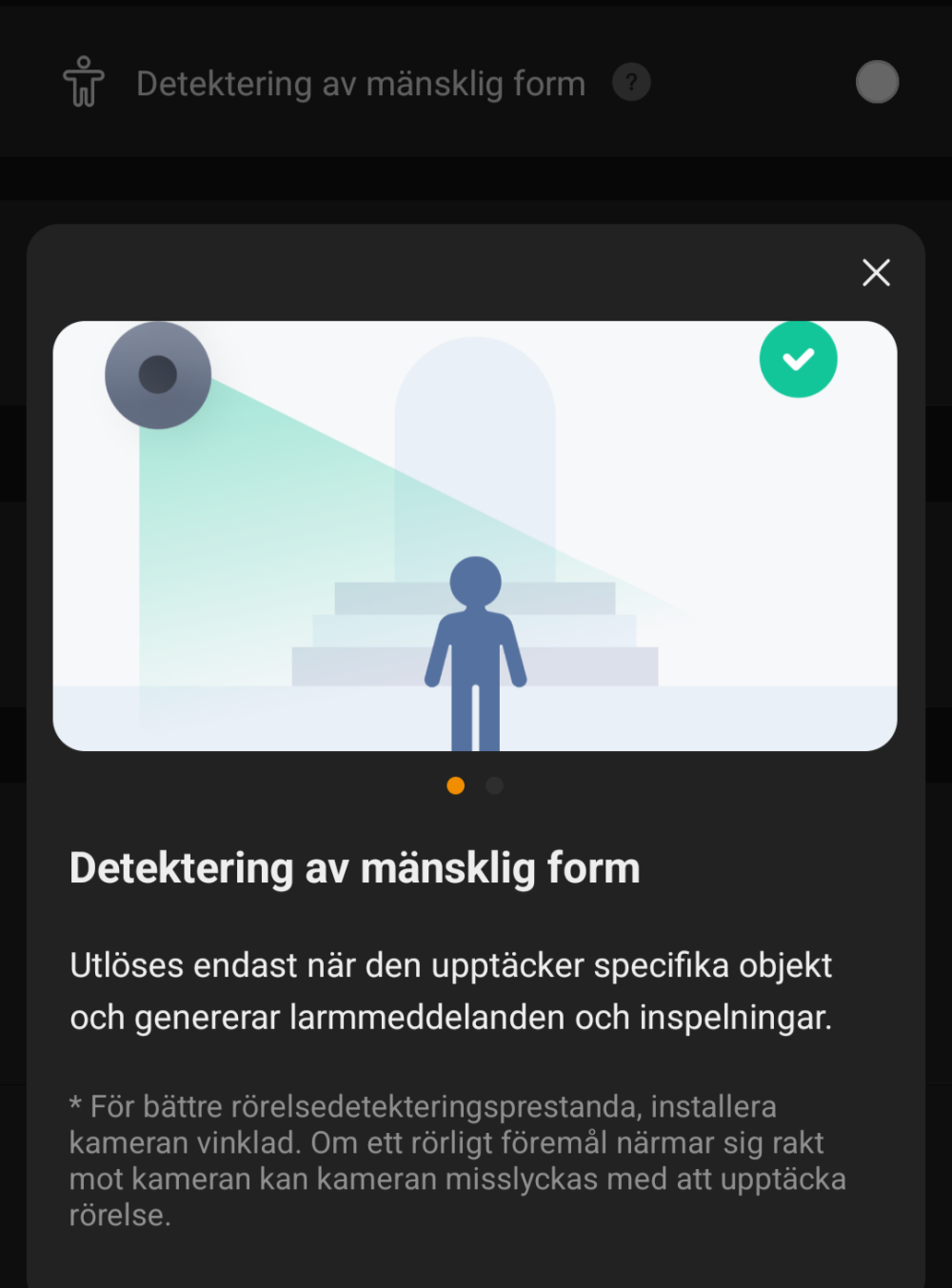
If you configure the app to only receive notifications for “human detection,” it has worked 100%.

There is also a feature that warns if someone lingers by your door for an unusually long time, which can be useful if the doorbell is in a place where people pass by, but you only want notifications if someone stays outside your door for an extended period (adjustable time interval). I must admit I really jumped the first time I got a notification about “Loitering at the front door.”
Notifications arrive quickly. Imou markets a notification time of 0.3 seconds, and we experienced response times that were fully comparable to the competition. If someone rings the doorbell, it functions like a phone call, which means you rarely miss it.
Battery and charging
The 5,000 mAh battery should, according to Imou, last up to 120 days, but as always, that figure depends on how many notifications and live views you use. We have tested the unit for a few weeks, averaging about 10 notifications per day, and if the battery percentage continues to decrease at the same rate, a single charge will last about two months.
Charging is done via USB-C, and here comes one of my absolute biggest frustrations with this product. It is extremely picky about which chargers it accepts. I had to test five to six different USB-C chargers before I found one that worked. Not even the office’s Anker Prime-laddare which usually handles exactly everything, would be accepted. The specification says 5V/1A, but in practice, it seems extremely fastidious about which chargers it wants to cooperate with.
There is an option to hardwire it with an existing doorbell cable, but that wasn’t something we were able to test.
Conclusion
The Imou Doorbell 2S is a truly affordable video doorbell that offers a lot for the money. You get a 2K image, motorized panning with tracking, local storage without subscription requirements, and a smart indoor unit that acts as a WiFi extender. Installation is simple, image quality in daylight is good, and the AI detection (mostly) does a good job of filtering out irrelevant notifications.
But there are downsides. The app needs quite a bit of polish. The image can become blurry in damp weather, the unclear IP rating is concerning, and the charging issues with USB-C chargers are annoying.
The recommended price is 990 SEK, and that isn’t much money for what you get. If you accept its shortcomings and don’t live in too weather-beaten a location, you get a lot of gadget for your money. Avoiding an expensive subscription is wonderful, and if you do want cloud storage, the price is a fraction of what competitors charge.
Imou sent review samples for this test. Senders of material have no editorial influence on our tests; we always write independently with you, the readers and consumers, in focus.
